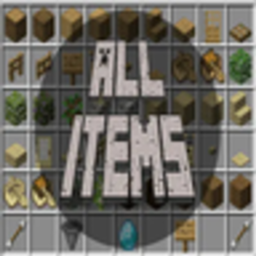
All Items (Client Mod)
Track your individual progress for an all items challenge.
介绍
All Items Client Mod
This mod allows you to keep track of the items you have collected in your minecraft worlds. It is a spin off of my all items plugin which has a lot more features and better implementation.
This mod is meant to be for client side use only to keep track of your individual progress of collecting all the items in the game. As compared to the more competitive nature of the spigot plugin which is meant for a server wide campaign to collect all items. There is also the server side fabric/neoforge mod that expands this mod to a multiplayer server.
Link to server mod: https://modrinth.com/mod/all-items-(server-mod)
Link to spigot plugin: https://modrinth.com/plugin/all-items
Config
The list of items for you to collect is customizable and compatible with other mods. The default list is just items obtainable in vanilla minecraft but you can add or remove items to get exactly what you want. You can do this per world or change the default list to have a standard item list when loading a new world.
You can find it under configs/AllItemsClient
Keybinds
Default key is G to open the menu, and keep in mind the list also updates when G is clicked, so any item not in your inventory won’t be added.
Other Mods
This mod allows you to use items from other mods! By modifying the config you can just add <modid>:<item_name> to a row and get that item in your inventory.

Filter Items
By clicking the hopper you send your collected items to the bottom of the list, allowing you to more clearly identify which items you have left to collect.
Discord
Join the discord! Link: https://discord.gg/zHzFgWX8KW
常见问题
All Items (Client Mod) 支持哪些 Minecraft 版本?
All Items (Client Mod) 支持 Minecraft Java 版 1.21–26.2,共 16 个版本,可用的加载器:Fabric / NeoForge。下载时注意选择和你游戏版本一致的文件。
All Items (Client Mod) 怎么安装?
先用 PCL2 或 HMCL 启动器安装对应版本的 Fabric / NeoForge,再把下载的 .jar 文件放进游戏目录的 mods 文件夹,重新启动游戏即可。开启了版本隔离的,mods 文件夹在 versions/版本名 下面。
Bowser_The_Boss 的其他作品
查看全部 →
Compact Tools
Combines all your tools into 1 item

Fragments of the Final Gate
Collect different eyes throughout the world to unlock the end

Fragments of the Final Gate
Collect different eyes throughout the world to unlock the end

Compact Tools
Combines All Tools Into One Item
评论
登录后评论和评分