
截图


介绍
Travel to a distant Alien Planet, very different from the overworld, with new animals, plants, and mechanics.
Getting to the Alien Planet
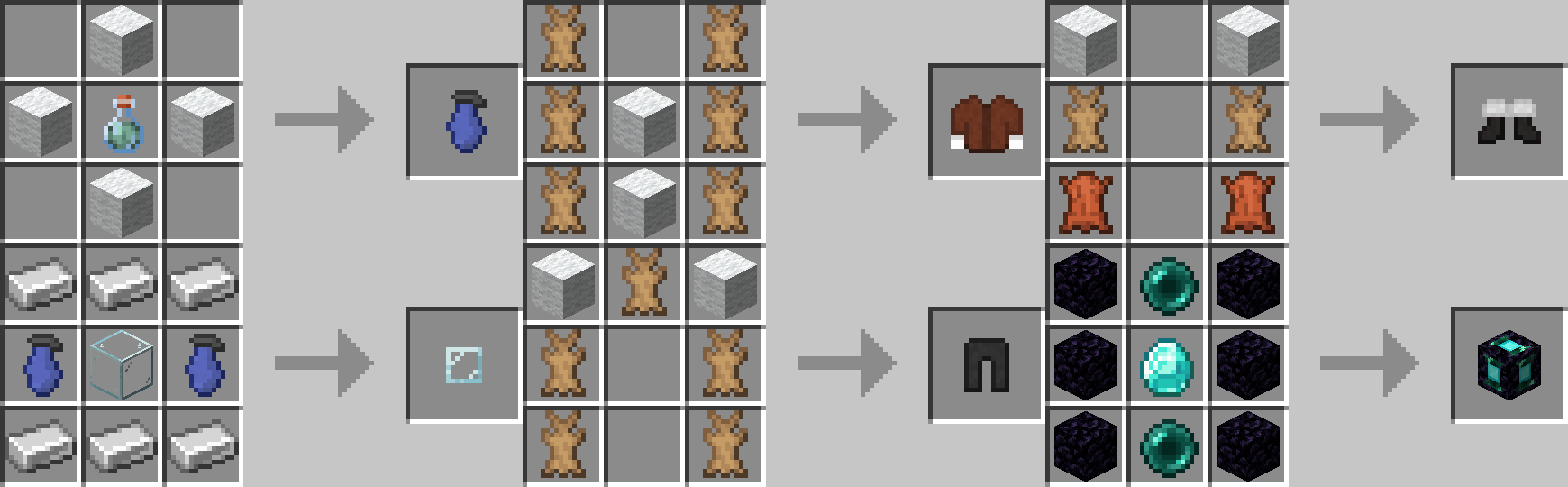
Important recipes-
You must locate this dungeon in the underground and find this room-
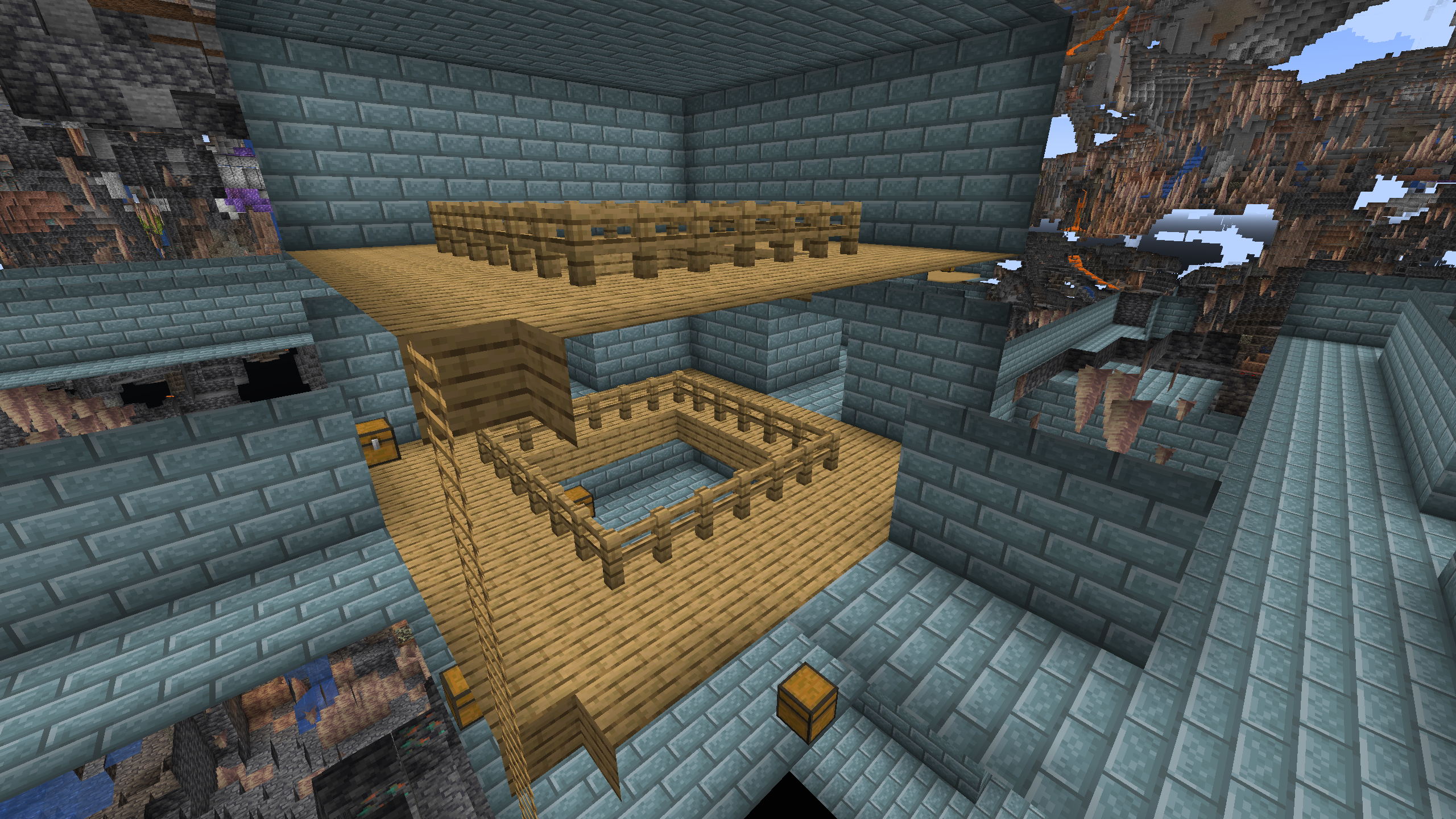
The chests at the bottom of it will usually contain the Blue Planetary Key item which is needed to get to the Alien Planet.
After that, put down the Dimensional Teleporter Block, Put the key inside, and then click on it to be teleported to the Alien Planet.
Surviving the Alien Planet
On the Alien Planet, you must be wearing the Survival Gear, Fur Coat, Fur Pants, and the Snow Boots or else you will not be able to survive.
The Alien Planet has very different lighting and skies from the overworld.
There is also a companion planet which will often eclipse the Sun making monsters able to spawn.
Due to the coloration of the Alien Planet’s Sun the lighting on the Alien Planet is substantionally redder and darker than that of the Overworld. (this is most visible at moody lighting)
Comparison of Normal VS. Alien Lighting-
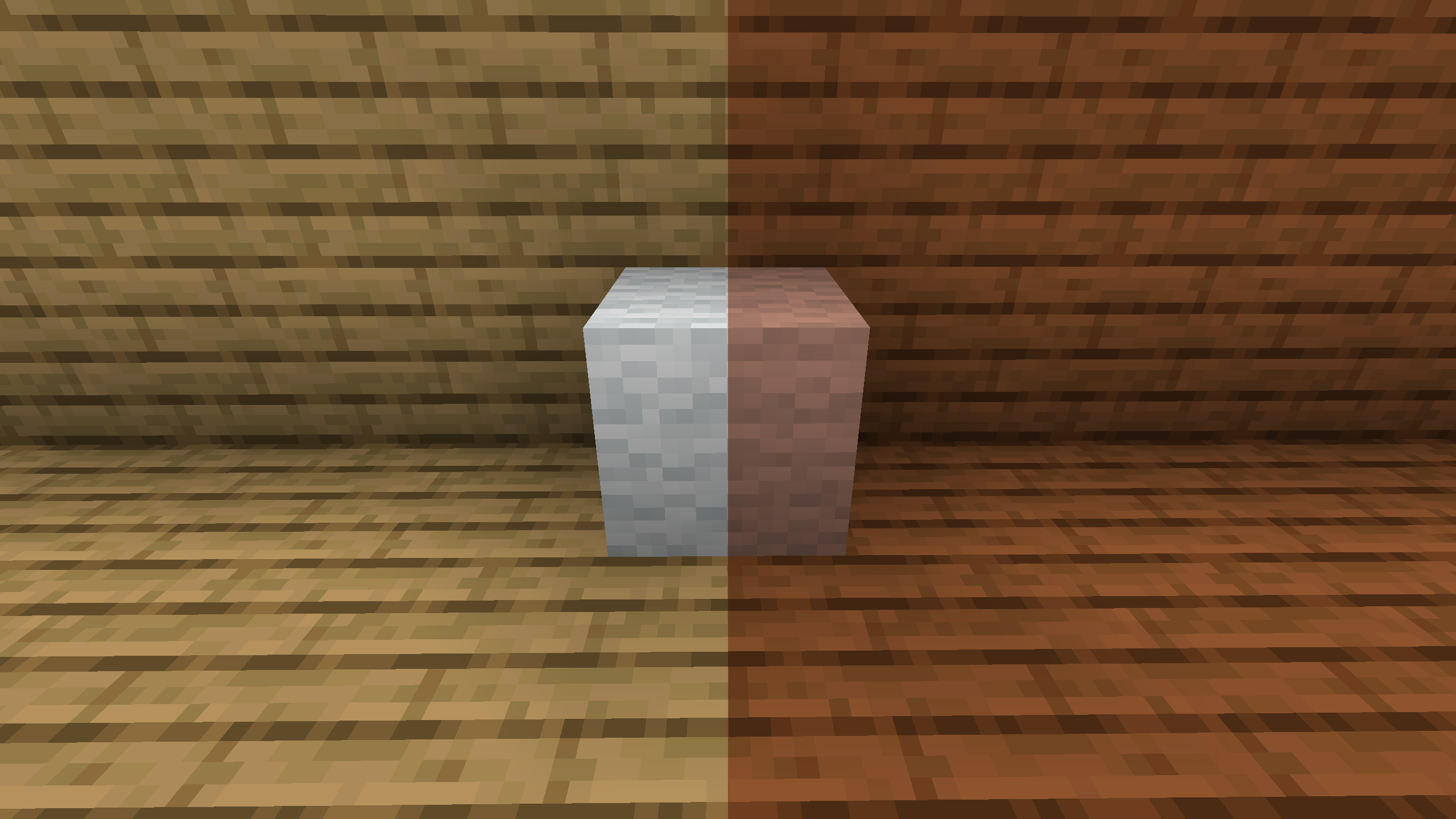
The Alien Planet also features lower gravity than the Overworld, allowing you to jump 1 1/2 times as high as normal.
常见问题
AlienMod 支持哪些 Minecraft 版本?
AlienMod 支持 Minecraft Java 版 1.20.1–1.20.6,共 6 个版本,可用的加载器:Forge。下载时注意选择和你游戏版本一致的文件。
AlienMod 怎么安装?
先用 PCL2 或 HMCL 启动器安装对应版本的 Forge,再把下载的 .jar 文件放进游戏目录的 mods 文件夹,重新启动游戏即可。开启了版本隔离的,mods 文件夹在 versions/版本名 下面。运行环境:客户端和服务端都要装。
评论
登录后评论和评分