
AI Tooltip
作者:Arthurus36
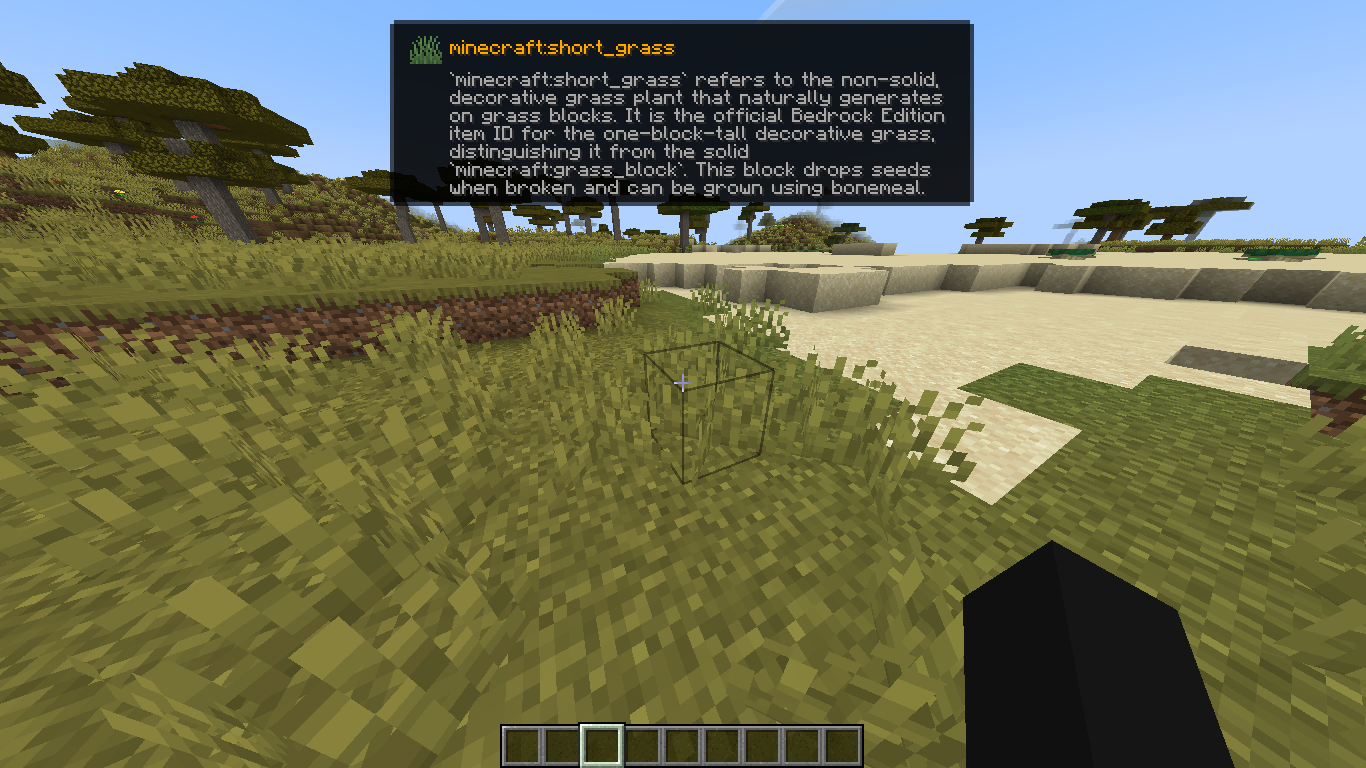
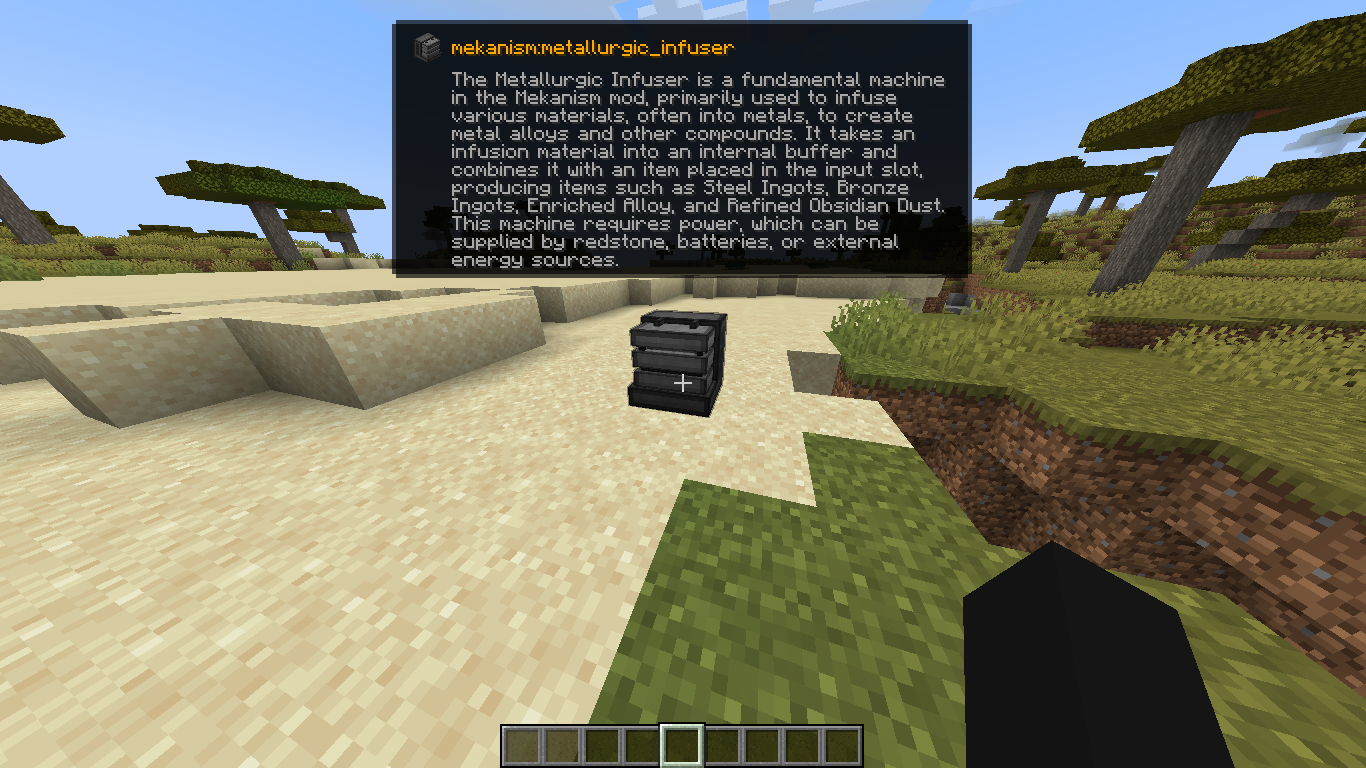
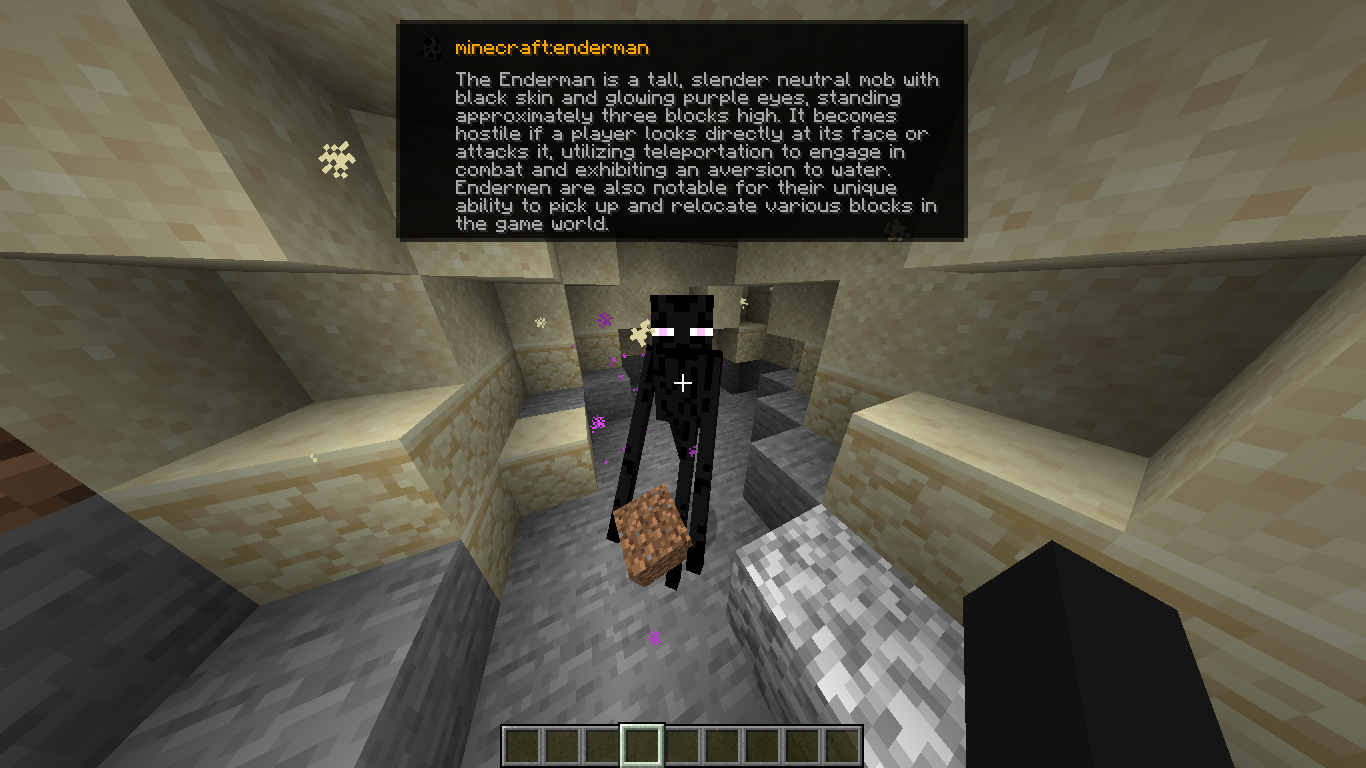
An intelligent AI-powered HUD tooltip that uses Gemini 2.5 Flash to instantly describe any block or entity you look at!
截图
介绍
中文介绍正在准备中,下面暂时显示原文。
AI Tooltip
AI Tooltip is a simple, polished client-side mod for NeoForge 1.21.1 that integrates Google’s Gemini 2.5 Flash AI directly into your Minecraft HUD!
Ever look at a strange modded block or entity and wonder what it does? Now you can just press a keybind!
Features
- Smart Descriptions: Uses Gemini 2.5 Flash to generate a factual, 2-3 sentence description of any Block or Entity you are looking at.
- Google Web Search Grounding: The AI isn’t just guessing; if you enable it, the AI browses the live web to find accurate, up-to-date documentation on obscure modded items before it answers you!
- Native Tooltip UI: Renders a gorgeous, native-looking tooltip right below your crosshair. It even pulls the exact Item Icon and Mod ID of the block or entity!
- Hold ALT to Expand: The tooltip defaults to a single, compact summary line so it doesn’t clutter your screen. Hold the
ALTkey to instantly expand the box and read the full paragraph. - Optimized & Cached: It only queries the API once per unique block/entity and caches the response in memory, meaning you won’t burn through your API quota looking at the same chest twice.
How to Use
- Install the Mod: Drop
aitooltipinto yourmodsfolder. - Launch Minecraft: Launch the game at least once so the mod can generate its configuration file.
- Configure your API Key:
- Go to your Minecraft folder and open
config/aitooltip_config.json. - Get a free API key from Google AI Studio (https://aistudio.google.com/).
- Replace
"PUT_YOUR_GEMINI_KEY_HERE"with your actual key and save the file.
- Toggle the HUD In-Game:
- Join a world or server.
- Press
M(by default, can be changed in Options > Controls) to toggle the AI Tooltip HUD on or off. - Look at something!
Configuration (config/aitooltip_config.json)
{
  "geminiApiKey": "YOUR_KEY_HERE",
  "useWebSearch": true
}geminiApiKey: Your Google Gemini API key.useWebSearch: Set totrue(default) to allow the AI to browse the internet for better answers on modded content. Set tofalseif you want slightly faster, but potentially less accurate, responses.
Credits
Made by arthurus36.
常见问题
AI Tooltip 支持哪些 Minecraft 版本?
AI Tooltip 支持 Minecraft Java 版 1.21.1–1.21.11,共 2 个版本,可用的加载器:Fabric / NeoForge。下载时注意选择和你游戏版本一致的文件。
AI Tooltip 怎么安装?
先用 PCL2 或 HMCL 启动器安装对应版本的 Fabric / NeoForge,再把下载的 .jar 文件放进游戏目录的 mods 文件夹,重新启动游戏即可。开启了版本隔离的,mods 文件夹在 versions/版本名 下面。运行环境:仅客户端。
评论
登录后评论和评分