
Ai Buddy
“A persistent AI companion for Minecraft that can talk, follow, find resources, transform into different forms, and fly with you.”
截图
介绍
AI Buddy
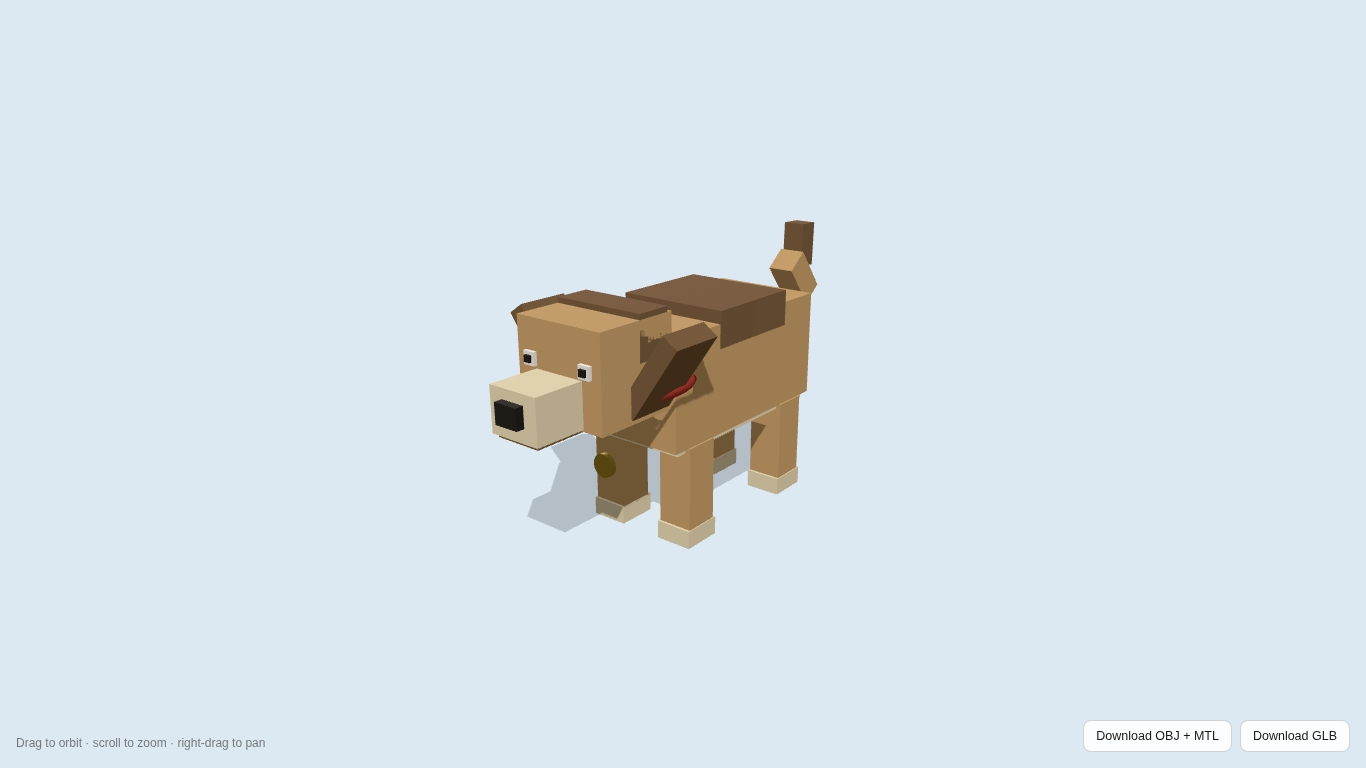
AI Buddy is a persistent AI companion for Minecraft that can talk with you, listen to voice commands, play, explore, help gather food, dig for treasure, transform into different forms, and develop a family inside your world.
Buddy began as an attempt to make a Minecraft dog feel less like a normal follower and more like a companion with its own behavior and personality.
The project is actively designed, tested, and iterated through real Minecraft gameplay. Features are added in small builds, physically tested in-game, and corrected when problems are found.
What Buddy Can Do
Talk with you
Buddy supports normal text conversation and push-to-talk voice communication.
Hold V, speak to Buddy, and your speech is transcribed and passed into the same command/conversation system used by text chat.
Buddy can respond using generated voice.
Examples:
“Buddy, sit.”
“Buddy, come here.”
“Buddy, go play.”
“Buddy, bark.”
“Buddy, jump.”
“Buddy, roll over.”
“Buddy, find something.”
“Buddy, stop digging.”
“Buddy, turn into a horse.”
“Buddy, turn into a bird.”
“Buddy, where’s your ball?”
“Buddy, where’s your family?”
Live independently
Buddy does not have to remain permanently attached to the player.
After periods of quiet play he can:
wander nearby
investigate the environment
sniff the ground
dig
chase small animals
play
rest
react to weather
interact with other animals
Call him and he will return.
Favorite Ball
Buddy has a unique Favorite Ball.
He can:
fetch it
retrieve it from water
play keep-away
find it inside your inventory
recover it if a fetch goes wrong
occasionally play with it on his own
Say:
“Buddy, where’s your ball?”
Digging and treasure
Buddy can smell interesting locations and dig for treasure.
Digging uses a safer descending staircase pattern rather than trapping Buddy in a vertical hole.
He can uncover items and carry them back to you.
A found bone can become something Buddy stops to chew and play with first.
You can interrupt him at any time:
“Stop digging.”
“Leave it.”
“Come here.”
Hunting and food
Buddy can help when you are hunting or fighting.
He can chase food prey such as chickens and rabbits and carry useful drops back to the player.
Smaller non-food animals can trigger playful chase/investigation behavior rather than automatic attacks.
Buddy can also eat suitable food to restore health.
Dog, Horse and Bird
Buddy can transform between:
Dog
Horse
Bird
These forms belong to the same persistent Buddy identity.
The transformation system includes animated morphing rather than only instantly replacing one model with another.
Horse Buddy can interact socially with nearby horses.
Bird Buddy has its own movement and idle behaviors.
Customization
Press B to open Buddy Settings.
Customization includes:
name
breed
fur
pattern
collar
accessories
voice
voice volume
personality
behavior settings
Tricks
Buddy can perform commands such as:
Sit
Stand
Bark
Jump
Roll over
Go play
Sitting is persistent until Buddy receives another action command.
Luna and the family
Buddy can eventually meet Luna, a separate family dog.
Players can build trust with Luna and later have a controlled litter of puppies.
Family features include:
Luna
family trust
1–3 puppies
puppy naming
inherited appearance traits
puppy growth
family hunting assistance
family digging assistance
family recall
Say:
“Buddy, where’s your family?”
Luna and the puppies remain dogs even while Buddy transforms into Horse or Bird form.
Voice Setup
AI Buddy currently uses Groq for supported AI speech functionality.
Voice features require:
a Groq API key
supported Groq model access
microphone access for voice input
Your API key should never be publicly shared.
The mod does not use Buddy conversations for advertising or analytics tracking.
Controls
V — Hold to talk to Buddy
B — Buddy Settings
Both keys can be changed through Minecraft controls.
Installation
Install the supported version of Fabric Loader.
Install Fabric API.
Download AI Buddy.
Place the AI Buddy .jar in your Minecraft mods folder.
Launch Minecraft using Fabric.
Complete Buddy’s adoption introduction.
Press B to customize Buddy.
Hold V to talk.
Always check the version page for current Minecraft compatibility.
Development and AI Disclosure
AI Buddy is an AI-assisted development project.
Generative AI tools have been used to assist with portions of:
code generation and revision
debugging
development documentation
some development asset work
Buddy’s optional in-game AI conversation functionality
The project is not an unattended generated upload.
The project creator directs the product design, defines the gameplay systems and behaviors, chooses features, conducts in-game testing, identifies failures, evaluates animations and interactions, and directs revisions through repeated physical Minecraft testing.
Examples of issues found and corrected through hands-on testing include:
duplicate Buddy spawning
Favorite Ball duplication and recovery
swimming and drowning behavior
digging geometry
voice playback
excessive head animation
transformation behavior in crowded spaces
free-roam behavior
sit/stand state conflicts
family identity separation
Luna and puppy behavior
AI-assisted output is treated as development input rather than assumed to be correct. Builds are compiled and tested before being considered complete.
Development Status
Active development
AI Buddy continues to receive improvements to behavior, animation, voice, stability, and companion interactions.
常见问题
Ai Buddy 支持哪些 Minecraft 版本?
Ai Buddy 支持 Minecraft Java 版 26.2,可用的加载器:Fabric。下载时注意选择和你游戏版本一致的文件。
Ai Buddy 怎么安装?
先用 PCL2 或 HMCL 启动器安装对应版本的 Fabric,再把下载的 .jar 文件放进游戏目录的 mods 文件夹,重新启动游戏即可。开启了版本隔离的,mods 文件夹在 versions/版本名 下面。运行环境:客户端和服务端都要装。
评论
登录后评论和评分