
Create Aeronautics: Ship Saver
Save and load Create: Aeronautics ships physical structures with their mounted contraptions, swivel bearings and wireless redstone using a simple command and an in-game menu. No items, no blocks, no network packets of its own, so installing it on
截图
介绍
AeroShip Saver
Save and load Create: Aeronautics ships physical structures with their mounted contraptions, swivel bearings and wireless redstone using a simple command and an in-game menu. No items, no blocks, no network packets of its own, so installing it on your client won’t stop you logging in to a server that doesn’t have it.

Features
- Save the ship you’re standing on / looking at: /aeroship save
- Load it back anywhere: /aeroship load
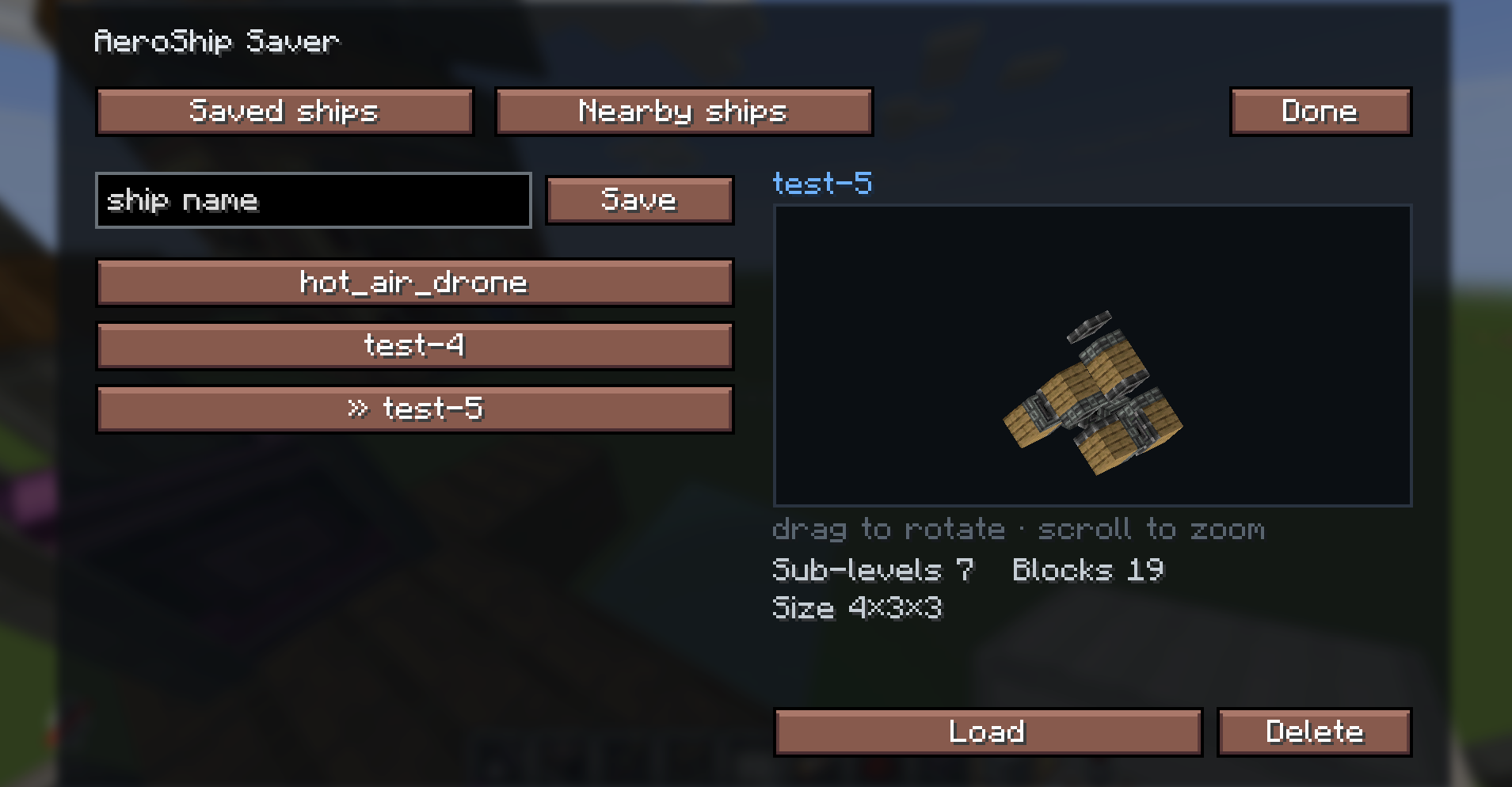
- Press G for a clean menu with:
- A rotatable 3D preview of each saved ship (drag to rotate, scroll to zoom)
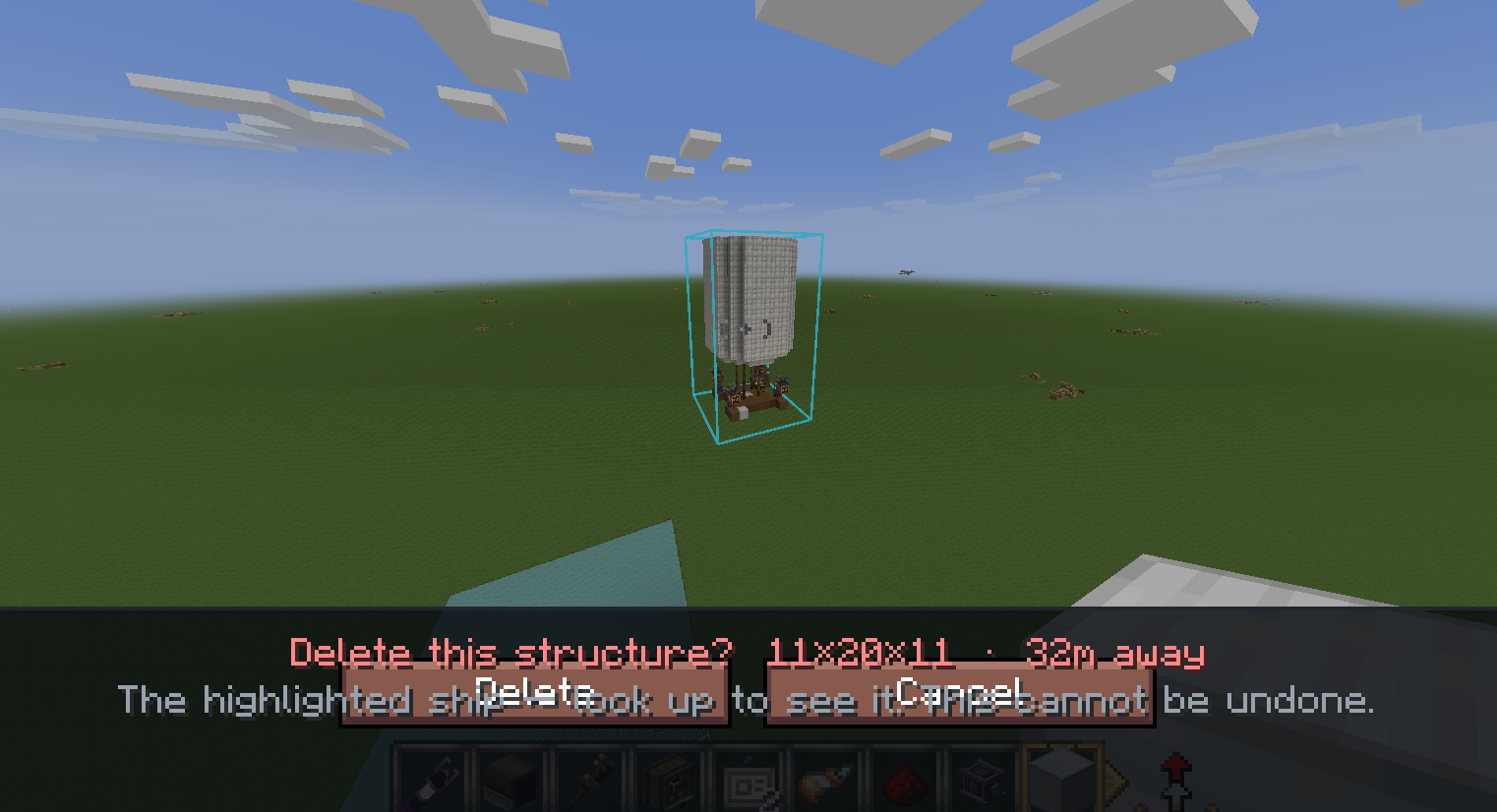
- A Nearby ships tab to delete loose physical structures, filtered by range
- A delete flow that swings the camera to the ship and highlights it so you see exactly what you’re removing with confirmation
- Saves persist across worlds and restarts (enxv_aeronautics_structures/*.excraft)
Requirements
- Minecraft 1.21.1, NeoForge 21.1.230+
- Create, Create: Aeronautics, and Sable (this mod calls into their physics engine)
Singleplayer vs servers
- Aeronautics ships are server-side physics objects, so saving/loading runs on your singleplayer integrated server. The mod adds no synced content, so you can keep it in the same instance you use to join servers without it.
Credits & license
This mod bundles and adapts the ship save/load engine from the Create Aeronautics: Toolgun by enxv233, with all item/block/network registration removed so it stays content-free. Full credit for that engine goes to enxv233. Released under CC BY-NC 4.0, the same license as the bundled code non-commercial use only.
常见问题
Create Aeronautics: Ship Saver 支持哪些 Minecraft 版本?
Create Aeronautics: Ship Saver 支持 Minecraft Java 版 1.21.1,可用的加载器:NeoForge。下载时注意选择和你游戏版本一致的文件。
Create Aeronautics: Ship Saver 怎么安装?
先用 PCL2 或 HMCL 启动器安装对应版本的 NeoForge,再把下载的 .jar 文件放进游戏目录的 mods 文件夹,重新启动游戏即可。开启了版本隔离的,mods 文件夹在 versions/版本名 下面。运行环境:仅客户端。
levisnakes01 的其他作品
查看全部 →
Create Aeronautics: Vapor Trails
Propeller vapor rings, wingtip trails, engine smoke and more for Create Aeronautics ships. Client-side only, works on any server.
Create Aeronautics: Ship Saver
Save and load Create: Aeronautics ships physical structures with their mounted contraptions, swivel bearings and wireless redstone using a simple command and an in-game menu. No items, no blocks, no network packets of its own, so installing it on
评论
登录后评论和评分