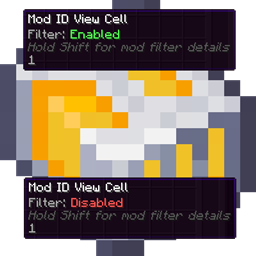
AE2 Toggleable View Cells
Toggle AE2 View Cells on/off with a right-click. Disabled cells stop filtering your terminals and show a clear disabled icon. Works with the standard AE2 View Cell and compatible modded variants.
截图
介绍
AE2 Toggleable View Cells
This mod adds a simple Enable / Disable toggle to Applied Energistics 2 View Cells.
Instead of removing a View Cell when you want to temporarily stop filtering, you can disable it and enable it again later. The cell keeps all its settings; it is simply ignored while disabled.
Supported versions:
- Minecraft 1.12.2 with AE2 UEL
- Minecraft 1.21.1 with NeoForge and AE2 19.x
Why
View Cells are great, but sometimes you only want their filtering sometimes:
- You’re searching for a specific item and don’t want to fight your current filters.
- You want to compare filtered vs unfiltered results quickly.
- You use multiple View Cells and want to temporarily disable one without taking it out.
Normally, this means removing the cell from the slot or constantly swapping cells around. This mod solves that by letting you toggle a cell on/off instantly.
Features
- Enable / Disable View Cell filtering
- When Disabled, the View Cell is ignored by AE2 filtering.
- When Enabled, it behaves like a normal View Cell again.
- Toggle in hand
- 1.12.2: right-click the View Cell in hand.
- 1.21.1: shift-right-click the View Cell in hand.
- Toggle inside terminal View Cell slots
- 1.12.2: right-click the View Cell slot.
- 1.21.1: middle-click the View Cell slot while not in creative mode.
- Clear feedback
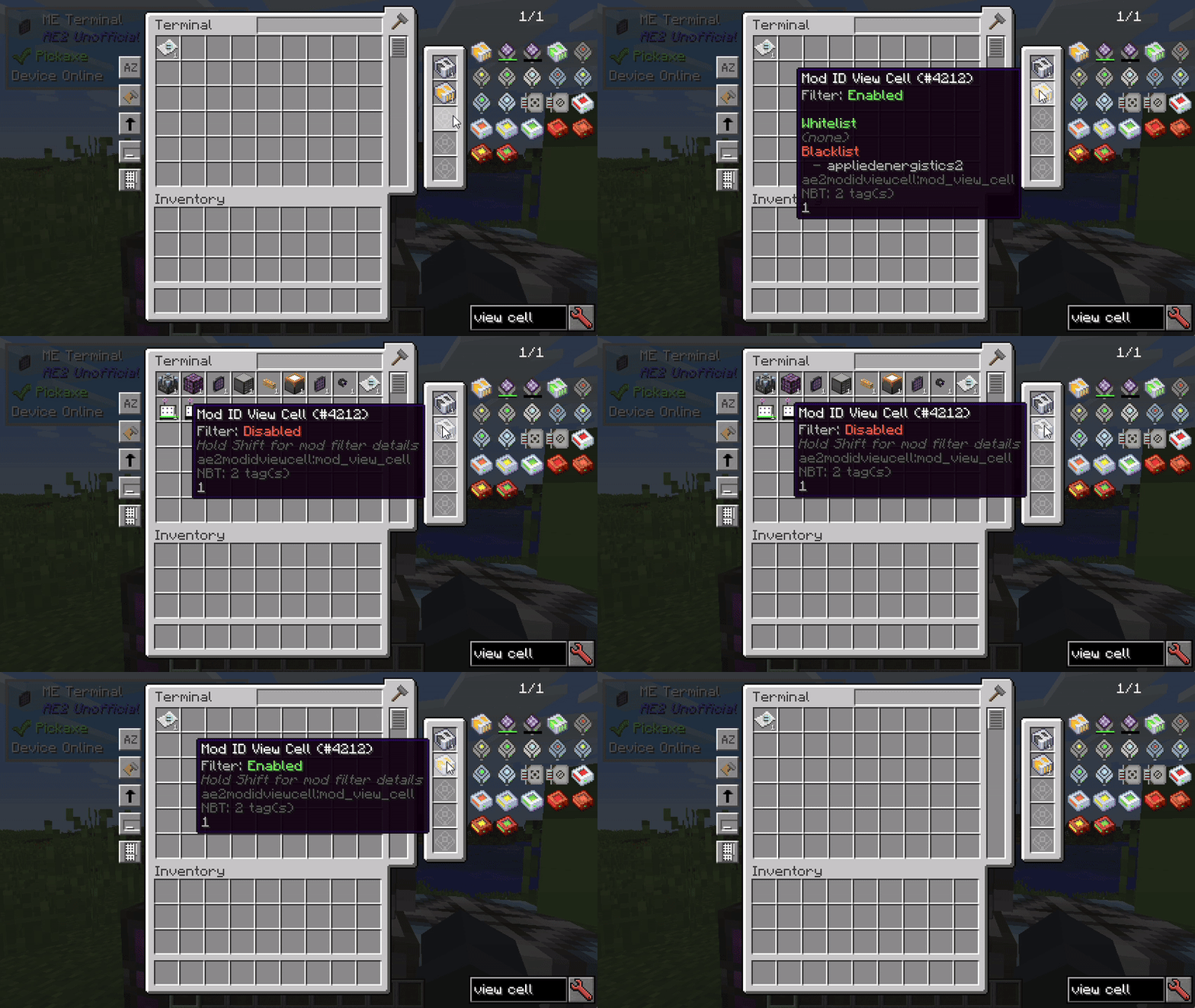
- Tooltip shows the current state.
- Status message when toggling.
- Visual indicator
- Disabled View Cells display a distinct disabled icon/texture.
- Compatible behavior
- Works with the standard AE2 View Cell.
- Supports compatible modded View Cells that extend AE2’s View Cell item.
Compatibility
Minecraft 1.12.2
- Requires AE2 UEL.
- Works in normal terminal View Cell slots, including supported wireless terminals.
Minecraft 1.21.1
- Requires NeoForge.
- Requires Applied Energistics 2 19.x.
- Works with AE2 terminal View Cell slots.
- Works with compatible addon View Cells, such as Mod ID View Cells.
- Works with wireless/universal terminals from addons that expose proper AE2 View Cell slots, such as AE2 Wireless Terminals / WTLib.
常见问题
AE2 Toggleable View Cells 支持哪些 Minecraft 版本?
AE2 Toggleable View Cells 支持 Minecraft Java 版 1.12.2–1.21.1,共 2 个版本,可用的加载器:Forge / NeoForge。下载时注意选择和你游戏版本一致的文件。
AE2 Toggleable View Cells 怎么安装?
先用 PCL2 或 HMCL 启动器安装对应版本的 Forge / NeoForge,再把下载的 .jar 文件放进游戏目录的 mods 文件夹,重新启动游戏即可。开启了版本隔离的,mods 文件夹在 versions/版本名 下面。
NuanKi 的其他作品
查看全部 →
AE2 Better Magnet Card
AE2 Better Magnet Card 可让安装在 AE2 无线终端或便携终端中的磁力卡,将拾取的物品直接送入 ME 网络,而不是放进物品栏。

AE2 Mod ID View Cell
Adds an AE2 View Cell that filters terminal lists by mod ID, not individual items. Configure via Sneak + Right Click with whitelist or blacklist, tab completion, multi-select, and quick transfers.

AE2 Better Magnet Card
AE2 Better Magnet Card lets the Magnet Card, when installed in an AE2 wireless/portable terminal, send picked-up items straight into the ME network instead of your inventory.

AE2 Mod ID View Cell
Adds an AE2 View Cell that filters terminal lists by mod ID, not individual items. Configure via Sneak + Right Click with whitelist or blacklist, tab completion, multi-select, and quick transfers.
评论
登录后评论和评分