AE2 System Throughput Monitor
作者:morrislabs
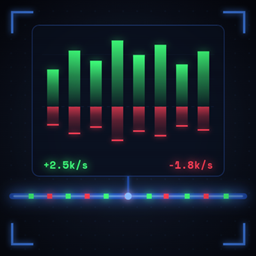
A cable-face AE2 part that shows real-time per-item flow rates for everything moving through your whole ME network at once.
介绍
中文介绍正在准备中,下面暂时显示原文。
A NeoForge mod that adds a cable-face part showing all items flowing through an Applied Energistics 2 network in real time.
- Cable-face part — attach to any ME cable face; requires one channel.
- Per-item rates — shows every key with non-zero flow: green for produced, red for consumed, both colors when a key has simultaneous in/out flow.
- Rolling window — rates are averaged over a configurable rolling window (default 5 minutes) so spikes don’t dominate the display.
- Timescale cycling — press the rate button in the GUI to toggle between per-second (
/s) and per-tick (/t) display modes. - Adjustable sample period — change how often a snapshot is taken (1-200 game ticks, default 20).
- Search bar — filter the item list by name.
- Filter bar — show All, Producing-only, or Consuming-only keys.
- Scrollable list — scroll with the mouse wheel; up to 9 rows visible at a time.
常见问题
AE2 System Throughput Monitor 支持哪些 Minecraft 版本?
AE2 System Throughput Monitor 支持 Minecraft Java 版 1.21.1,可用的加载器:NeoForge。下载时注意选择和你游戏版本一致的文件。
AE2 System Throughput Monitor 怎么安装?
先用 PCL2 或 HMCL 启动器安装对应版本的 NeoForge,再把下载的 .jar 文件放进游戏目录的 mods 文件夹,重新启动游戏即可。开启了版本隔离的,mods 文件夹在 versions/版本名 下面。

评论
登录后评论和评分