
截图
介绍
What does it do?
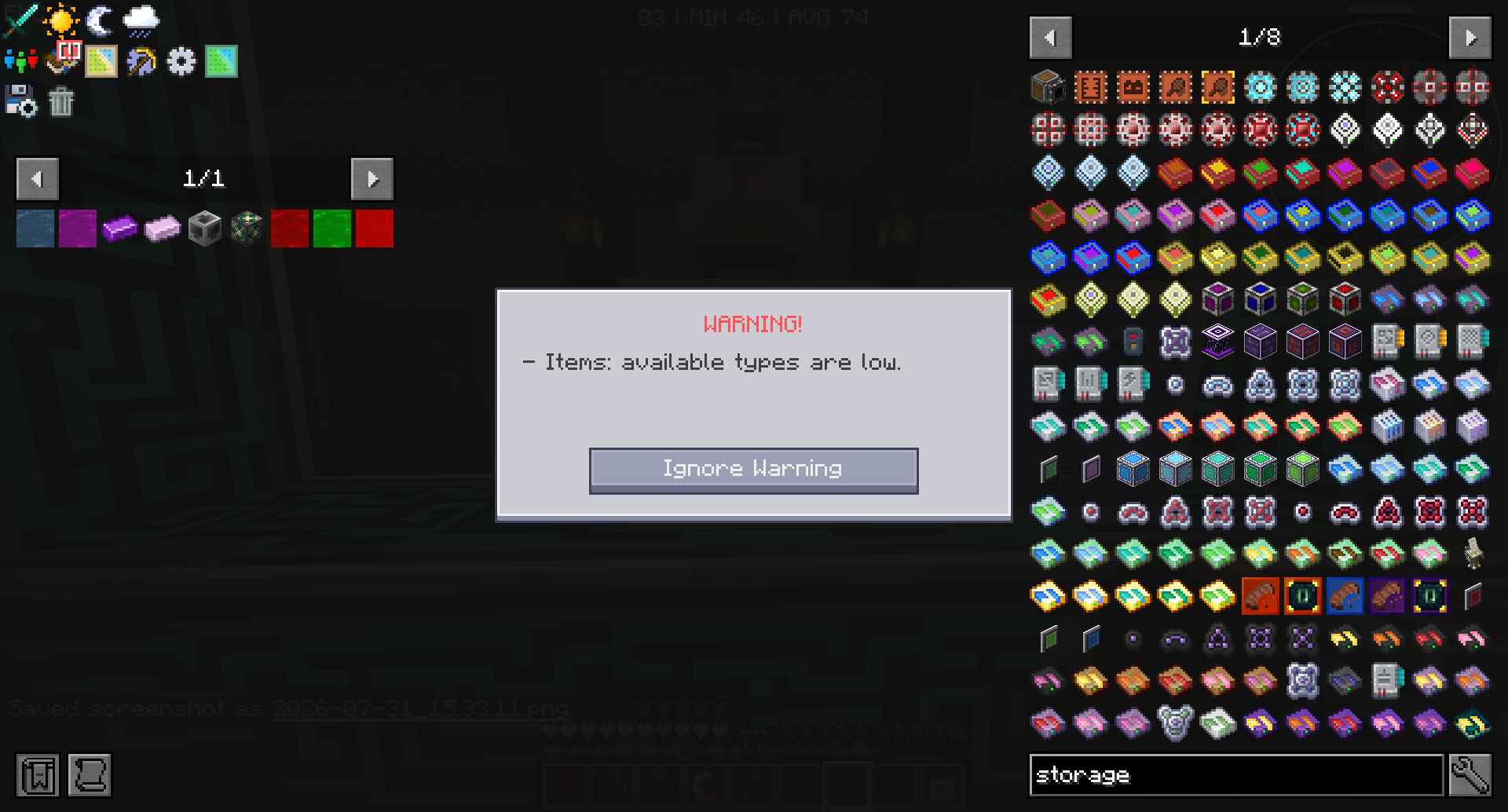
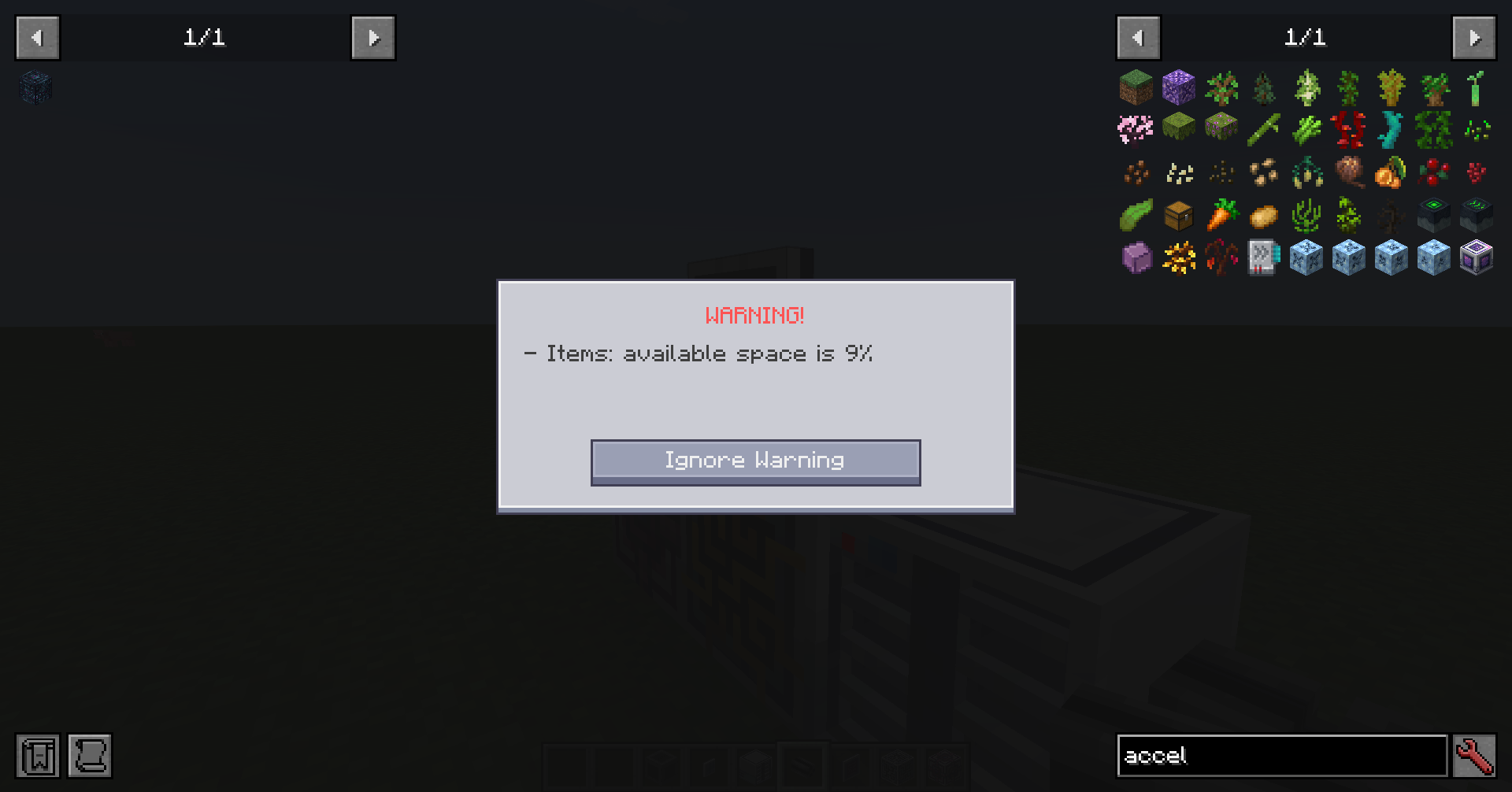
When you open an ME terminal, the mod scans the storage cells on that network. If remaining capacity for a resource type is critically low, a WARNING! dialog appears instead of opening the terminal right away.
You can ignore the warning once and continue into the terminal, or close it and free space first.
What is checked
- Cells in drives and ME chests (not external storage buses)
- Remaining bytes and remaining types (typed cells)
- Types take priority over byte space in the message
- Typeless disks (e.g. AE2 Things) only use byte capacity
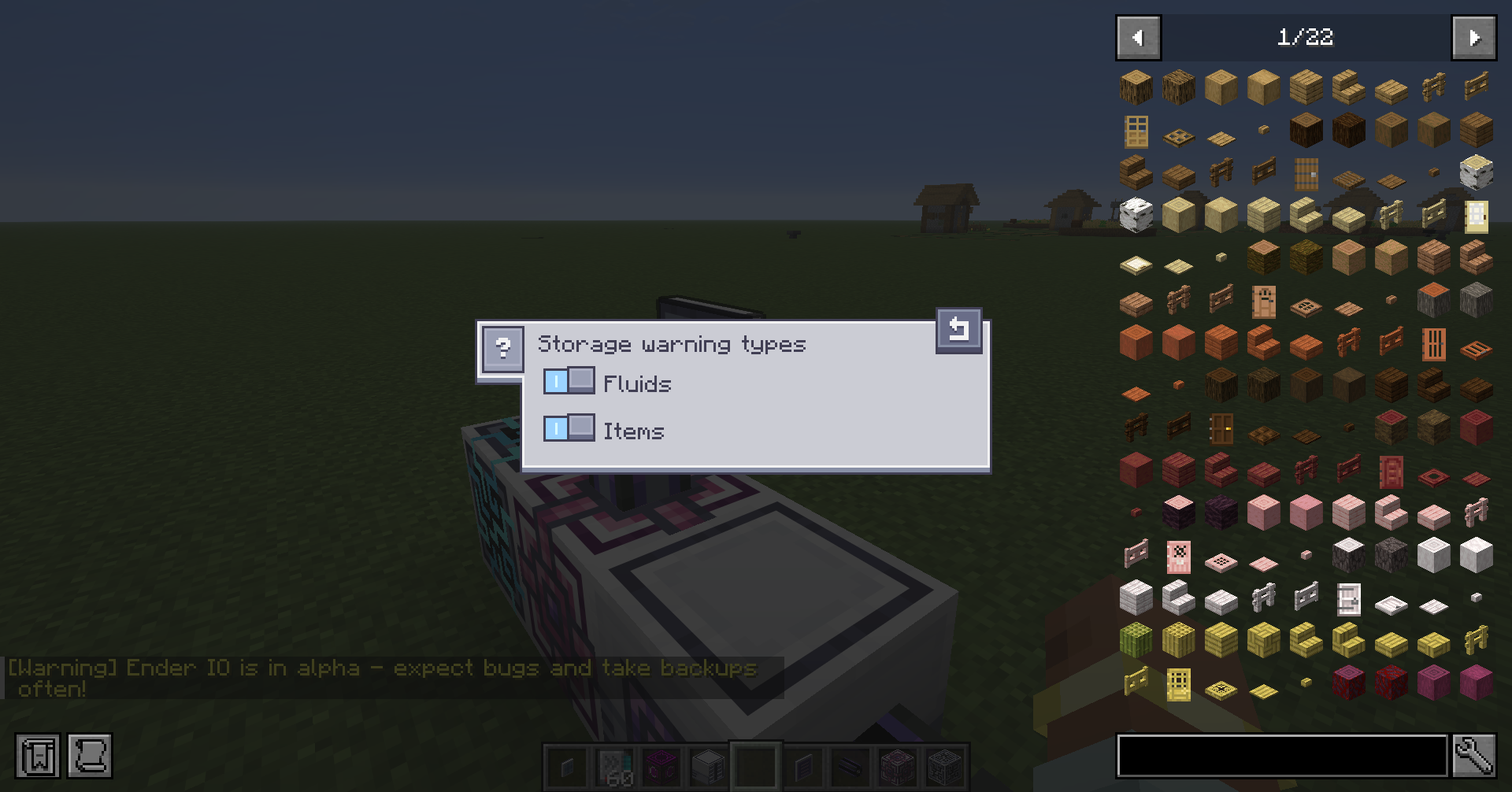
Per-type toggles
From any ME terminal, use the warning triangle button on the left toolbar to enable or disable capacity warnings per resource type (items, fluids, chemicals, and others). Choices are saved per player.
常见问题
AE2 Storage Warnings 支持哪些 Minecraft 版本?
AE2 Storage Warnings 支持 Minecraft Java 版 1.20.1–26.1.2,共 3 个版本,可用的加载器:Forge / NeoForge。下载时注意选择和你游戏版本一致的文件。
AE2 Storage Warnings 怎么安装?
先用 PCL2 或 HMCL 启动器安装对应版本的 Forge / NeoForge,再把下载的 .jar 文件放进游戏目录的 mods 文件夹,重新启动游戏即可。开启了版本隔离的,mods 文件夹在 versions/版本名 下面。运行环境:客户端和服务端都要装。
Unfamily 的其他作品
查看全部 →
Replication AE2 Bridge
添加了一套用于整合应用能源2与 Replication 的系统。

Colossal Reactors
建造并运行大型多方块核反应堆来发电。

Iskandert’s Library
供 Iskandert's Team 模组使用的函数库

Another Config Manager
Another Config Manager 是一款配置浏览与编辑工具。你可以浏览所有带有配置的模组,深入查看各个分类,使用合适的控件修改配置,并在准备就绪后再保存。
评论
登录后评论和评分