
AE2 ScreenShot
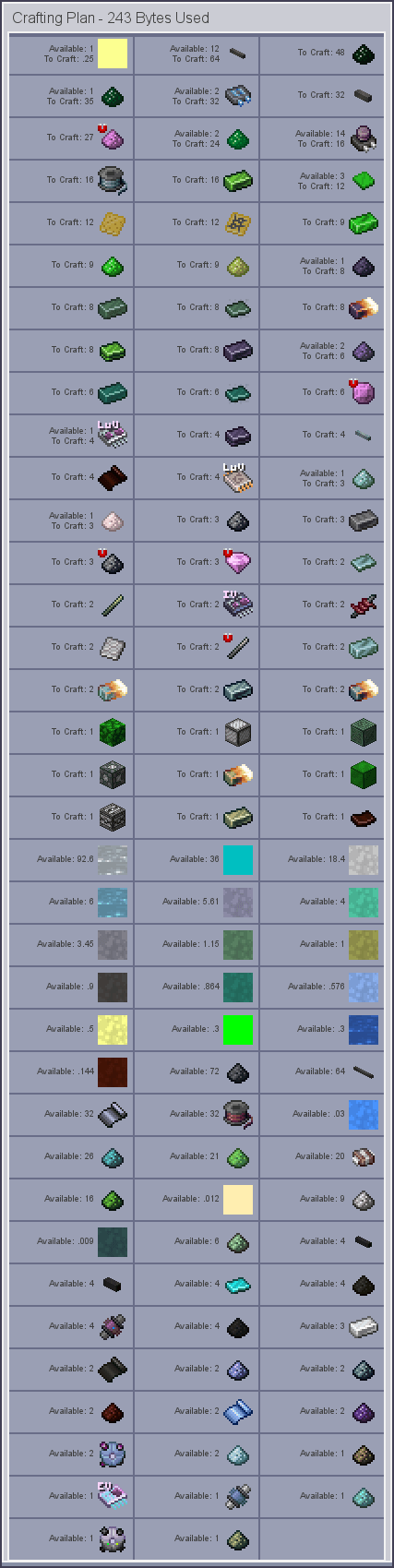
AE2 Screenshot exports any crafting order as a single continuous image. It auto-stitches long lists, isolates faulty icons, and keeps all materials clearly displayed—perfect for sharing or recording large AE2 projects.
截图

介绍
AE2 Screenshot
AE2 Screenshot is a screenshot mod designed for the AE2 Crafting Planner interface. It exports all materials in a crafting order as a single continuous image in AE2 style, with no need for manual stitching and no splitting into multiple images. For large orders, the mod automatically renders and stitches segments together, while isolating the rendering of abnormal item icons to ensure that material icons and quantity information remain complete and coherent, making it easy to share, record, and verify crafting requirements.This mod is a client-side mod, so you can use it in any situation.
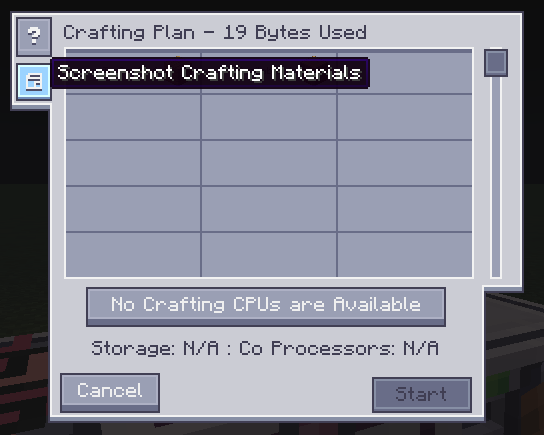
The button added by this mod:
Screenshots exported through this mod:
常见问题
AE2 ScreenShot 支持哪些 Minecraft 版本?
AE2 ScreenShot 支持 Minecraft Java 版 1.20.1–26.1.2,共 3 个版本,可用的加载器:Forge / NeoForge。下载时注意选择和你游戏版本一致的文件。
AE2 ScreenShot 怎么安装?
先用 PCL2 或 HMCL 启动器安装对应版本的 Forge / NeoForge,再把下载的 .jar 文件放进游戏目录的 mods 文件夹,重新启动游戏即可。开启了版本隔离的,mods 文件夹在 versions/版本名 下面。运行环境:仅客户端。
xiaopiao 的其他作品
查看全部 →
AE Wireless Transceiver
This is a ae wireless transceiver mod ,It can provide convenient wireless channel access.

PatternBetter
This is an add-on mod for AE2 Extended, which allows the number of pattern slots in the ME Pattern Provider to be customized. Additionally, it provides the functionality to multiply/divide patterns by 2 , 5, 10 for the Pattern Provider.

PatternProviderSave
Preserves all items stored in the Pattern Provider when the block is broken.

LightLoad
Lightload is a client-side startup optimization mod for Minecraft modpacks. It reduces the time required to reach the main menu and improves resource reload performance.
评论
登录后评论和评分