
截图
介绍
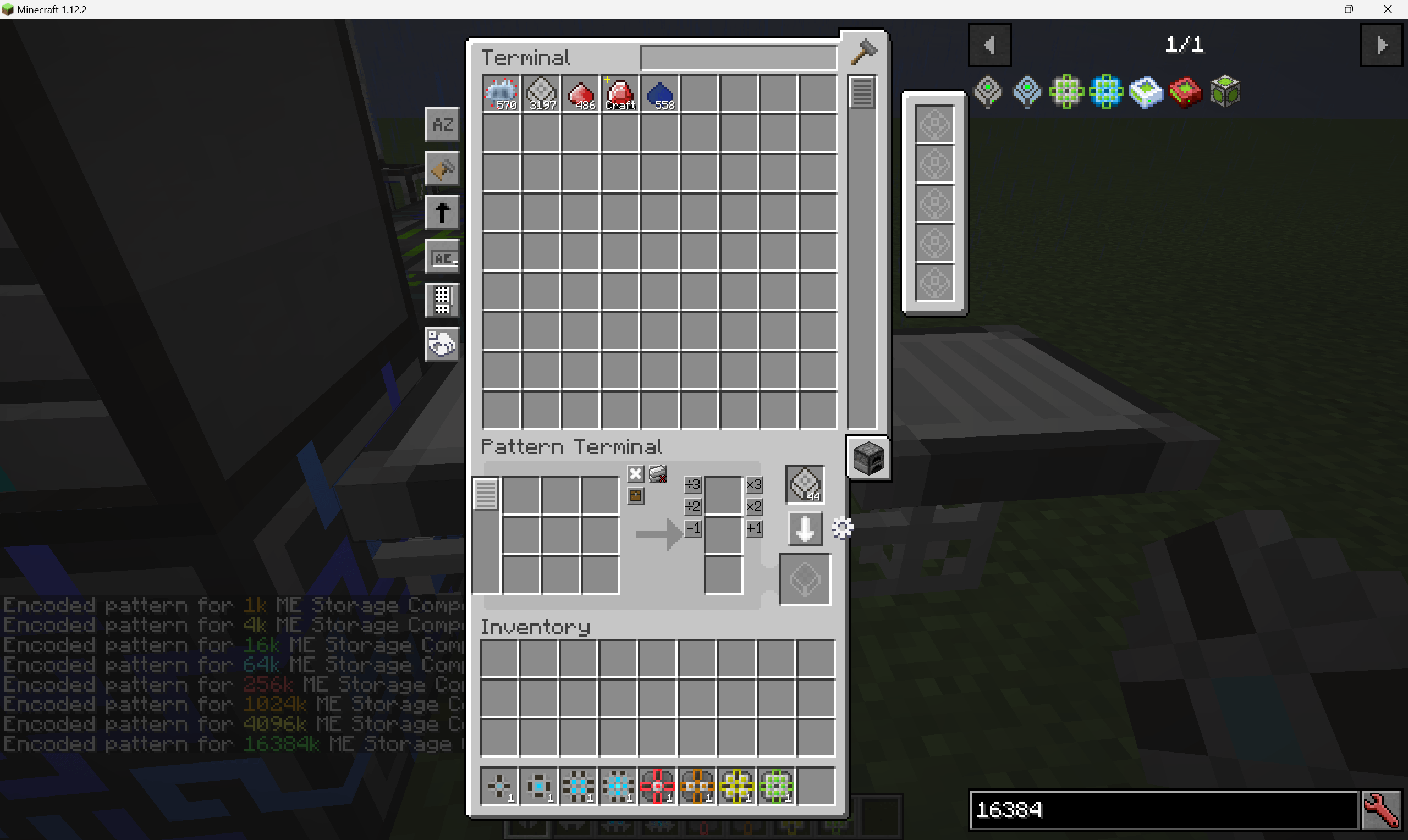
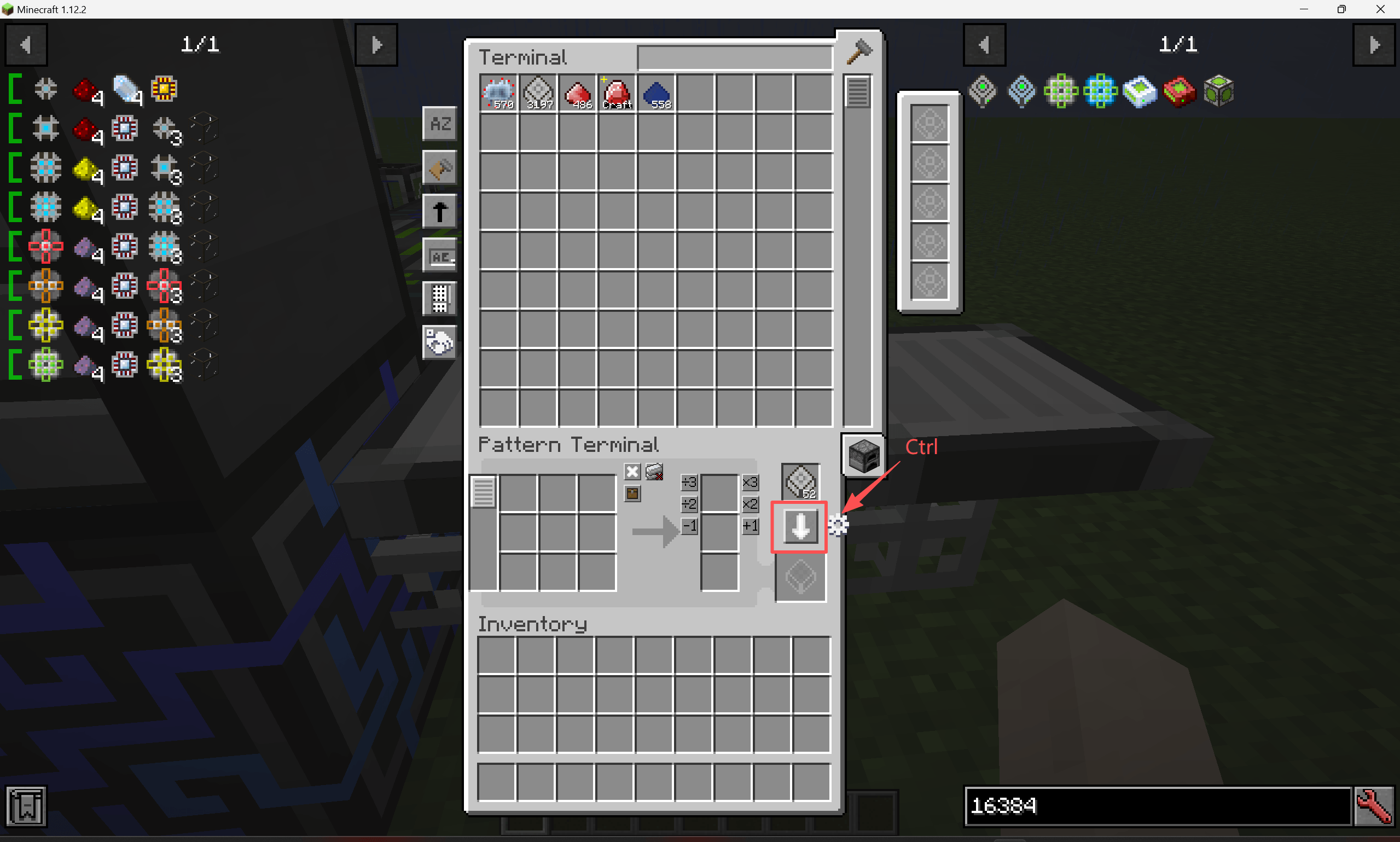
This mod is a fast encoding add‑on based on HEI (High‑Efficiency Interface). Once you have prepared a recipe, hold down the Ctrl key and click the "Encode Pattern" button — the mod will then read from your prepared recipe and encode the pattern(s) in batch. It also supports encoding fluid patterns for AE2FC (Applied Energistics 2 Fluid Crafting).
You will find a new button labelled "Quick Encoding Settings" on the right side of the Pattern Terminal. Click it to enter the configuration mode, where you can set up:
- Blacklist items — when using quick encoding, items on this list will not be included in the encoded pattern (e.g., Botania’s Alchemy Catalyst, GregTech’s Extruder Shape, etc.).
- NBT replacement items — items in this replacement list will have their input counterparts substituted during pattern encoding. This is mainly useful for dealing with Industrial Craft 2’s Energy Crystal and Lapotron Crystal, where damage values or NBT differ but are functionally equivalent.
常见问题
AE2 Quick Encoding 支持哪些 Minecraft 版本?
AE2 Quick Encoding 支持 Minecraft Java 版 1.12.2,可用的加载器:Forge。下载时注意选择和你游戏版本一致的文件。
AE2 Quick Encoding 怎么安装?
先用 PCL2 或 HMCL 启动器安装对应版本的 Forge,再把下载的 .jar 文件放进游戏目录的 mods 文件夹,重新启动游戏即可。开启了版本隔离的,mods 文件夹在 versions/版本名 下面。
Nyonio 的其他作品
查看全部 →
Terminal Interaction Integration
一个前置库,让其他模组能够与 ME 终端交互,并支持显示虚拟流体。

Botania Applie
Botania Applie 是一款适用于 Minecraft 1.12.2 的模组,将 Botania 的魔力系统与 Applied Energistics 2(AE2)深度整合。玩家可以将魔力存入 AE2 存储元件,并通过 ME 网络管理魔力传输。

Flux Applied
一个将 FE 能量系统接入 AE2 网络的模组,让你可以在网络中存储 FE。

AE2 Utilix
AE2 Utilix 是一款提升 AE2 使用体验的模组,加入了一些实用物品,并调整了部分机制。
评论
登录后评论和评分