
介绍
AE MonitorNet
Throughput monitoring and monitoring terminals for Applied Energistics 2.
AE MonitorNet adds cable parts that watch how items and fluids actually move through your ME network — and terminals that show every monitor in one place, with live charts.
AE MonitorNet started as a back-port of the throughput monitor from AdvancedAE, so that the same monitor could be used on lower Minecraft versions. Its terminal, per-target chart windows, wireless terminal and configurator were all built on top of that original part.
Credit for the original monitor design goes to the AdvancedAE team.
Features
| Item | What it does |
|---|---|
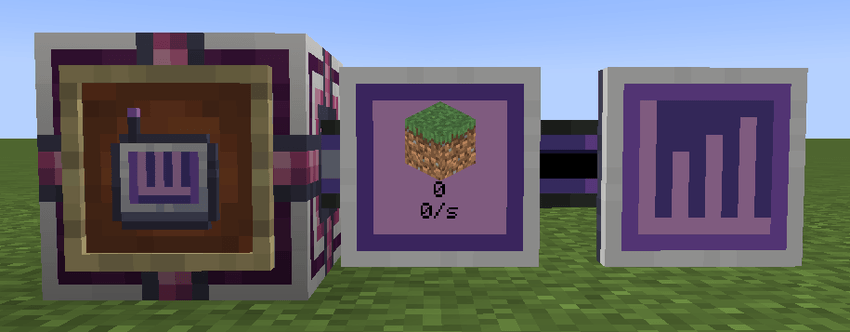
| ME Throughput Monitor | A cable part that watches one item or fluid and shows icon + amount + rate on its face. The rate tier cycles per tick / second / minute. |
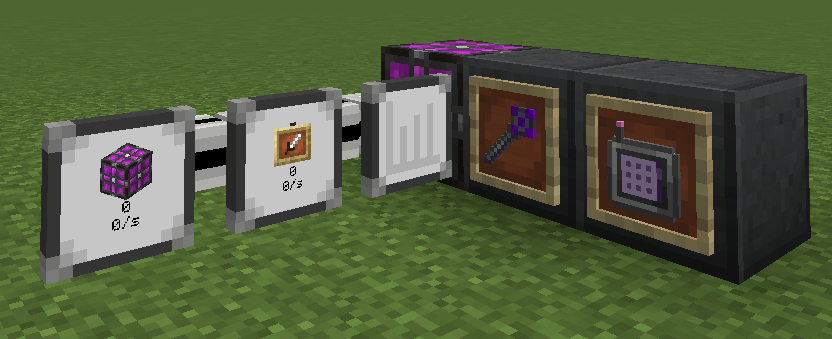
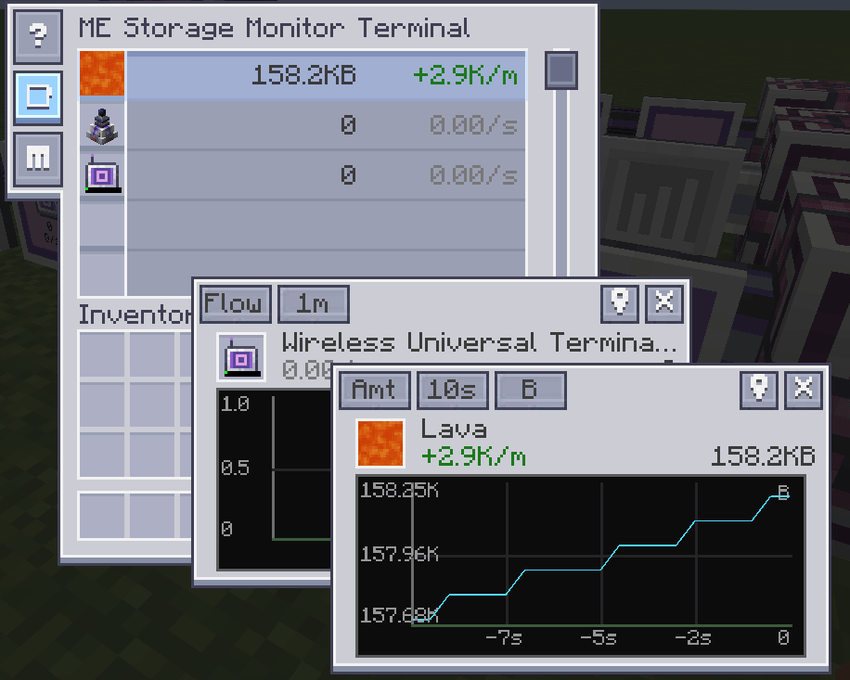
| Advanced ME Throughput Monitor | The same part plus a configuration slot, a sampling history and a line chart (storage / rate / acceleration) with a selectable time window. Hovering the plot shows a crosshair that snaps to the nearest sample. |
| ME Storage Monitor Terminal | A cable part that lists every throughput monitor on its network, merges monitors watching the same target into one row, and opens draggable chart windows — display slot, curve, per-window metric / window / unit buttons, and a “locate” button that highlights the monitor in the world. |
| Wireless ME Storage Monitor Terminal | The same terminal as an AE2 wireless terminal. Link it in a Security Terminal and use it inside a Wireless Access Point’s range. |
| Throughput Monitor Configurator | A hand-held tool: right-click a monitor to cycle its rate tier without opening any GUI. |
- AE2WTLib integration — with AE2WTLib installed, the wireless terminal also registers inside the
Universal Terminal (WUT) as a switchable terminal. Without AE2WTLib nothing breaks: the item stays a
plain AE2 wireless terminal. - Coexists with AdvancedAE — if AdvancedAE is installed, duplicate monitors and configurators are
hidden automatically, so you never end up with two items of the same name. - Server-side settings — sampling interval and history capacity are configurable.
Quick start
- Place a Throughput Monitor on any cable, right-click it with an item or fluid to choose the target.
- Right-click with the Configurator to change the rate tier, or open the GUI.
- Place the Storage Monitor Terminal on the same network to see every monitor at once —
double-click a row to open its floating chart window.
An in-game guide (GuideME) covers every part and GUI.
Versions
| Minecraft | Loader | Status |
|---|---|---|
| 1.21.1 | NeoForge 21.1 | active development |
| 1.20.1 | Forge 47 | maintained |
| 1.19.2 | Forge 43 | final (bug fixes only) |
Pick the file that matches your game version — the jar name ends with the Minecraft version.
Links
- Source code and issue tracker: https://github.com/cheesexiaolv/ae-monitornet
- License: LGPL-3.0
常见问题
AE2 MonitorNet 支持哪些 Minecraft 版本?
AE2 MonitorNet 支持 Minecraft Java 版 1.19.2–1.21.1,共 3 个版本,可用的加载器:Forge / NeoForge。下载时注意选择和你游戏版本一致的文件。
AE2 MonitorNet 怎么安装?
先用 PCL2 或 HMCL 启动器安装对应版本的 Forge / NeoForge,再把下载的 .jar 文件放进游戏目录的 mods 文件夹,重新启动游戏即可。开启了版本隔离的,mods 文件夹在 versions/版本名 下面。
评论
登录后评论和评分