
AE2 Auto Pattern Upload
add an upload button to the Pattern Terminal, allowing you to send encoded patterns directly to connected pattern providers with a single click.
截图

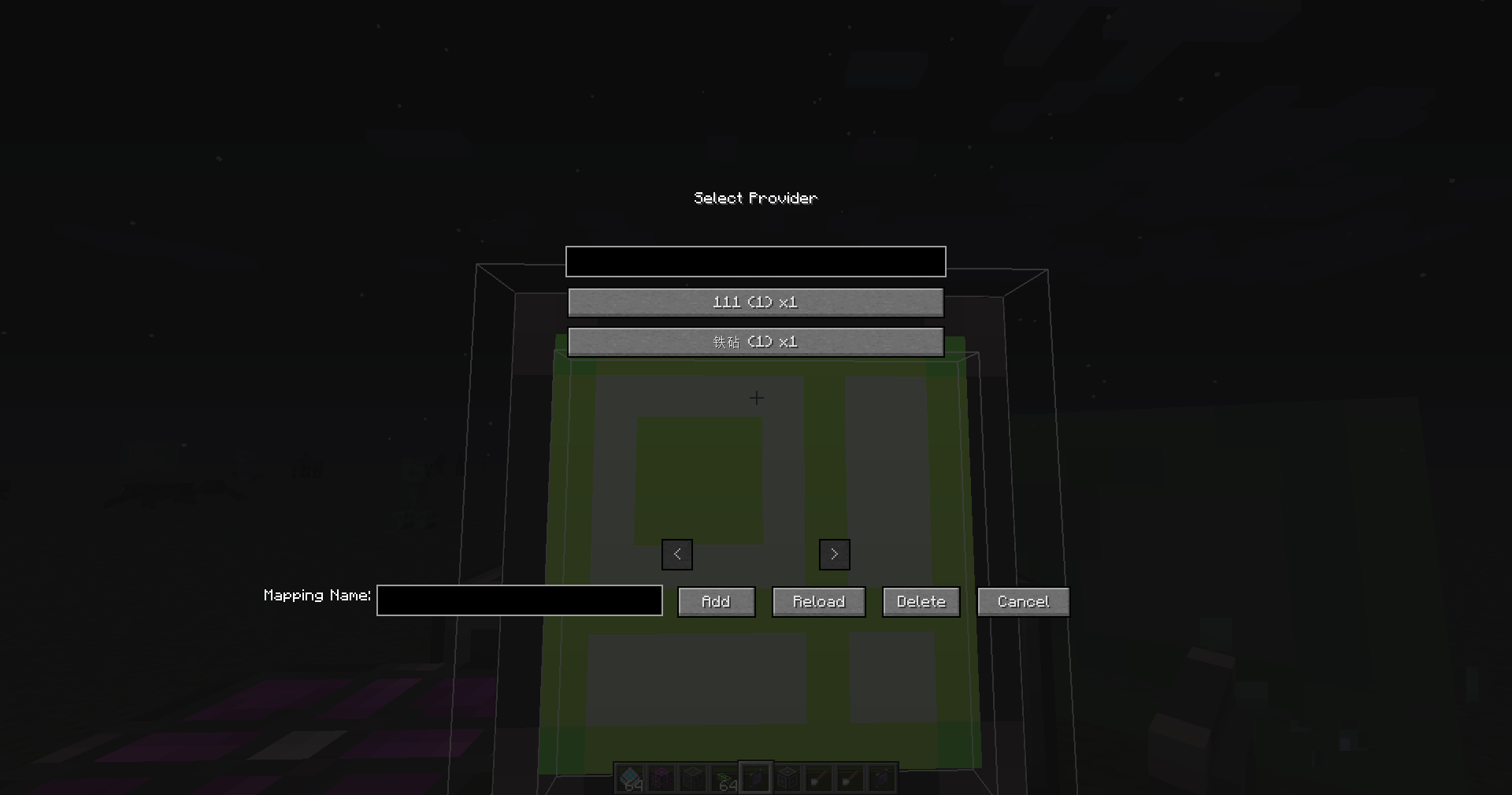
介绍
AE2 Auto Pattern Upload is a lightweight add-on for Applied Energistics 2 that adds a small upload button to the Pattern Terminal and lets you send encoded patterns directly to connected pattern providers with a single click. It is designed to remove the most repetitive step in late‑game AE2 automation: moving encoded patterns by hand between the Pattern Terminal and your pattern storage.
Once installed, the mod integrates a new button into the existing Pattern Terminal GUI next to the encode button. After you create and encode a pattern, simply press the upload button and the mod will automatically send the pattern to suitable pattern providers or other supported pattern storage on the same AE2 network. This greatly reduces GUI juggling and shift‑clicking every time you update or expand your automation setup.
AE2 Auto Pattern Upload is intentionally lightweight and non‑intrusive. It does not change the core progression or mechanics of Applied Energistics 2; it only adds a single extra control to the familiar Pattern Terminal workflow. The goal is to make pattern management more comfortable without introducing new complexity or extra grind.
This mod is essentially a standalone extraction of the pattern auto‑upload feature from my other mod, ExtendedAE‑Plus (EAEP). If you already use ExtendedAE‑Plus and enjoy its quality‑of‑life improvements for AE2, AE2 Auto Pattern Upload provides the same pattern‑upload convenience in a smaller, focused package for setups where you only want this one feature.
常见问题
AE2 Auto Pattern Upload 支持哪些 Minecraft 版本?
AE2 Auto Pattern Upload 支持 Minecraft Java 版 1.7.10–26.1.2,共 5 个版本,可用的加载器:Forge / NeoForge。下载时注意选择和你游戏版本一致的文件。
AE2 Auto Pattern Upload 怎么安装?
先用 PCL2 或 HMCL 启动器安装对应版本的 Forge / NeoForge,再把下载的 .jar 文件放进游戏目录的 mods 文件夹,重新启动游戏即可。开启了版本隔离的,mods 文件夹在 versions/版本名 下面。
GaLicn 的其他作品
查看全部 →
OmniTool
OmniTools 是一个多功能通用工具,兼容多个模组。它整合了各种扳手的功能,让搭建、配置和管理方块变得前所未有的轻松。

Applied Extended Crafting
Link Application Energy 2 and Extended Crafting, adding more convenient automation blocks for Extended Crafting

FTB Ultimine Rewind
Rewind/undo functionality for FTB Ultimine. Restore mined blocks with Ctrl+Z. Supports partial restoration and creative mode.

JEI Enhancements
Enhances JEI with powerful bookmark management, recipe grouping, and intuitive quantity controls for a smoother crafting experience.
评论
登录后评论和评分