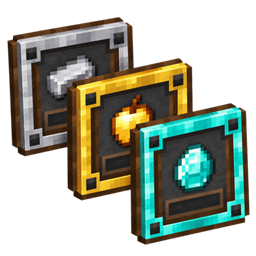
Advancement Plaques: Trophy Walls
Turn completed advancements into decorative wall plaques made from copper, iron, gold, and diamond.
截图
介绍
Advancement Plaques: Trophy Walls
Turn your completed advancements into decorations you can display in your world.
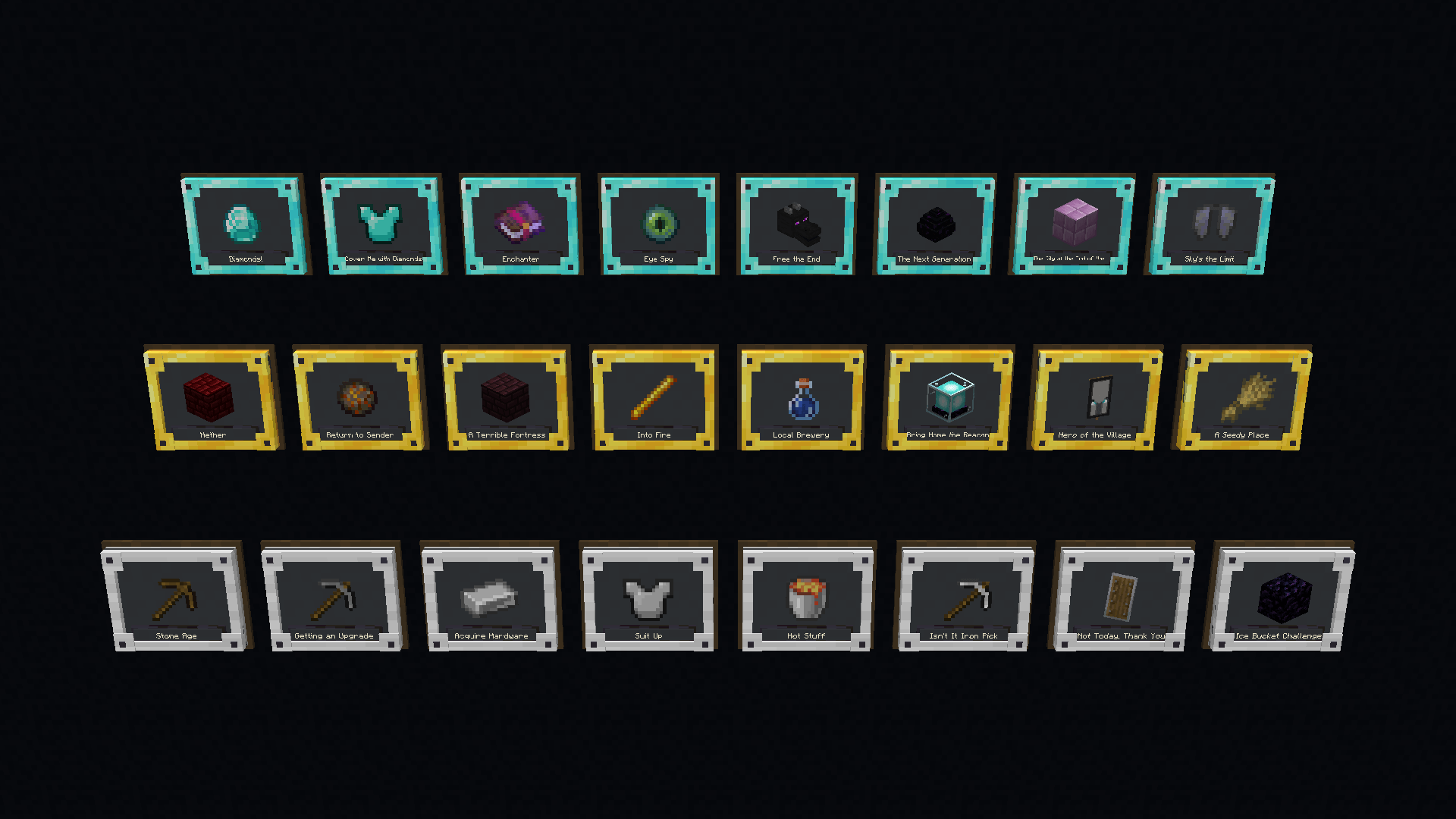
Craft wall-mounted plaques with copper, iron, gold, or diamond frames. Each plaque displays the icon and title of a completed advancement, so you can build a trophy wall for the milestones you have earned.
How to craft a plaque
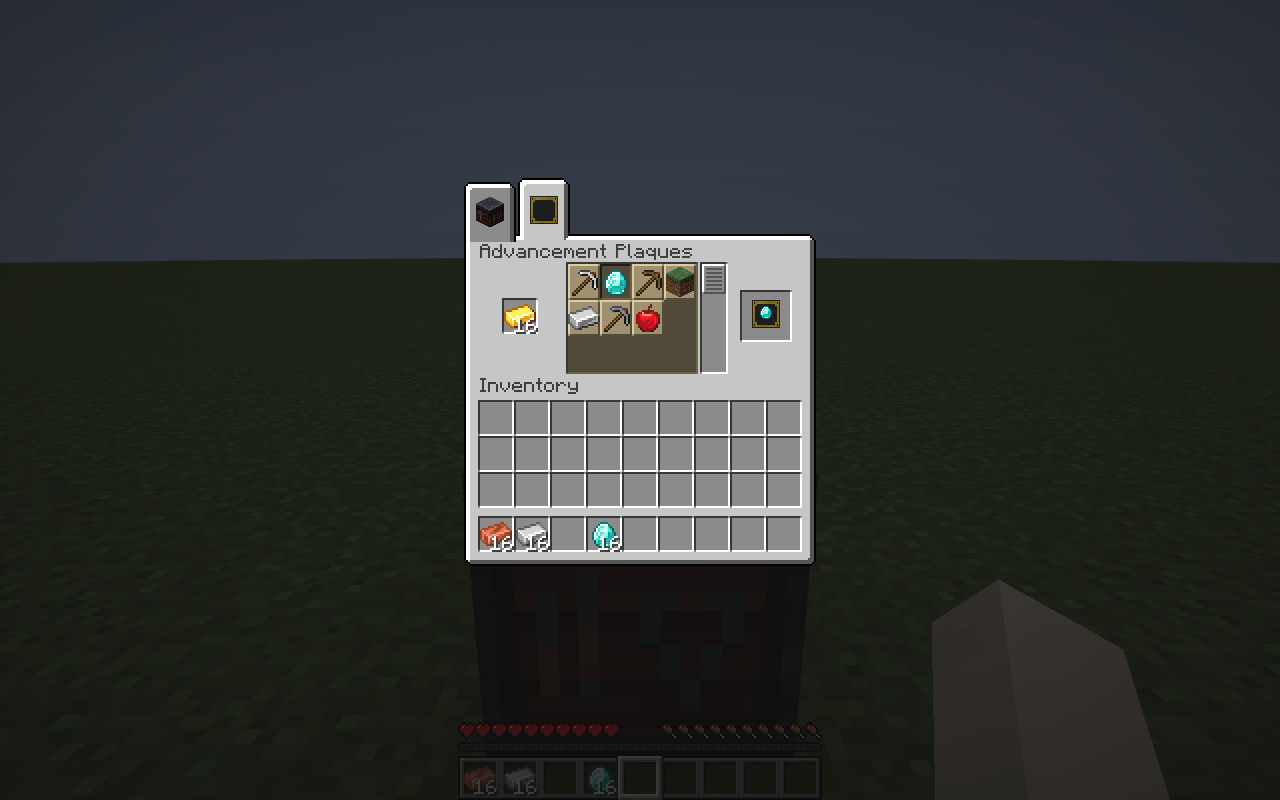
- Open a smithing table and select the new Plaques tab at the top.
- Insert a copper ingot, iron ingot, gold ingot, or diamond.
- Choose one of your completed advancements.
- Take the result. Each plaque costs one material item.
- Place it on the side of a solid block.
The interface uses vanilla-style tabs, slots, and recipe selection. The original smithing interface remains available through the Equipment tab. Changing your selection does not consume materials; materials are consumed only when you take a crafted plaque.
Features
- Four frame materials: copper, iron, gold, and diamond.
- Advancement icons and titles are filled in automatically.
- Supports completed advancements with display information from Minecraft, mods, and data packs that use the standard advancement system.
- Plaques keep their inscription when broken, moved, saved, and loaded.
- Shift-click crafting and English/Korean translations.
Requirements
Choose the file that matches both your Minecraft version and mod loader.
| Minecraft | Loader | Required runtime |
|---|---|---|
| 1.21.1 | NeoForge 21.1.251+ in the 21.1 series | Java 21 |
| 1.21.1 | Fabric Loader 0.19.5+ | Java 21 and Fabric API 0.116.17+1.21.1 or newer for 1.21.1 |
| 26.3 | NeoForge 26.3.0.51-beta | Java 25 |
| 26.3 | Fabric Loader 0.19.5+ | Java 25 and Fabric API 0.162.0+26.3 or newer for 26.3 |
Install the same matching mod file on the server and every client for multiplayer. Fabric builds also require the matching Minecraft version of Fabric API on both sides. NeoForge builds do not require Fabric API.
The 26.3 NeoForge file requires 26.3.0.51-beta specifically. Later 26.3.0.52–26.3.0.55-beta loaders have an upstream startup issue and are excluded from this release. Each file supports only its listed Minecraft version.
Compatibility
Advancements must have display information and be completed by the crafting player to appear. Hidden advancements become available after completion. Independent quest systems require separate integration and are not automatically included. Special item renderers from other mods may need individual compatibility testing.
If the original advancement or mod is removed, existing plaques retain their saved inscription data. Missing icon items fall back to a paper icon.
Initial public release: 0.1.0.
常见问题
Advancement Plaques: Trophy Walls 支持哪些 Minecraft 版本?
Advancement Plaques: Trophy Walls 支持 Minecraft Java 版 1.21.1–26.3,共 2 个版本,可用的加载器:Fabric / NeoForge。下载时注意选择和你游戏版本一致的文件。
Advancement Plaques: Trophy Walls 怎么安装?
先用 PCL2 或 HMCL 启动器安装对应版本的 Fabric / NeoForge,再把下载的 .jar 文件放进游戏目录的 mods 文件夹,重新启动游戏即可。开启了版本隔离的,mods 文件夹在 versions/版本名 下面。
지나가는늅 的其他作品
查看全部 →
Sunlit AutoFish
Automates casting, reeling, and Stardew Fishing's minigame with fish, treasure, and combined priority modes.
Key Command Client
Assign commands or chat messages to keyboard keys and run them once per press.
HoloGUI – Floating Menus
Keep in-game menus floating while you move, and look around by moving the cursor outside the interface.
Lead & Lasso
Spin the vanilla lead into a 3D lasso. Charge and throw up to 25 blocks, catch mobs, and rope from horseback.
评论
登录后评论和评分