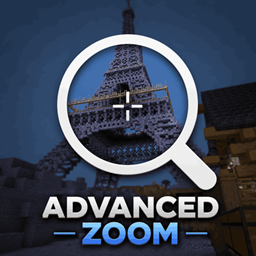
Mr_Lan’s Advanced Zoom
A smooth, borderless spyglass-like zoom for Minecraft. Hold or press a key to zoom in, use the mouse wheel to fine-tune the zoom level, and configure everything (mode, speed, base zoom, scroll sensitivity, HUD hiding) in the in-game settings screen.
介绍
Advanced Zoom
Smooth, cinematic zoom for Minecraft 26.2 — no spyglass frame, no vignette, just pure magnification.
What is this mod?
Ever wanted to zoom in on something far away without pulling out a spyglass and getting that ugly telescope frame plastered over your screen? Advanced Zoom gives you exactly that. Hold a key and your view smoothly zooms in, just like a camera lens pulling focus. Let go and it eases back out just as cleanly. No overlays, no animations that feel jarring — just a clean, smooth zoom that gets out of your way.
It”s the kind of feature that feels like it should”ve been in the base game. Whether you”re scouting terrain, lining up a long-range shot, admiring a build from across the valley, or trying to read a sign someone put way too far away — Advanced Zoom has you covered.
Controls
| Action | Default Key |
|---|---|
| Zoom in / out | Hold C |
| Adjust zoom level | Scroll wheel (while zoomed) |
| Open settings | V (or via Mod Menu) |
Holding C activates the zoom. While you”re zoomed in, you can scroll the mouse wheel up to zoom in even further or scroll down to pull back a bit. The zoom level you scroll to is remembered for the session.
If you prefer a toggle instead of hold, you can switch to toggle mode in the settings — press C once to zoom in, press again to zoom out.
Settings
All settings are accessible by pressing V in-game or through the Mod Menu config button (if you have Mod Menu installed). The settings screen is clean and modern — nothing that looks out of place next to your other mods.
Zoom Mode — Hold or Toggle
Choose whether zooming works by holding the key down or by pressing it once to lock the zoom on and again to turn it off. Toggle mode is great if you like keeping your hands free while scouting.
Zoom Transition Speed
Controls how fast the zoom animates in and out. Set it high if you want a snappy response, or lower it for a slow cinematic pull. Ranges from very slow to instant.
Base Zoom Factor
This is how far in the default zoom takes you. A higher value means a tighter zoom. You can fine-tune this to however much magnification feels comfortable for your playstyle.
Scroll Sensitivity
How much the zoom level changes per scroll tick while you”re zoomed in. If you want precise control, lower this. If you want big jumps, crank it up.
Hide HUD During Zoom
When enabled, your hotbar, health bar, and all other HUD elements disappear while you”re zoomed in. Great for screenshots or just a cleaner look when you”re scouting.
A Few Details Worth Knowing
Mouse sensitivity is automatically scaled down while you”re zoomed in, proportional to how much you”ve zoomed. This means your view won”t go flying across the screen when you try to look around while magnified — it stays comfortable and controllable at any zoom level.
The zoom is applied directly to the camera”s field of view, not as a post-process effect, so it looks clean and has no performance cost. Everything renders exactly as it normally would, just from a narrower angle.
Requirements
- Minecraft 26.2
- Fabric Loader (latest recommended)
- Fabric API
- Java 25
Optional but recommended:
- YetAnotherConfigLib v3 — required for the in-game settings screen
- Mod Menu — adds the config button to the mod list
If YACL isn”t installed, the settings screen falls back to a basic built-in UI. The zoom itself always works regardless.
Compatibility
Advanced Zoom is a pure client-side mod. You can use it on any server — vanilla, modded, or otherwise. The server never sees it. Other players won”t know it”s there.
It should be compatible with most other mods. If you run into any conflicts, feel free to open an issue.
Made by Mr_Lan123. Feedback and suggestions are welcome.
常见问题
Mr_Lan’s Advanced Zoom 支持哪些 Minecraft 版本?
Mr_Lan’s Advanced Zoom 支持 Minecraft Java 版 26.2–26.3,共 2 个版本,可用的加载器:Fabric。下载时注意选择和你游戏版本一致的文件。
Mr_Lan’s Advanced Zoom 怎么安装?
先用 PCL2 或 HMCL 启动器安装对应版本的 Fabric,再把下载的 .jar 文件放进游戏目录的 mods 文件夹,重新启动游戏即可。开启了版本隔离的,mods 文件夹在 versions/版本名 下面。
Mr_Lan123 的其他作品
查看全部 →
Auto Totem
自动将不死图腾从背包移至副手。可通过快捷键切换(默认:O,26.2 及以上版本:J)。设置菜单(按 B 或通过模组菜单打开)提供统计信息 HUD 和图腾使用通知 HUD。PvP 助手,生活质量改进模组。Fabric
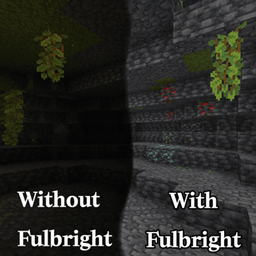
Fullbright (Night Vision)
全亮度。在任何服务器上都能看清黑暗,无需权限或药水。按 G 即可切换真正的客户端夜视效果,而非原版药水效果。夜视伽马。

[KSE] Keyboard Sound Effects
这个模组会为按键和鼠标点击添加音效,并内置了悦耳的声音。你也可以直接在游戏设置菜单中加载自己的音频文件。

Just Auto Totem
自动将不死图腾从物品栏移至副手。通过快捷键(默认:O)切换开/关
评论
登录后评论和评分