
Advanced Chat Hud Reboot
An update of the original Advanced Chat HUD(With fixes). A brand new chat HUD design for Minecraft with tons of features.
介绍
An updated port of AdvancedChatHUD to 1.21.10 with bug fixes(Chat scale no longer breaks functionality).
THIS IS AN UPDATED PORT FROM THE ORIGINAL BY DarkKronicle!
AdvancedChatHUD
AdvancedChatHUD is an overhaul of Minecraft chat HUD adding many new features.
Please submit bugs to the issue tracker.
Dependencies:
Advanced Chat Core Reboot is required to run the mod.
Features
Many features to completely change the way you message in Minecraft.
Redesigned HUD
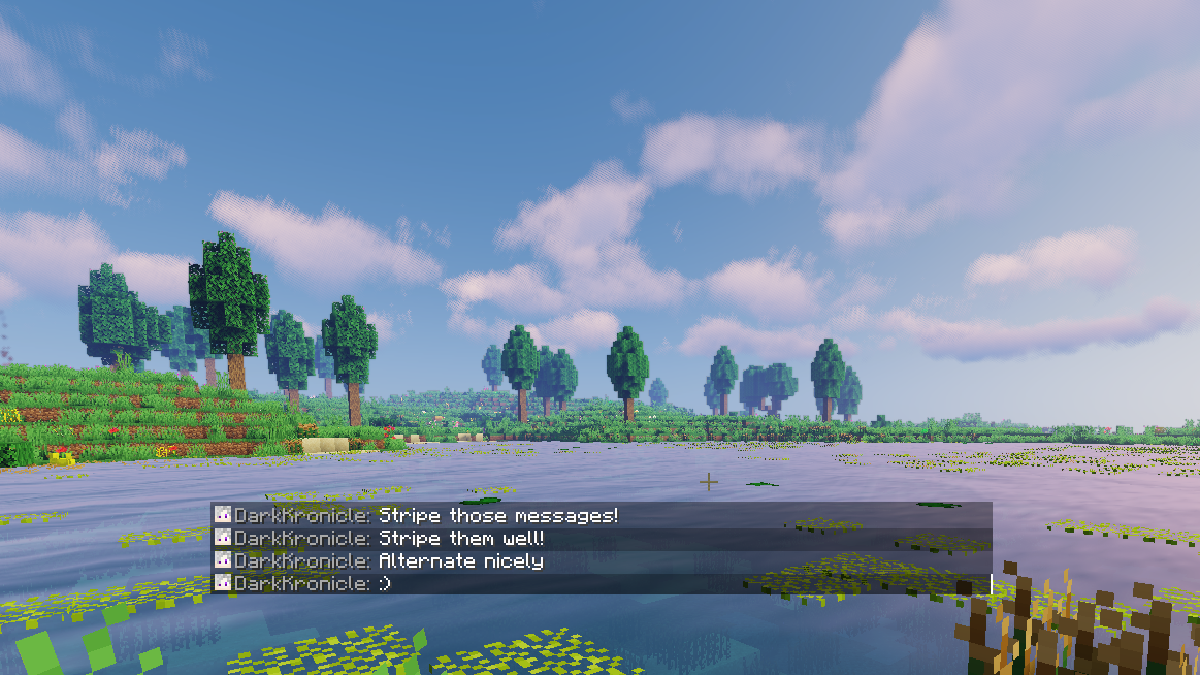
Stripe messages
Stack messages
Display player heads on any server
Change padding from top, bottom, left, and right
Change background color
Change border color
Spacing between lines
Spacing between separate messages
Change fade time
Change fade type
Compact or full line backgrounds
Change scale
Custom visibilities
Customize stored amount of lines
Have multiple chat windows
Easy resize and different visibility for each chat window
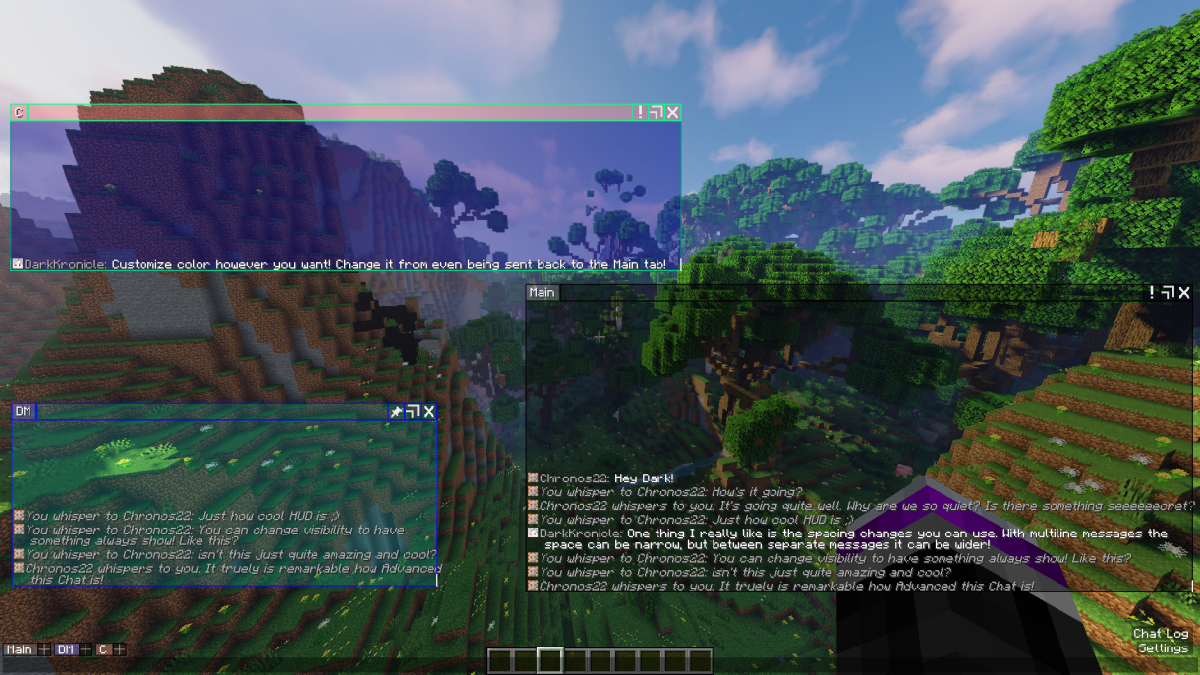
Chat Tabs
Send messages with specific content to chat tabs
Customize the main chat tab
Add as many chat tabs as you want
Easily add multiple matches per tab
Change tab name
Change specific tabs color
Change background color
Change border color
Show amount of unread messages
Easily export and share tabs with others
Images
Multiple Tabs:
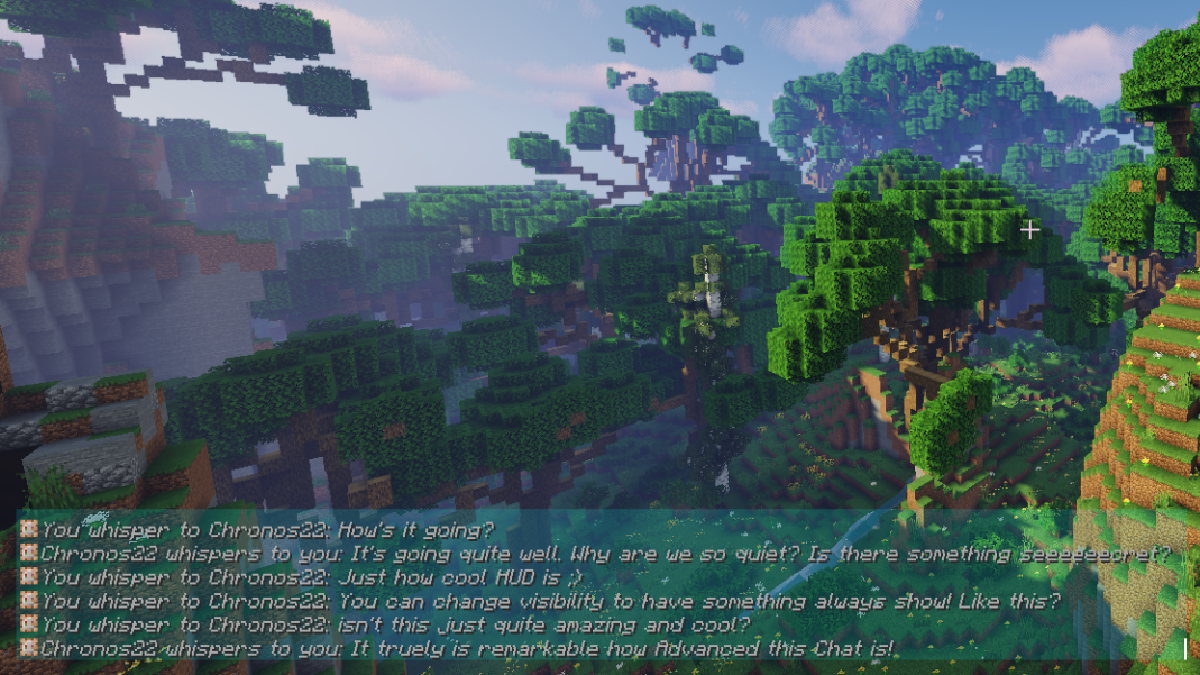
Color and Always On:
Stripe and Always On:
常见问题
Advanced Chat Hud Reboot 支持哪些 Minecraft 版本?
Advanced Chat Hud Reboot 支持 Minecraft Java 版 1.21.10–1.21.11,共 2 个版本,可用的加载器:Fabric。下载时注意选择和你游戏版本一致的文件。
Advanced Chat Hud Reboot 怎么安装?
先用 PCL2 或 HMCL 启动器安装对应版本的 Fabric,再把下载的 .jar 文件放进游戏目录的 mods 文件夹,重新启动游戏即可。开启了版本隔离的,mods 文件夹在 versions/版本名 下面。运行环境:仅客户端。
notsilverhoft 的其他作品
查看全部 →
Advanced Chat Core Reboot
An update of the original Advanced Chat Core(With fixes). The core mod for AdvancedChat modules

Advanced Chat Filters Reboot
An update of the original Advanced Chat Filters(With fixes). Filter text in Minecraft chat with many options
评论
登录后评论和评分