
Advance Architect Block
作者:Hang1989
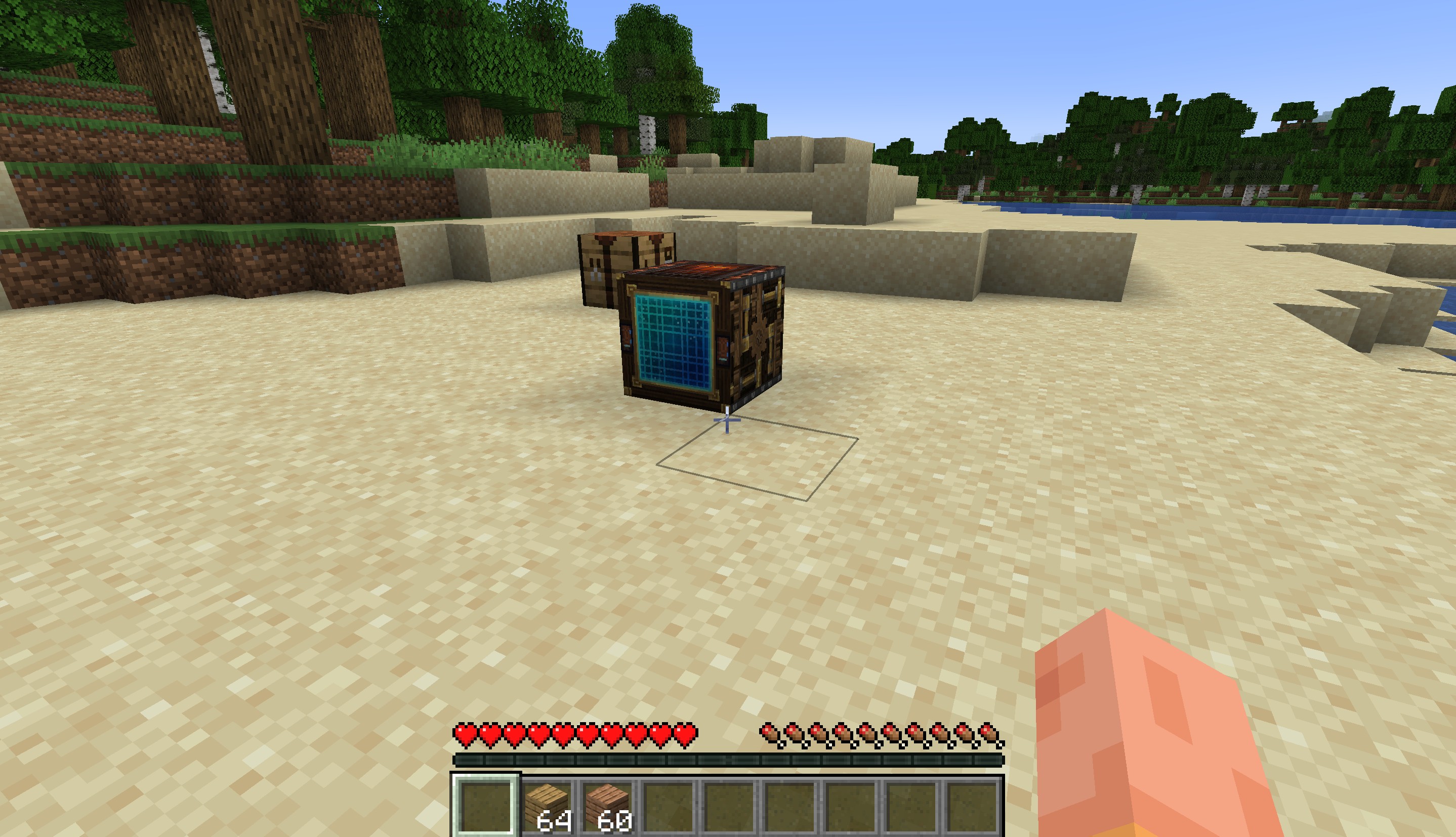
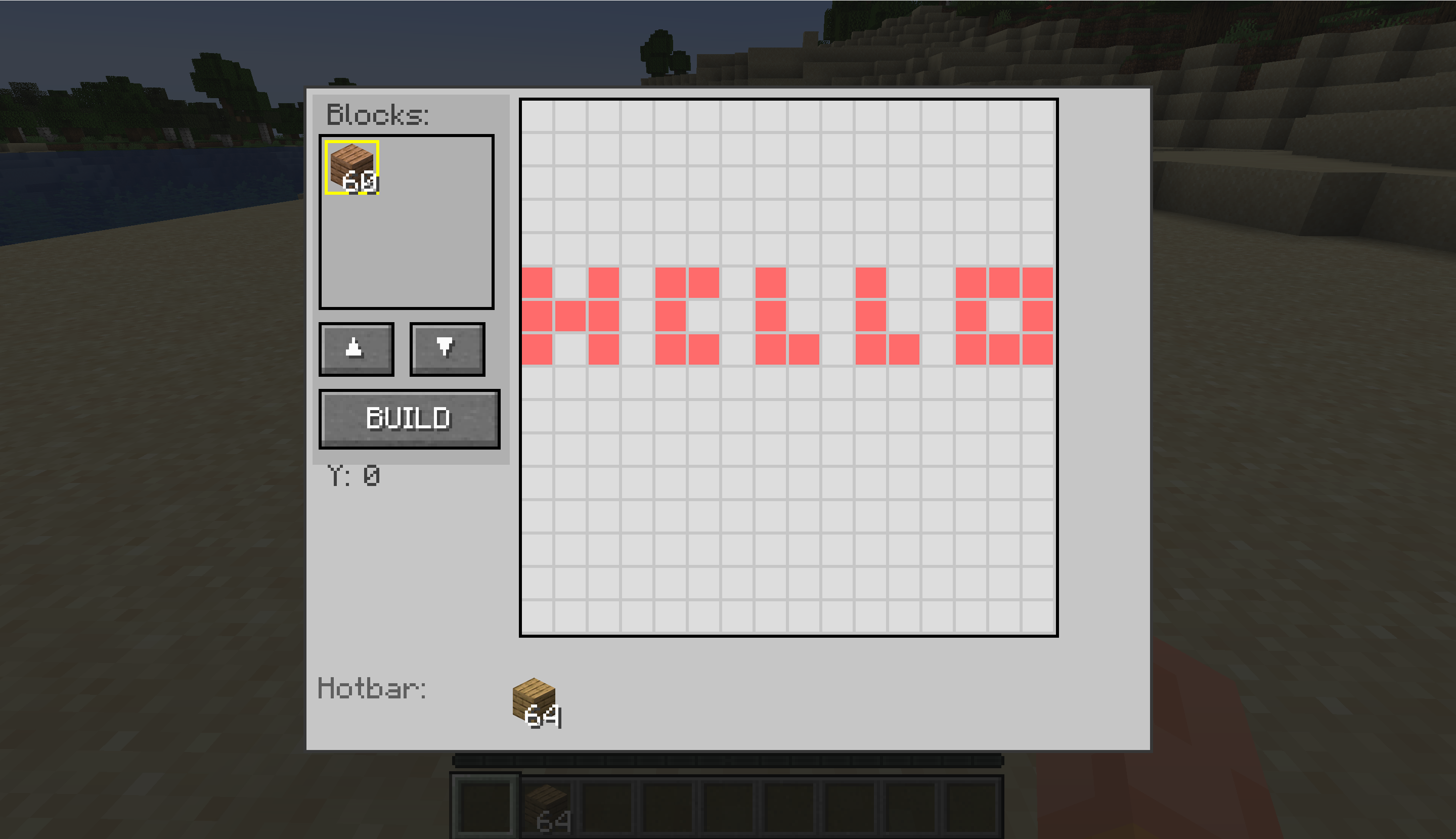
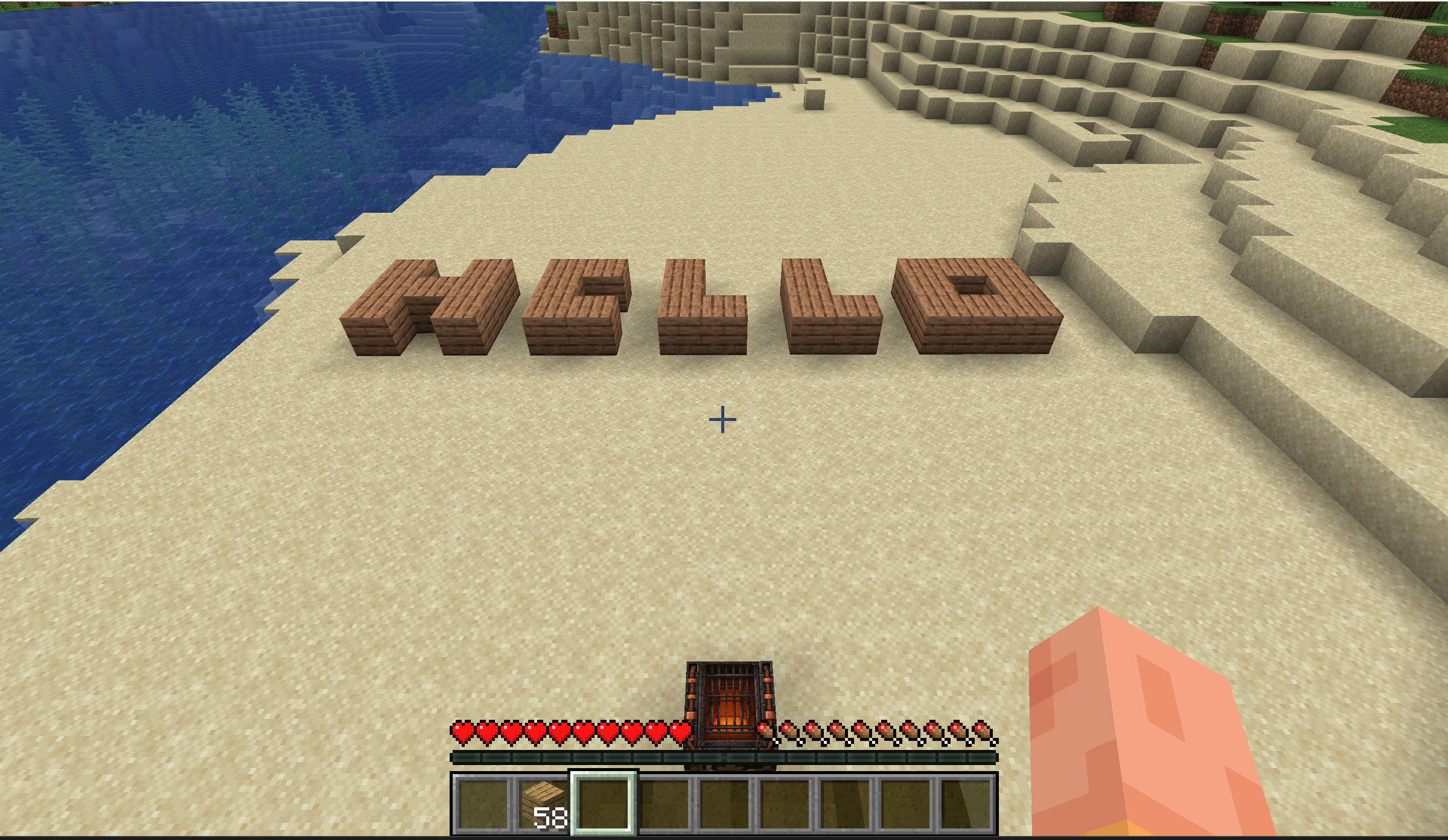
It adds a new architect block, which you can use to create large buildings in ease and even visualize different structure pattern before building.
截图
介绍
中文介绍正在准备中,下面暂时显示原文。
Architect Block
Design and visualize your builds in 3D before placing a single block!

🏗️ Overview
The Architect Block is a powerful building assistant that lets you plan, preview, and execute complex structures with ease. Simply place the block, design your build in a virtual 3D grid, load your materials, and watch your creation come to life!
✨ Features
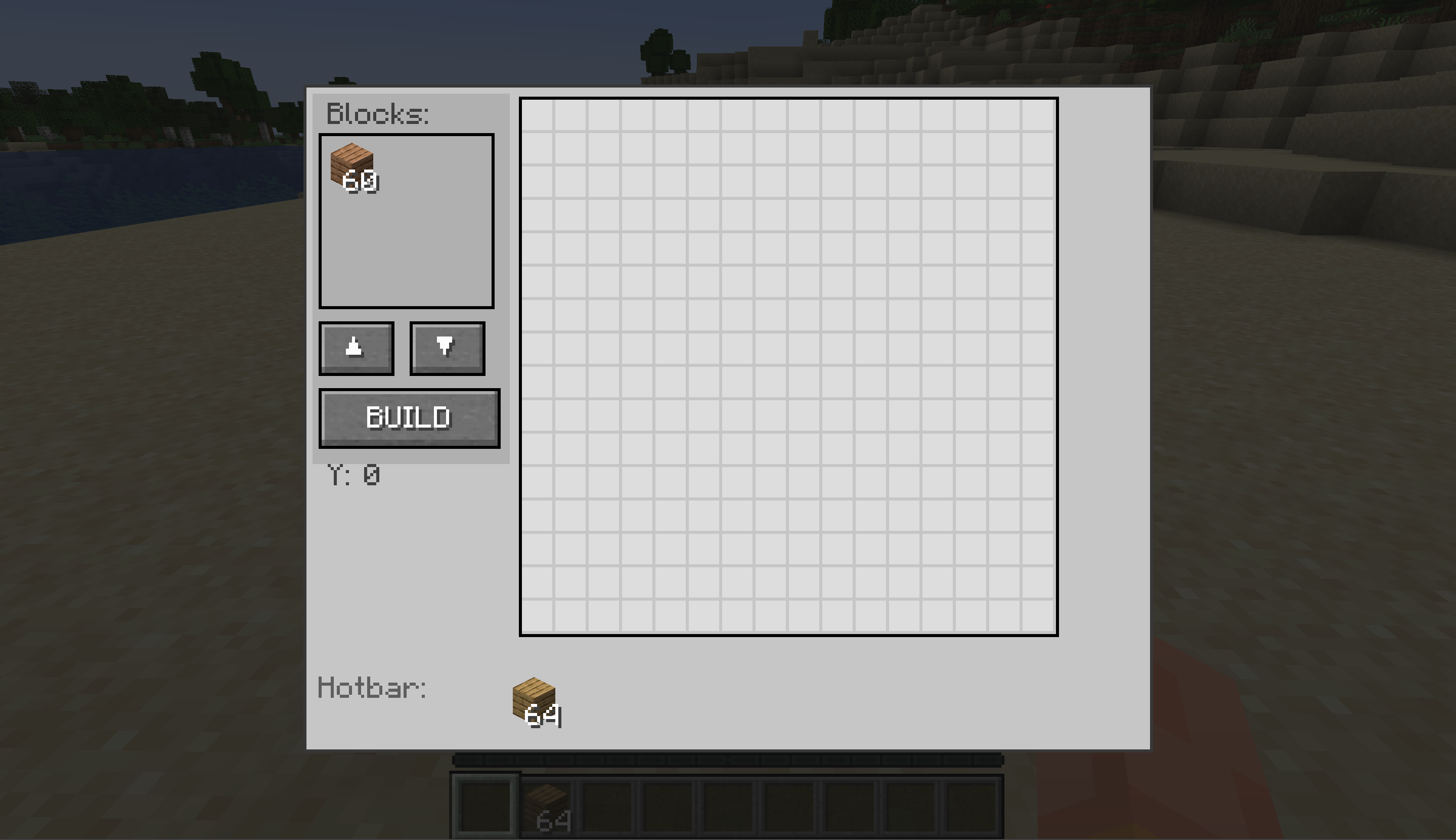
📐 3D Grid Design System
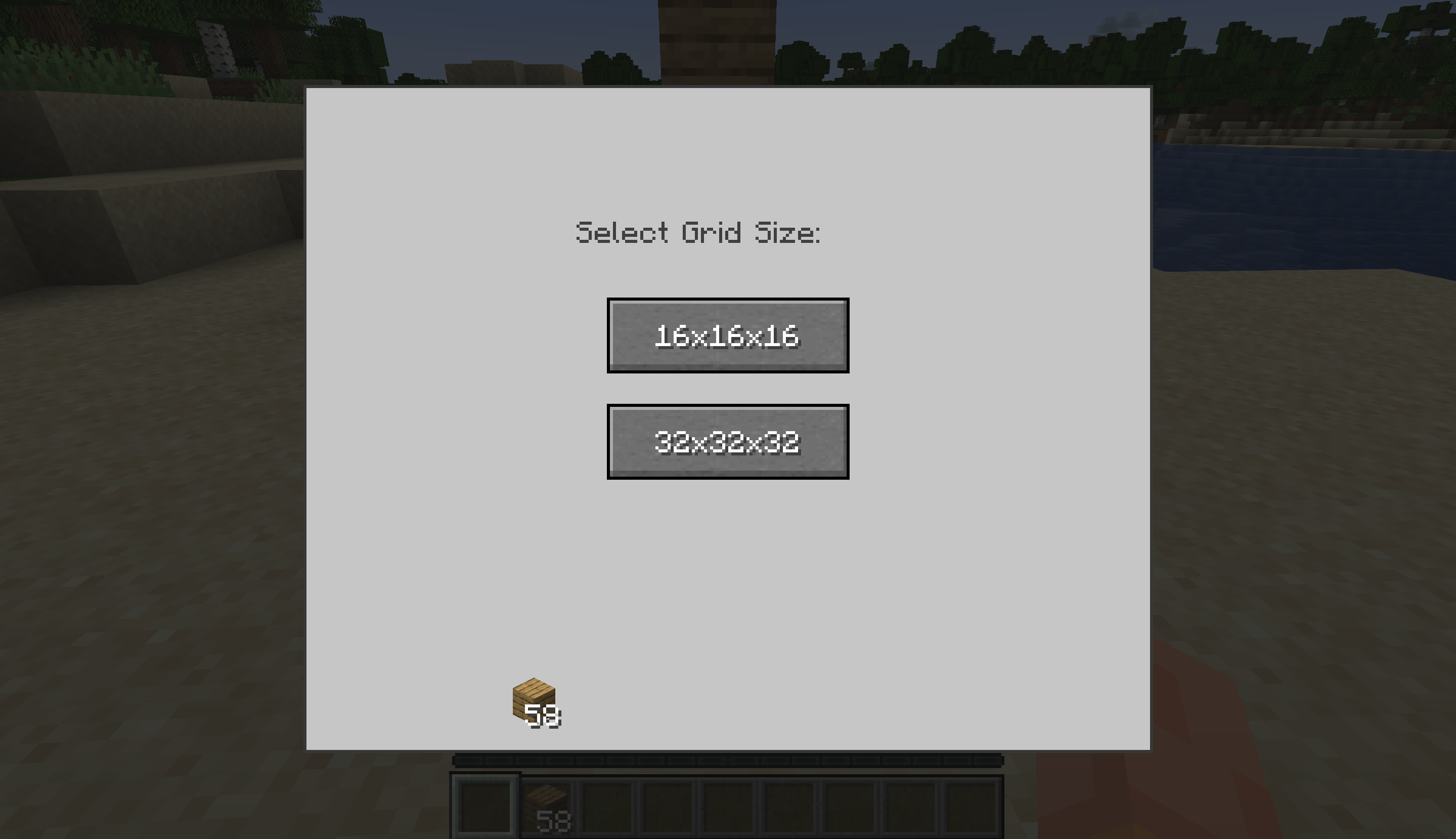
- Choose between 16x16x16 or 32x32x32 building grids
- Navigate through layers with intuitive up/down controls
- Color-coded blocks show your design at a glance
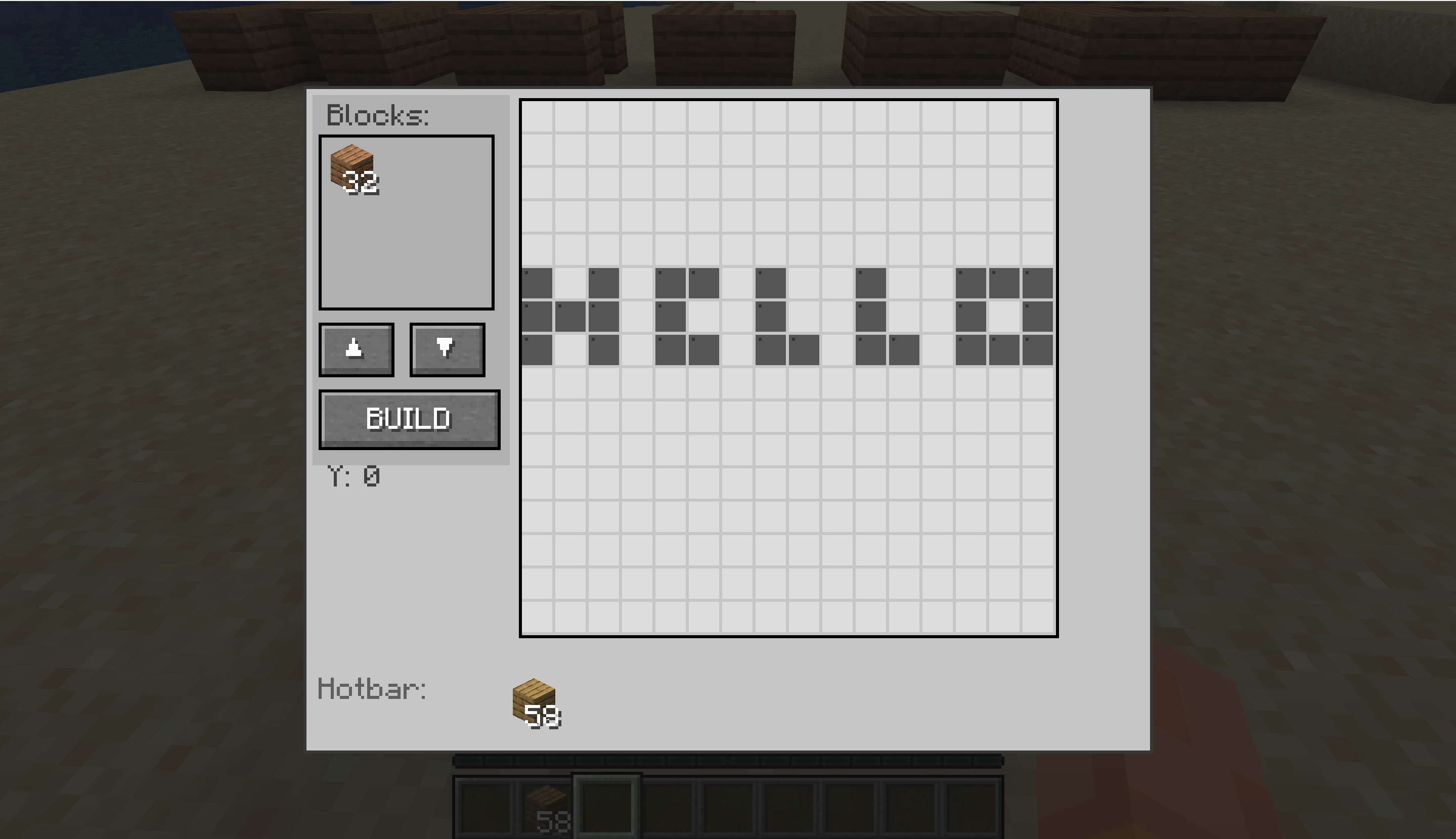
- Gray cells indicate existing terrain that can’t be overwritten

🎨 Visual Block Selection
- 9-slot inventory for different block types
- Right-click any slot to select it for drawing
- Each slot displays with a unique color in the grid
- Left-click or drag to place your selected block
- If you want to draw multiple lines or blocks then drag with left click, and if you want to remove multiple selection then drag with right click

⚡ One-Click Building
- Click BUILD to construct your entire design instantly
- Blocks are automatically consumed from the inventory
- Clear error messages if you don’t have enough materials
- Design resets after building, ready for your next creation!

🗺️ Terrain Awareness
- Automatically scans the area in front of the block
- Shows existing blocks as obstacles in your grid
- Prevents accidental overwrites of existing structures
- Perfect for building additions to existing builds
- Also after you have build something, the block shall rescan and then gray out those occupied blocks also

📖 How to Use
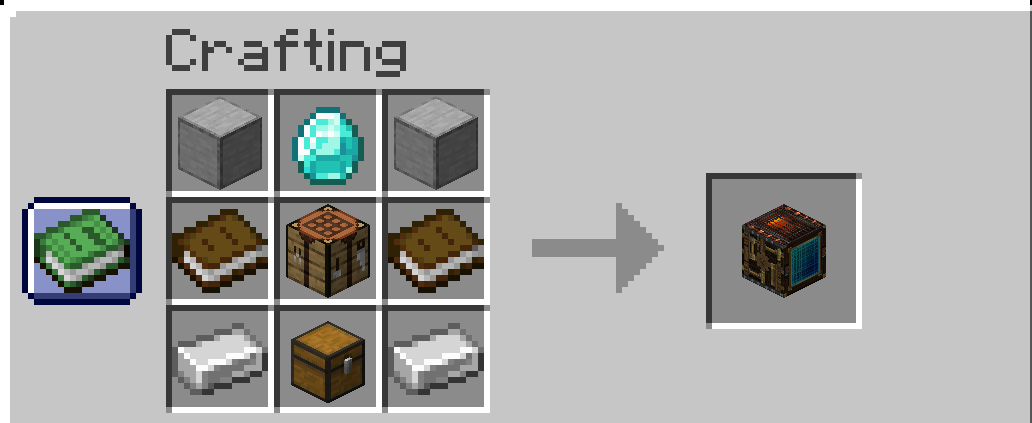
- Craft the Architect Block (recipe unlocks when you craft a Crafting Table)
- Place the block facing the direction you want to build
- Right-click to open the design interface
- Select a grid size (16×16×16 or 32×32×32)
- Load building materials into the 9-slot inventory
- Right-click a material slot to select it
- Left-click on the grid to place blocks in your design
- Right-click drag on the grid to erase blocks
- Click BUILD when ready!
🔧 Crafting Recipe

📦 Installation
- Install Fabric Loader
- Install Fabric API
- Download the Architect Block JAR for your Minecraft version
- Place the JAR in your
modsfolder - Launch Minecraft!
📜 License
This mod is released under the MIT License. Feel free to include it in modpacks!
常见问题
Advance Architect Block 支持哪些 Minecraft 版本?
Advance Architect Block 支持 Minecraft Java 版 1.21.4,可用的加载器:Fabric。下载时注意选择和你游戏版本一致的文件。
Advance Architect Block 怎么安装?
先用 PCL2 或 HMCL 启动器安装对应版本的 Fabric,再把下载的 .jar 文件放进游戏目录的 mods 文件夹,重新启动游戏即可。开启了版本隔离的,mods 文件夹在 versions/版本名 下面。运行环境:仅客户端。

评论
登录后评论和评分