
截图
介绍
AdminAnticheat is a lightweight Forge mod designed to help server operators keep Minecraft fair.
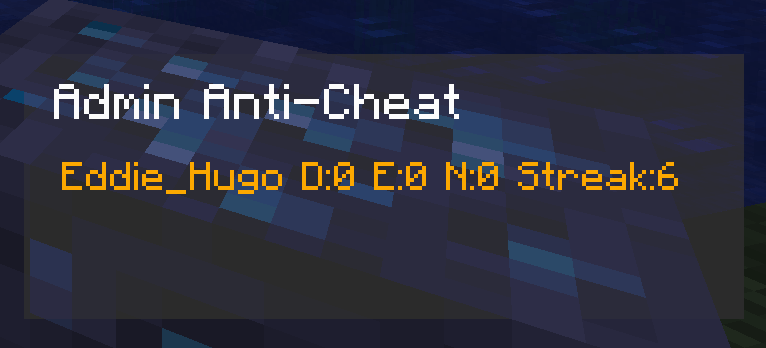
It tracks when players mine valuable ores (diamonds, emeralds, ancient debris) and maintains streak counters to detect suspicious behavior.
When a player’s streak crosses a configurable threshold, ops receive alerts in chat and warnings are logged to the server console.
The mod also provides admin commands to reset streaks, view stats, toggle alerts, or clear all tracked data.
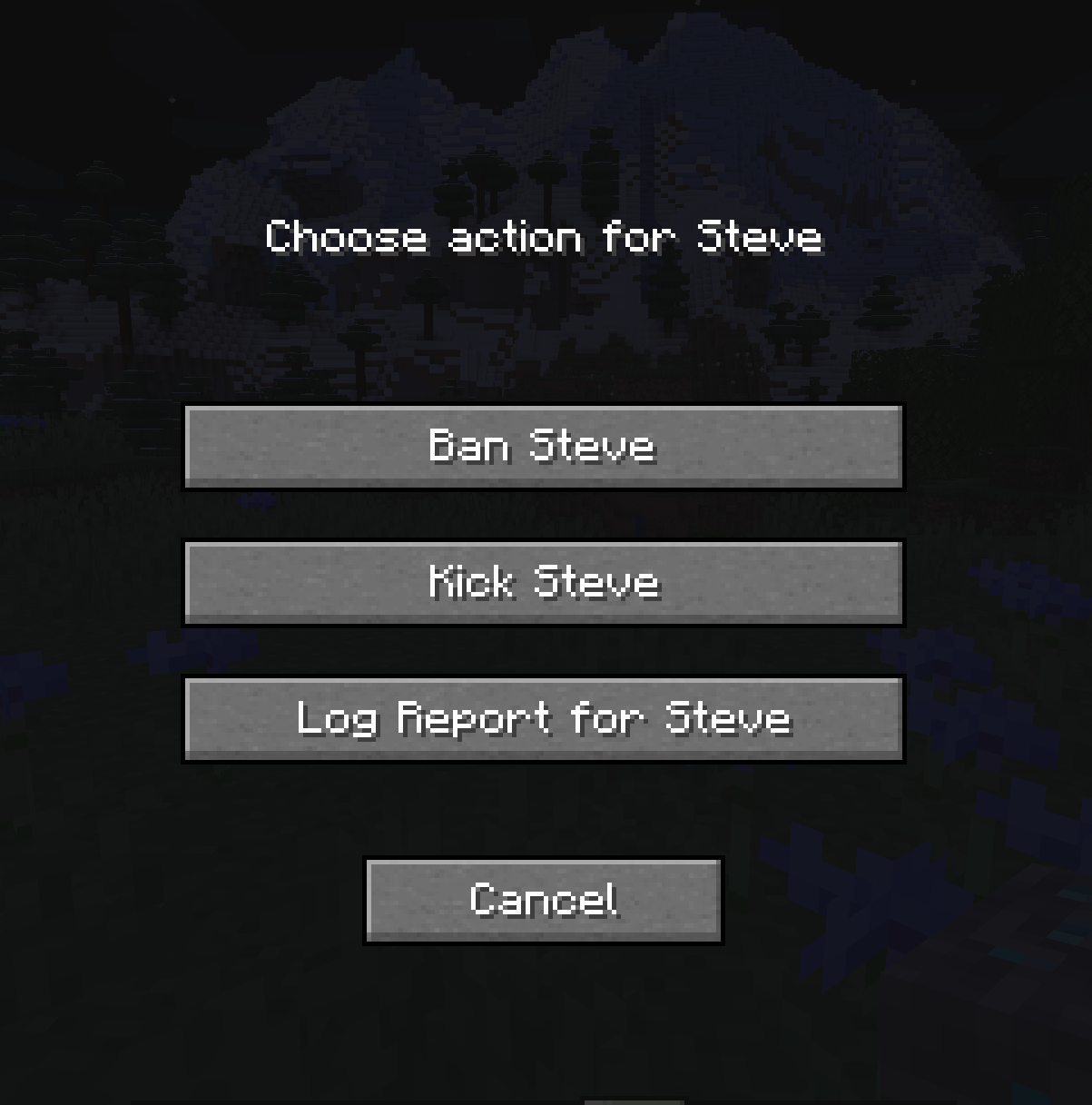
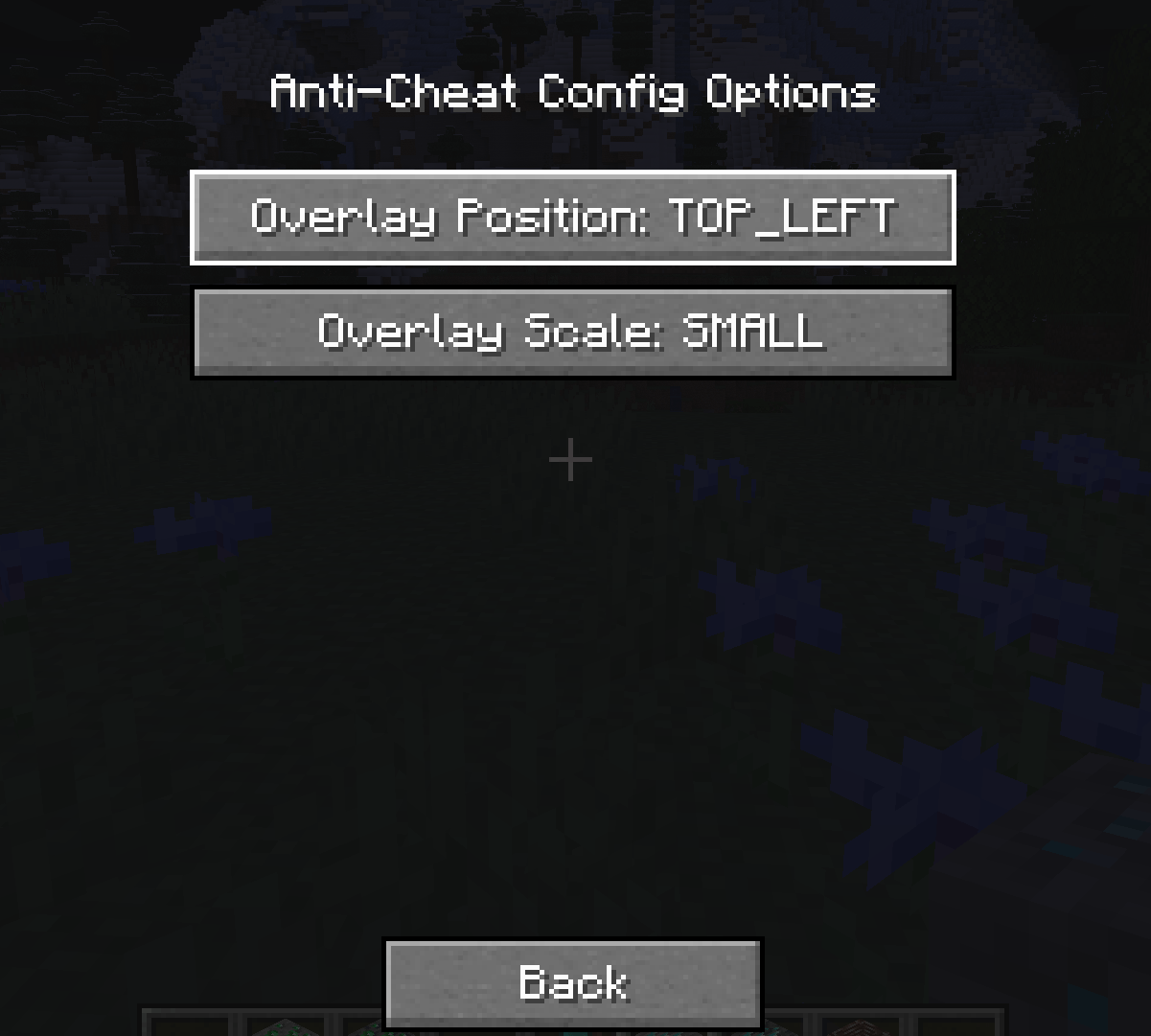
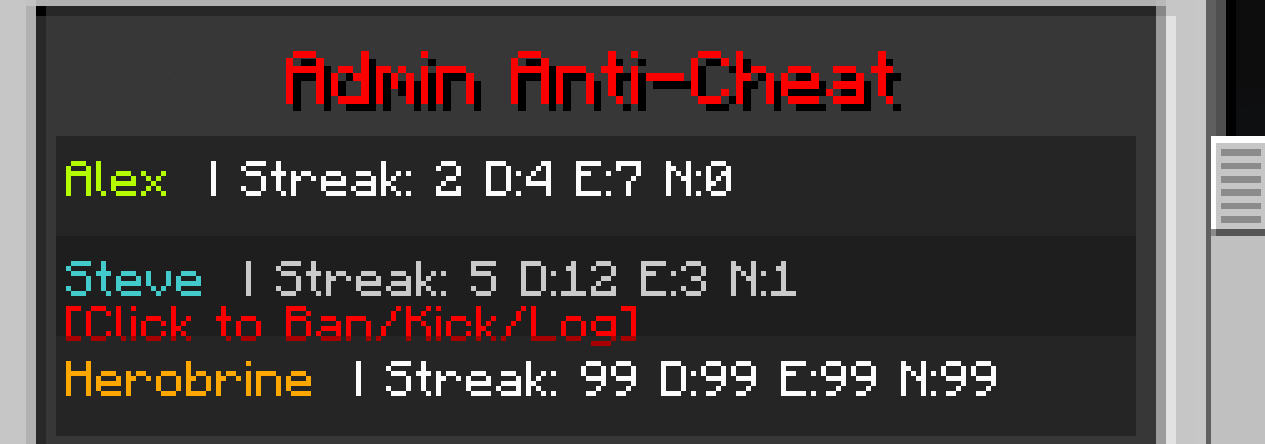
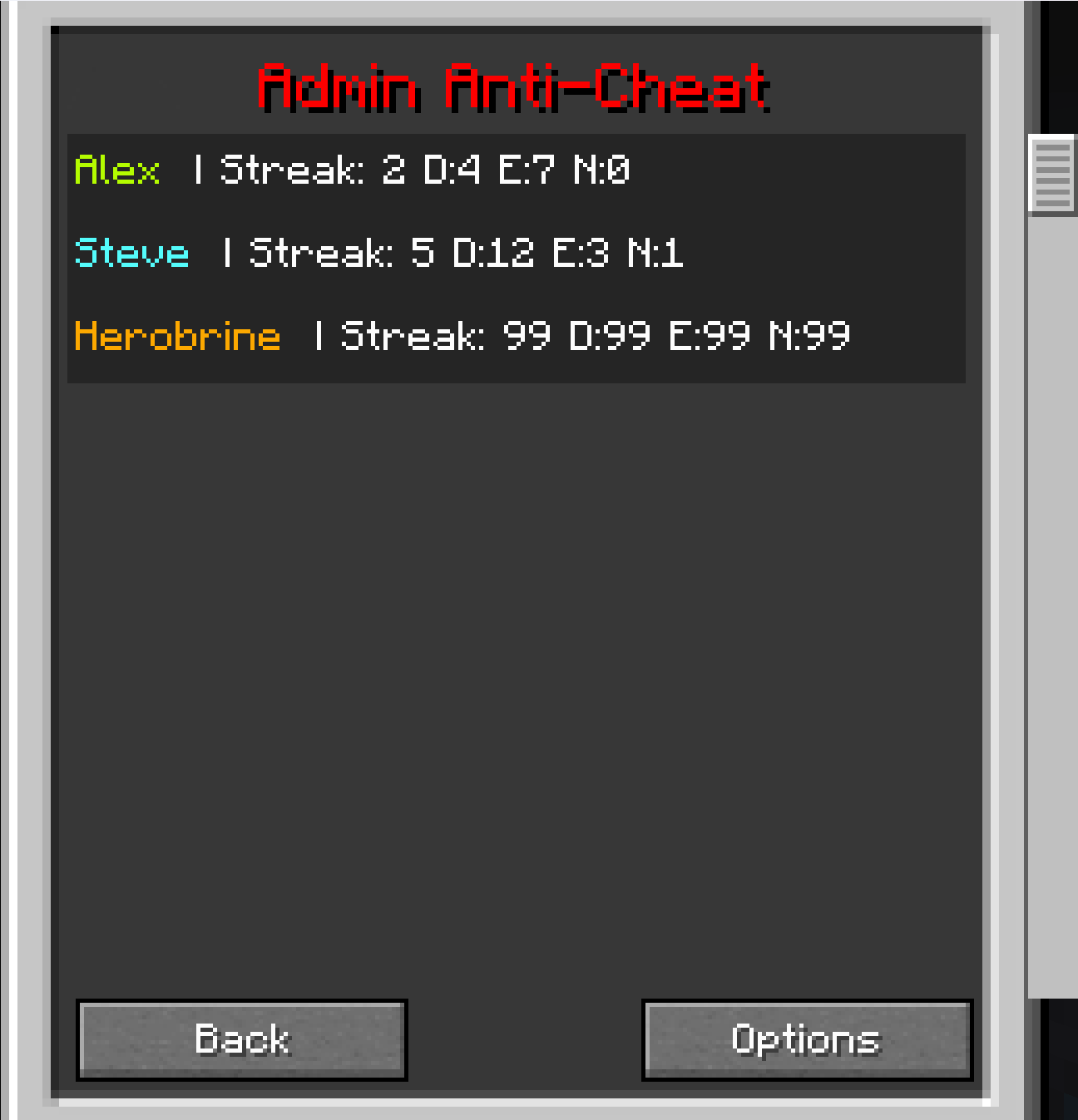
With the client overlay, ops can see live ore stats for each player directly in‑game, and from the main GUI screen you can now set the size and location of the overlay, also with live stats and the option to ban kick or log players.
This mod makes it much easier to spot cheaters before they ruin the fun.
Features
- Tracks diamond, emerald, and ancient debris mining
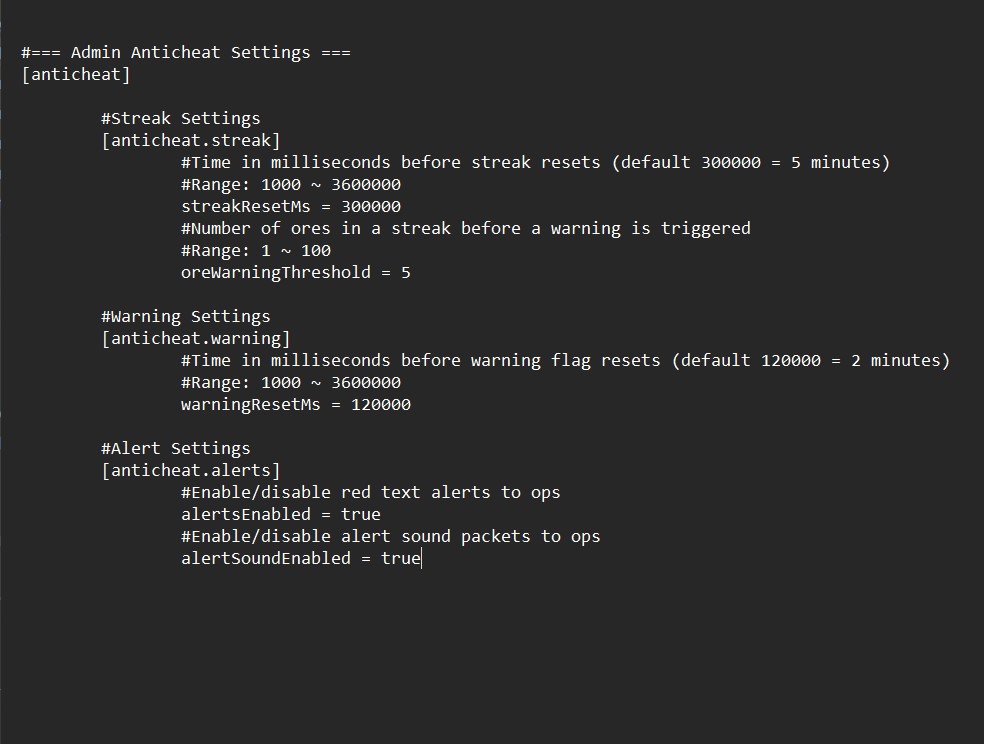
- Change the settings in server config
- Configurable streak reset times
- Alerts ops in chat and logs to console
- Client overlay for ops
- Overlay Keybind set to (O)
- New: GUI live data screen set to (N)
- New: Admin GUI with modular action screens (Ban/Kick/Log)
- New: Button to choose the overlay size and position
- New: Button to choose whether to (Ban/Kick/Log)
- New:Set your own keyBind
- New: Client to server handshake HelloS2C
- New: File logging of reports to
adminanticheat-reports.log
Commands
- /anticheat reset – Reset a player’s streak
- /anticheat stats – View ore mining stats
- /anticheat togglealerts – Enable or disable alerts
- /anticheat resetall – Clear all tracked data
- New: Enable or disable sound alerts
For server owners ONLY
- Installation Guide
- Everyone needs
shared.jar - Server needs
server.jar + shared.jar - Ops need
client.jar + shared.jar - Go into versions to get the server.jar and client.jar
Server:
Place adminanticheat-server and adminanticheat-shared in the server’s /mods folder.
All Players:
Place adminanticheat-shared in the client’s /mods folder. This is required for everyone to connect.
Ops:
Place adminanticheat-client alongside adminanticheat-shared in the client’s /mods folder to enable the overlay.
Versions
-
First release (still supported):
adminanticheat-server.jar-1.0.1adminanticheat-shared.jar-1.0.1adminanticheat-client.jar-1.0.2
-
Latest update (with new features):
adminanticheat-server.jar-2.0.0adminanticheat-client.jar-2.0.0adminanticheat-shared.jar-2.0.0
常见问题
Admin Anti-Cheat 支持哪些 Minecraft 版本?
Admin Anti-Cheat 支持 Minecraft Java 版 1.20.1,可用的加载器:Forge。下载时注意选择和你游戏版本一致的文件。
Admin Anti-Cheat 怎么安装?
先用 PCL2 或 HMCL 启动器安装对应版本的 Forge,再把下载的 .jar 文件放进游戏目录的 mods 文件夹,重新启动游戏即可。开启了版本隔离的,mods 文件夹在 versions/版本名 下面。
Eddie_Hugo 的其他作品
查看全部 →
Torch Light
make that torch ammit light Works in main hand or offhand.

No Villages
This simply removes all villages from the game

FernField SMP Server
A lightweight, well-tuned modpack built for smooth multiplayer on our custom Minecraft server.

Ice Age Survival
Survive a frozen apocalypse with deadly cold, frostbitten mobs, and buried bunkers. Explore lost cities, warm up by campfires, and uncover dinosaurs thriving in lush underground caves. Craft, adapt, and endure in this cinematic Ice Age survival experience.
评论
登录后评论和评分