介绍
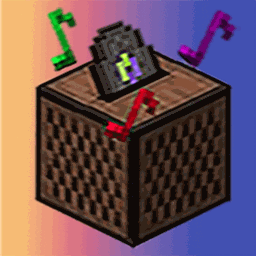
This mod can help you add your own discs!
Put the ogg audio file in .minecraft/.addurdisc/assets/addurdisc/sounds/
and the file name does not contain characters other than lowercase letters、numbers、”-._” and this mod will help you add it to the game as a disc!
Note: The sounds resource files on the server side must be consistent!!
You can use the config file to change the directory of the resource file and whether the disc can be dropped by creepers.
You can set the `refreshLang` option to `false` in the configuration file, and then edit `.minecraft/.addurdisc/assets/addurdisc/lang/en_us.json` to modify the names and descriptions of items.
You can also overwrite the png file of /.minecraft/.addurdisc/assets/addurdisc/texture/item/xxx.png to customize your disc textures.
Tips: If your audio file is downloaded from a music app, it might contain a cover video stream, which could prevent the game from reading the audio correctly. You can use audio editing software (like FFmpeg) to extract the audio stream and solve this issue.
If you are using FFmpeg, you should do it like this:
ffmpeg -i input.ogg -map 0:1 -c copy output.ogg
(if 0:1 is the audio stream.)
To achieve stereo, distance attenuation, and other playback effects, you need to convert the audio file to mono.
ffmpeg -i input.ogg -ac 1 output.ogg
For more tutorial information, you can check out this wiki:
常见问题
AddurDisc 支持哪些 Minecraft 版本?
AddurDisc 支持 Minecraft Java 版 1.18.2–1.20.1,共 5 个版本,可用的加载器:Fabric / Forge。下载时注意选择和你游戏版本一致的文件。
AddurDisc 怎么安装?
先用 PCL2 或 HMCL 启动器安装对应版本的 Fabric / Forge,再把下载的 .jar 文件放进游戏目录的 mods 文件夹,重新启动游戏即可。开启了版本隔离的,mods 文件夹在 versions/版本名 下面。
评论
登录后评论和评分