Adaptive Mobs: Living Threats
Transform Minecraft hostile mobs with RPG levels, intelligent AI, unique personalities, emotions, persistent memories, adaptive combat behavior, and coordinated pack tactics.**
截图
介绍
Adaptive Mobs: Living Threats
Mobs That Want to Survive.
What if Minecraft mobs could think, feel, remember, and adapt?
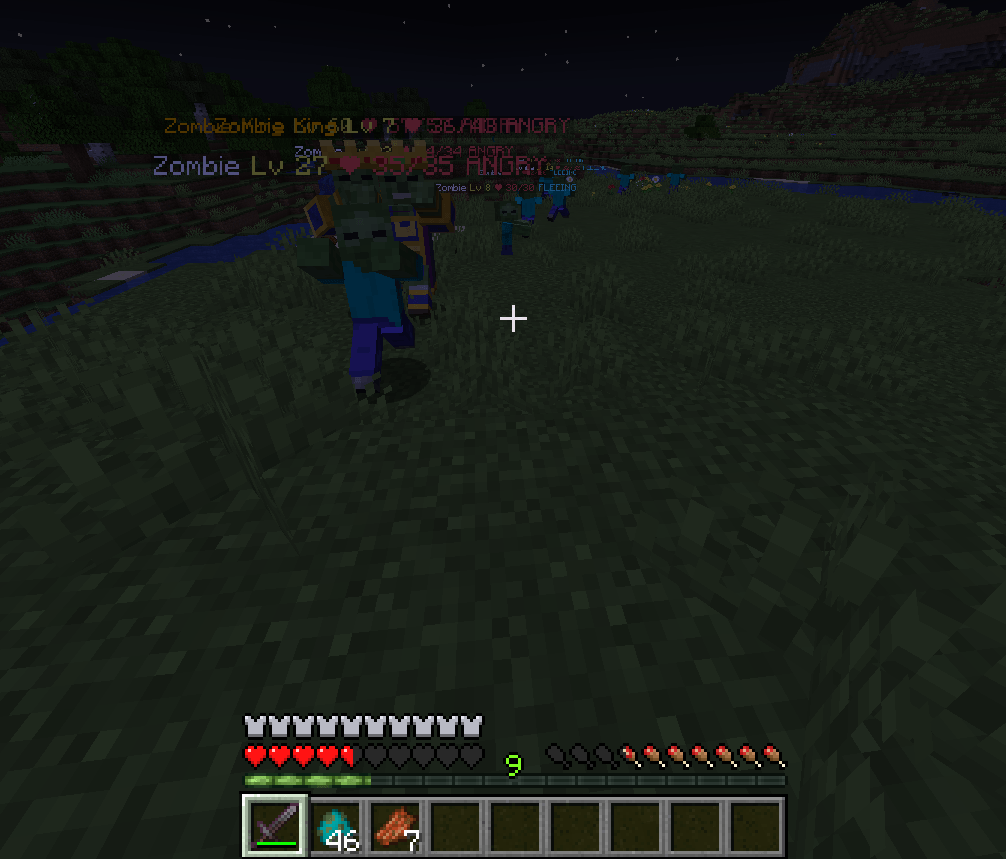
Adaptive Mobs: Living Threats transforms ordinary Minecraft hostile mobs into intelligent RPG-style enemies with dynamic levels, unique personalities, emotional states, persistent memories, and tactical group behavior.
Forget enemies that simply chase and attack. Mobs can analyze your equipment, recognize dangerous players, remember previous encounters, communicate with nearby allies, retreat when overwhelmed, or fight to the death.
This is not a mod that simply adds more health and damage to monsters. It changes how existing Minecraft mobs behave while preserving their original identities and core mechanics.
KEY FEATURES
1. Dynamic Mob Level System
Every managed hostile mob receives an individual level when it spawns.
-
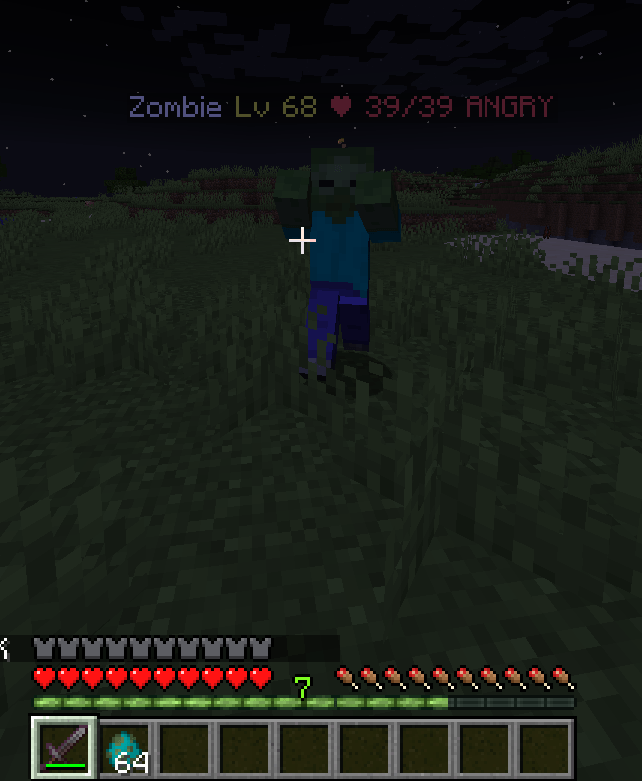
Mob levels range from 1 to 100.
-
Levels affect health, damage, defense, and movement.
-
Lower-level mobs are more common by default.
-
Difficulty and dimensions can influence level generation.
-
Spawn distributions and stat scaling can be customized.
2. Unique Mob Personalities
Every mob develops its own permanent personality profile.
Personality attributes include:
-
Courage
-
Aggression
-
Intelligence
-
Fear Sensitivity
-
Loyalty
-
Survival Instinct
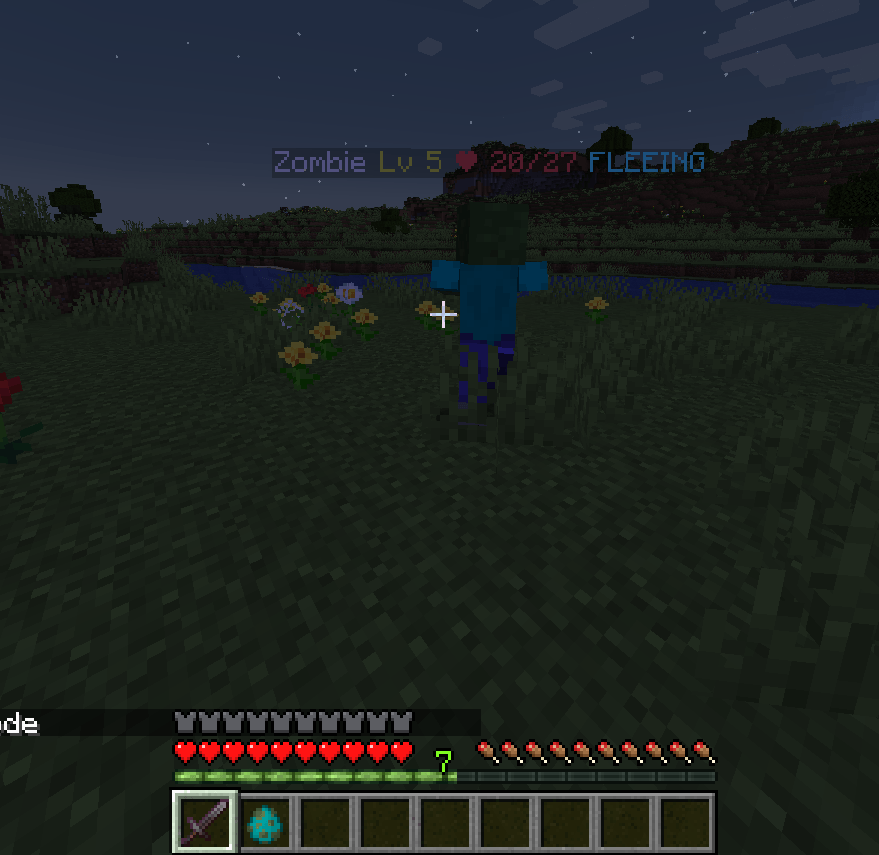
Two zombies can behave completely differently. One may fear a heavily equipped player, while another may aggressively pursue the same target.
3. Emotional Intelligence
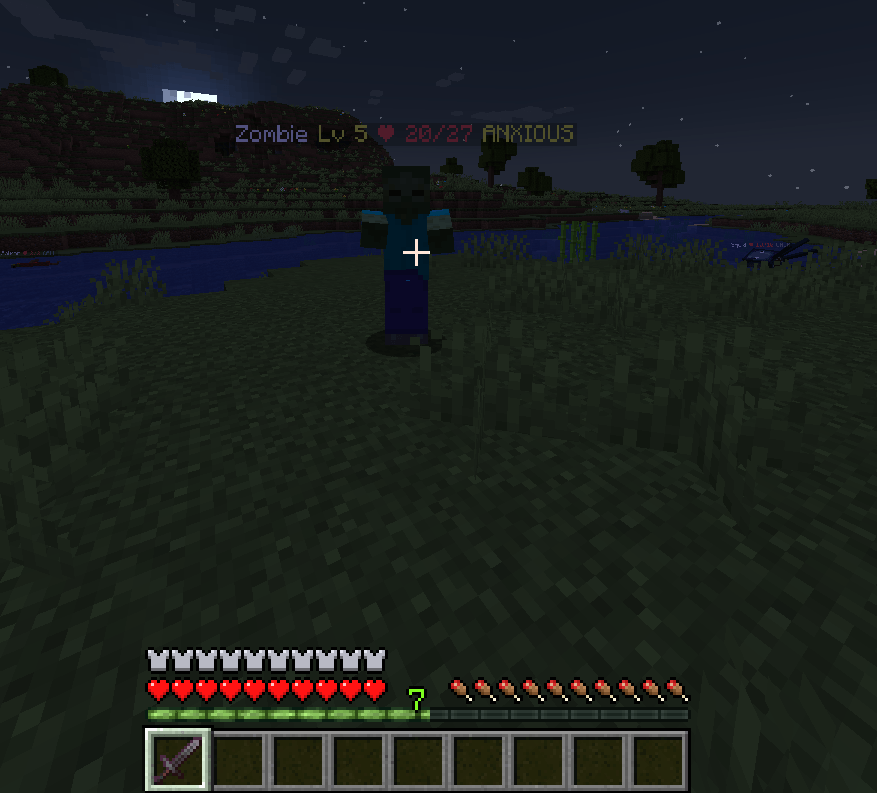
Mobs experience emotional states that influence their decisions.
Available emotional states include:
-
FEAR
-
ANGER
-
TRUST
-
ANXIETY
-
VENGEANCE
-
OVERCONFIDENCE
Emotions change according to combat events, injuries, defeated allies, victories, and encounters with powerful opponents.
An angry or VENGEFUL mob may refuse to retreat even when the odds are against it.
4. Adaptive Combat AI
Hostile mobs evaluate their surroundings and choose tactical actions based on their personality, emotions, equipment analysis, and nearby allies.
Possible behaviors include:
-
ATTACK – Engage the target.
-
RETREAT – Escape from dangerous opponents.
-
OBSERVE – Evaluate the situation.
-
FOLLOW – Follow a target or ally.
-
DEFEND – Protect a position or group.
-
CALL ALLIES – Request nearby support.
-
REPOSITION – Find a more advantageous position.
-
HOLD POSITION – Maintain a defensive position.
Enemy behavior is influenced by actual circumstances rather than random combat decisions.
5. Persistent Encounter Memories
Mobs can remember players they have encountered.
Their memories can contain:
-
Previous combat encounters
-
Damage received
-
Player threat assessments
-
Successful escapes
-
Players responsible for killing their allies
Individual mob memories persist through chunk unloading and world reloads while the mob remains alive.
A fearful creature may remember a dangerous opponent and avoid another encounter. A vengeful creature may seek revenge.
6. Intelligent Pack Behavior
Nearby hostile mobs can form temporary groups and coordinate their actions.
Pack intelligence includes:
-
Leader selection
-
Group morale
-
Calling nearby allies
-
Majority-based tactical decisions
-
Coordinated attacks
-
Reactions to fallen group members
Groups can continue operating even after losing their leader.
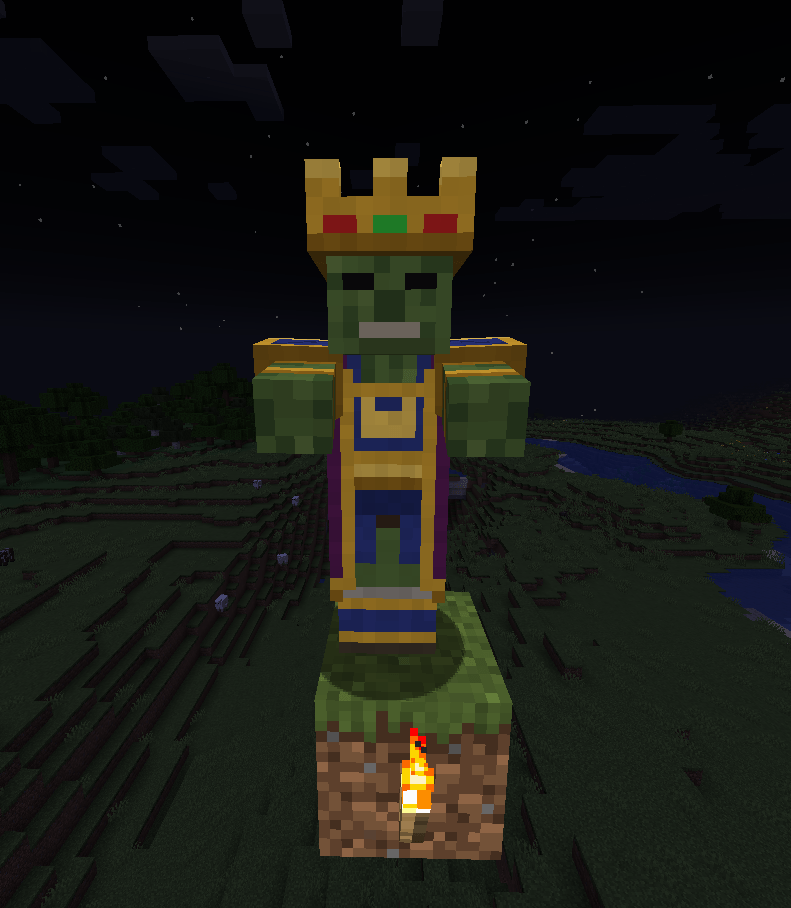
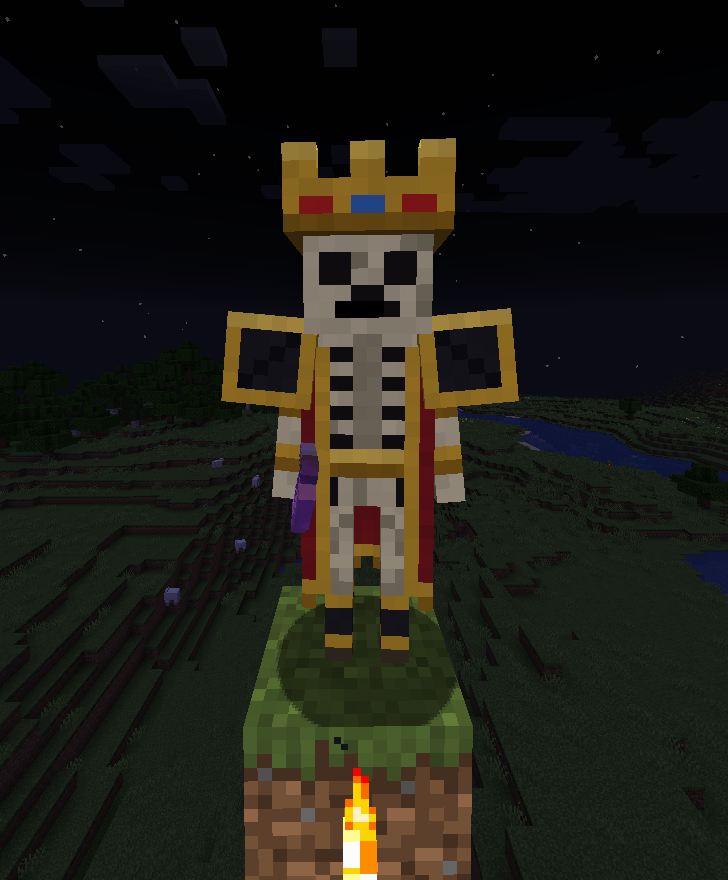
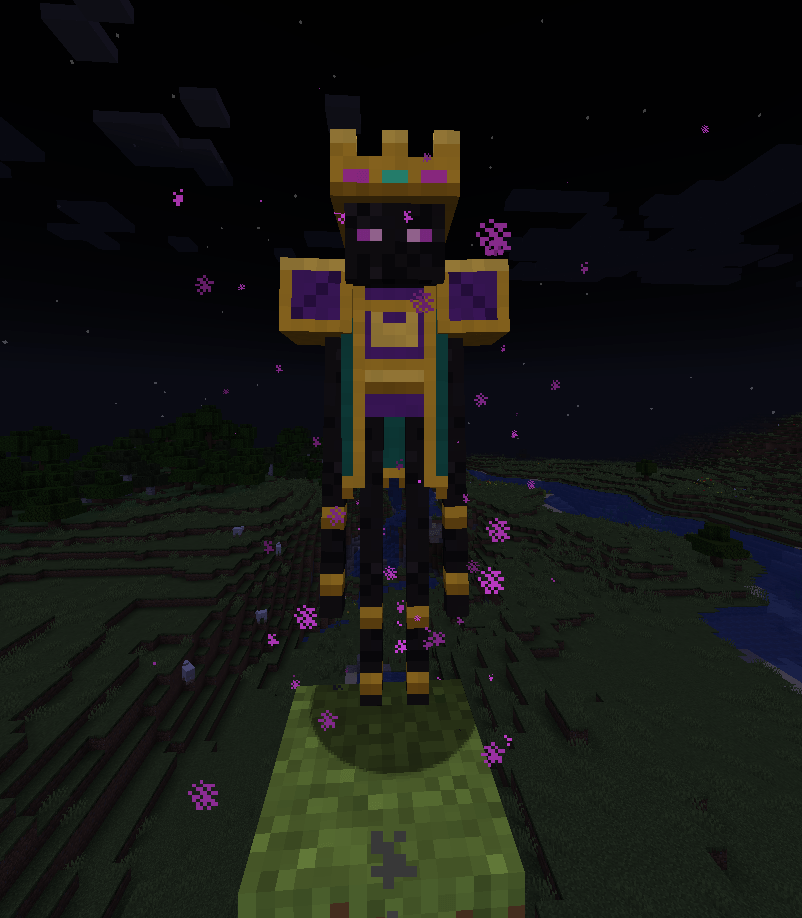
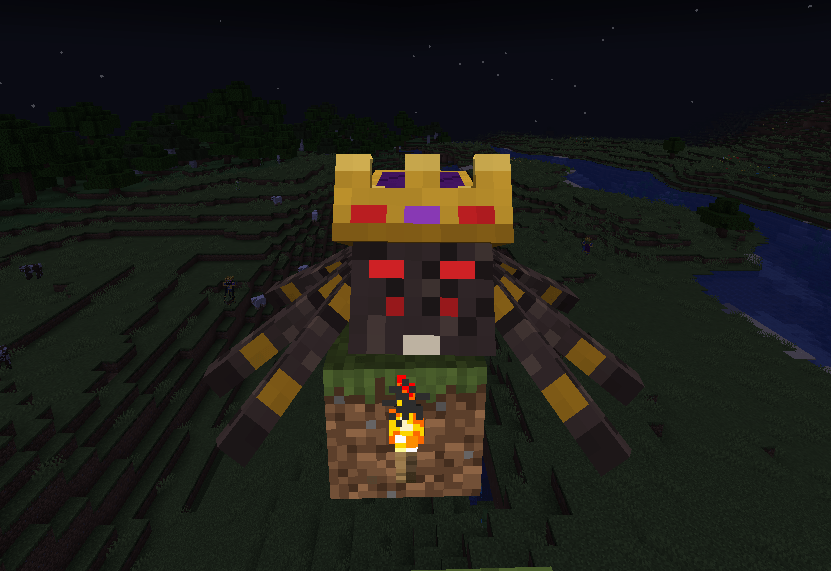
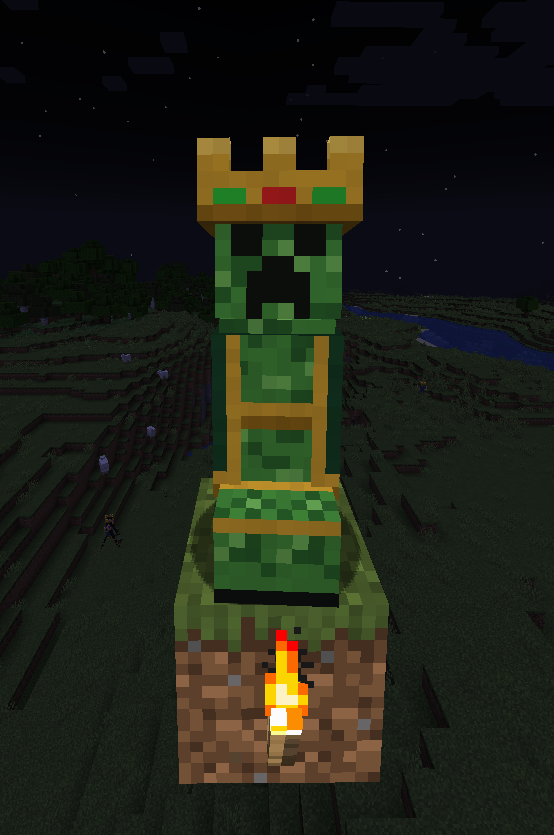
7. Elite Mobs and King Variants
Some hostile mobs can spawn as stronger Elite or King variants.
King variants currently include:
-
Zombie King
-
Skeleton King
-
Enderman King
-
Spider King
-
Creeper King
King mobs have a default 1% spawn chance and a minimum level of 60.
They feature unique visual equipment, increased attributes, and the ability to command nearby pack members. The Creeper King also has a larger explosion.
Elite spawn modifiers and probabilities can be configured.
8. Equipment-Based Threat Analysis
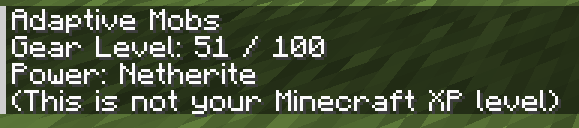
Mobs do not judge players by their XP level.
Instead, they analyze real combat-related information, including:
-
Armor and protection
-
Weapons
-
Health
-
Enchantments
-
Status effects
-
Combat performance
-
Nearby allies
A heavily equipped player may cause weaker enemies to retreat, while courageous or powerful enemies may decide to fight.
9. 3D Mob Management Menu (J)
Press J to open the Mob Management screen.
-
Browse detected mob types using 3D models.
-
Configure behavior profiles for individual mob types.
-
Choose Monster, Animal, Automatic, or Ignore profiles.
-
Save selections to the world.
-
Manage newly detected modded creatures.
-
Receive chat notifications when new modded entity types are detected.
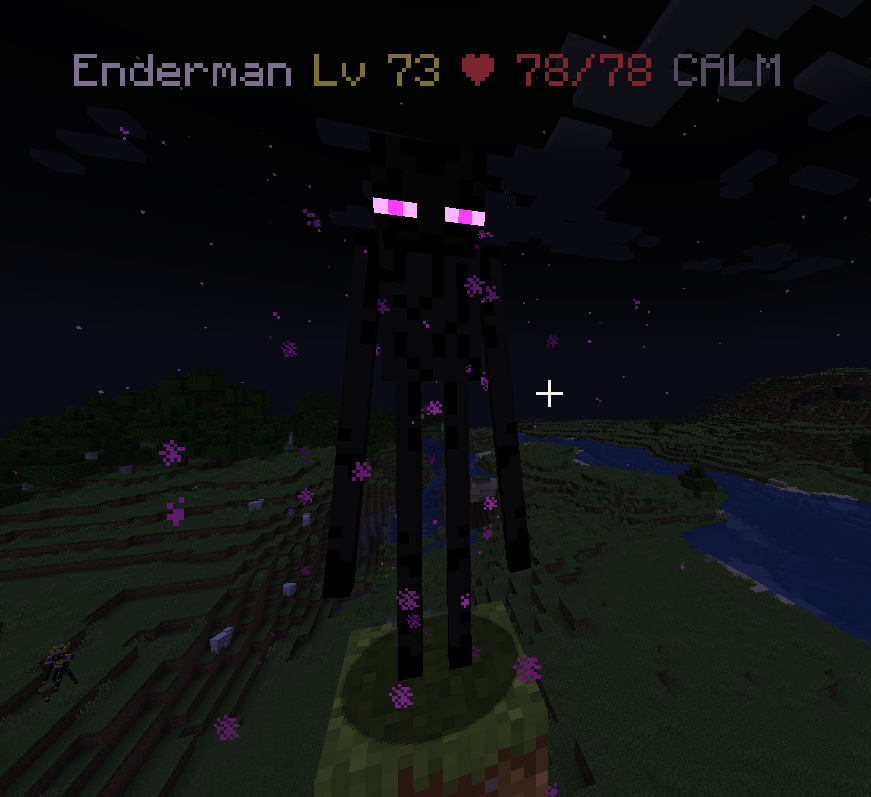
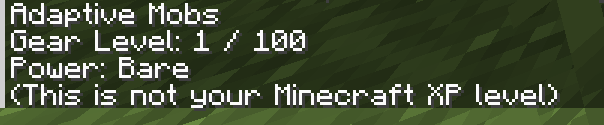
10. Threat Information Panel (H)
Press H to inspect the mob you are looking at.
The information panel can display:
-
Mob threat assessment
-
Your threat score
-
Threat calculation breakdown
-
Current emotional state
-
Mob name, level, and health information
Note: The detailed H information panel requires infoDisplayMode = 1 in the client configuration.
11. Mod Compatibility and Support Steve Integration
Adaptive Mobs is designed to work with modded creatures, not just vanilla Minecraft mobs.
-
Automatically classifies detected modded entities.
-
Supports FULL, PARTIAL, PASSIVE, and IGNORED compatibility profiles.
-
Provides entity tags and a public Java API for mod developers.
-
Includes optional integration with Support Steve.
When Support Steve is installed, Steve NPCs are included in threat analysis. Owned and allied Steve entities are recognized as allies, while Support Steve’s own AI and targeting systems remain untouched.
Support Steve is optional and is not a required dependency.
12. Multiplayer and Performance
-
Core mob intelligence runs server-side.
-
Basic gameplay does not require the mod on every client.
-
Client installation is required for visual information panels and nameplates.
-
Cached threat calculations help reduce unnecessary processing.
-
Configurable AI evaluation budgets help control server workload.
CONFIGURATION
Customize the experience through the generated configuration files:
-
adaptivemobs-common.toml -
adaptivemobs-client.toml
Available settings include mob levels, spawn distribution, personality behavior, emotional thresholds, pack intelligence, King and Elite spawn chances, threat calculations, memory settings, and performance limits.
CONTROLS AND COMMANDS
| Key / Command | Function |
|---|---|
| J | Open Mob Management |
| H | Open Threat Information Panel |
/adaptivemobs level |
View your equipment threat level |
/adaptivemobs debug |
Inspect the targeted mob |
/adaptivemobs debug metrics |
View performance metrics |
/adaptivemobs debug config |
Inspect important configuration values |
INSTALLATION
-
Install Minecraft 1.20.1.
-
Install Minecraft Forge 47.2.0 or newer in the Forge 47.x series.
-
Download the Adaptive Mobs JAR file.
-
Place it inside your Minecraft
modsfolder. -
Launch Minecraft.
Configuration files are generated automatically on the first launch.
COMPATIBILITY
-
Minecraft: 1.20.1
-
Mod Loader: Minecraft Forge
-
Forge: 47.2.0 or newer (47.x)
-
Java: 17 or newer
-
Environment: Client & Server
-
Optional Integration: Support Steve
-
Fabric: Not supported
-
NeoForge: Not supported
Some vanilla mobs retain their original targeting systems and do not use every tactical behavior. Please check the compatibility notes before combining Adaptive Mobs with other creature mods.
ABOUT
Adaptive Mobs: Living Threats is developed by RichPlayStudio.
The goal is simple: make every encounter feel different, make enemies feel alive, and turn ordinary Minecraft combat into a more dynamic RPG survival experience.
Your enemies remember. Your enemies adapt. Your enemies want to survive.
常见问题
Adaptive Mobs: Living Threats 支持哪些 Minecraft 版本?
Adaptive Mobs: Living Threats 支持 Minecraft Java 版 1.20.1,可用的加载器:Forge。下载时注意选择和你游戏版本一致的文件。
Adaptive Mobs: Living Threats 怎么安装?
先用 PCL2 或 HMCL 启动器安装对应版本的 Forge,再把下载的 .jar 文件放进游戏目录的 mods 文件夹,重新启动游戏即可。开启了版本隔离的,mods 文件夹在 versions/版本名 下面。
RichPlayStudio 的其他作品
查看全部 →
Support Steve (NPC Companion & Workers)
Add intelligent Minecraft NPC companions and workers! Summon Steve to farm crops, mine ores, chop trees, guard areas, fight hostile mobs, collect items, and work independently.

Pocket World: Void Realms
Create your own Minecraft Void Realm! Build floating islands, transfer structures, connect bridges, manage NPC shops, complete RPG quests, and trade with other players.
评论
登录后评论和评分