介绍
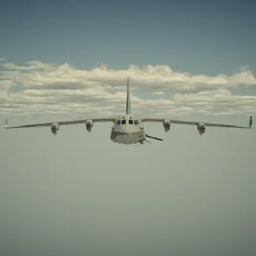
AC-130 Gunship
Call in an AC-130, plan its route on a live map of your world, and work the guns from the sensor operator’s seat.
Calling One In
Get a 12-player killstreak or a 60-hostile-mob killstreak.
- Once completed, an indicator appears in the bottom-right corner of your screen.
Use an Air Support Beacon to call in the gunship.
- Waypoint Route — the gunship flies the line you draw, turn for turn.
- Orbit — pick a center and radius, and it circles.
Either way, the red edge of the flight path marks the gun side, so you can set up your pass before you commit.
Confirm, and the aircraft arrives — a fly-by down the length of the fuselage, then you cut to the gun camera. The beacon is consumed. Everyone else on the server sees and hears the aircraft overhead.
The Armament
Three weapons, switched with the scroll wheel.
| Weapon | Designation | Character |
|---|---|---|
| 25mm | GAU-12/U Equalizer | The gatling. High rate of fire, visible tracers, configurable spread. Chews through crowds. |
| 40mm | Bofors L/60 | A slower explosive autocannon. One shell, one crater. |
| Missile | AGM-114 Hellfire | Single-shot guided missile with a motor plume and anamorphic lens flare. Release and press again for each launch. |
Right-click zooms, each weapon at its own magnification. R reloads manually. Every weapon has its own magazine size, reload time, rate of fire, damage, recoil, and muzzle velocity in the config.
Note: Gunship damage ignores potion resistance and armor enchantments.
COD19-Style AC-130
- COD19 AC-130 animations
- COD19 AC-130 UI
Thermal Vision
Press X for the thermal channel. Living things glow against a cold world, heat sources in the terrain read as hot, and heat falls off with distance and weather.
Note: Thermal vision may fail in rain because visibility is significantly reduced in rain.
Thermal vision requires Embeddium. Without it, the feature turns itself off.
Explosions
Explosion system:
- A fireball based on measured sprite sheets
- Ground dust and debris
- Shockwave effect
Controls
| Key | Action |
|---|---|
N |
Activate the killstreak gunship |
Y |
Open the flight planner / leave gunship view |
Mouse |
Aim — right-click to zoom |
Scroll |
Switch weapon |
Left-click |
Fire |
R |
Reload |
X |
Thermal vision |
C |
Toggle hostile mob markers |
Markers are color-coded: green is you on the ground, red is another player, orange is a hostile mob.
Configuration
Everything lives in config/ac130-common.toml:
- Whether explosions destroy blocks
- Flight altitude and speed
- Ammunition, reload times, rate of fire
- Damage, blast power, projectile speed, spread
- Zoom and recoil
- Optional mission time limit with a return-to-base warning
- Render options
Run /ac130 reload to apply changes without restarting.
Languages
- Simplified Chinese
- English
Compatibility
Shader packs (Iris / Oculus) — supported. When a shader pack is loaded, shockwave refraction is automatically disabled because it cannot share the framebuffer with shaders.
| Requirement | Notes |
|---|---|
| Minecraft | 1.20.1 |
| Loader | Forge 47.4.1+ |
| Embeddium | Optional — required only for thermal vision |
| Sodium | On NeoForge versions, either Embeddium or Sodium can be used as a prerequisite |
常见问题
AC130 支持哪些 Minecraft 版本?
AC130 支持 Minecraft Java 版 1.20.1–1.21.1,共 2 个版本,可用的加载器:Forge / NeoForge。下载时注意选择和你游戏版本一致的文件。
AC130 怎么安装?
先用 PCL2 或 HMCL 启动器安装对应版本的 Forge / NeoForge,再把下载的 .jar 文件放进游戏目录的 mods 文件夹,重新启动游戏即可。开启了版本隔离的,mods 文件夹在 versions/版本名 下面。

评论
登录后评论和评分