
截图



介绍
The mod allows you to play minecraft world with time like in real world


Main Setting
you can enable/disable mods, and also can choose time mode (Time Zone or Manual).

Manual Start Hour Setting
You can set the time in Minecraft world. The top part is for hours and the bottom part is for minutes.

Country Time Zone
Here there are several countries that you can choose from and the time will automatically adjust to that country.

UI Setting
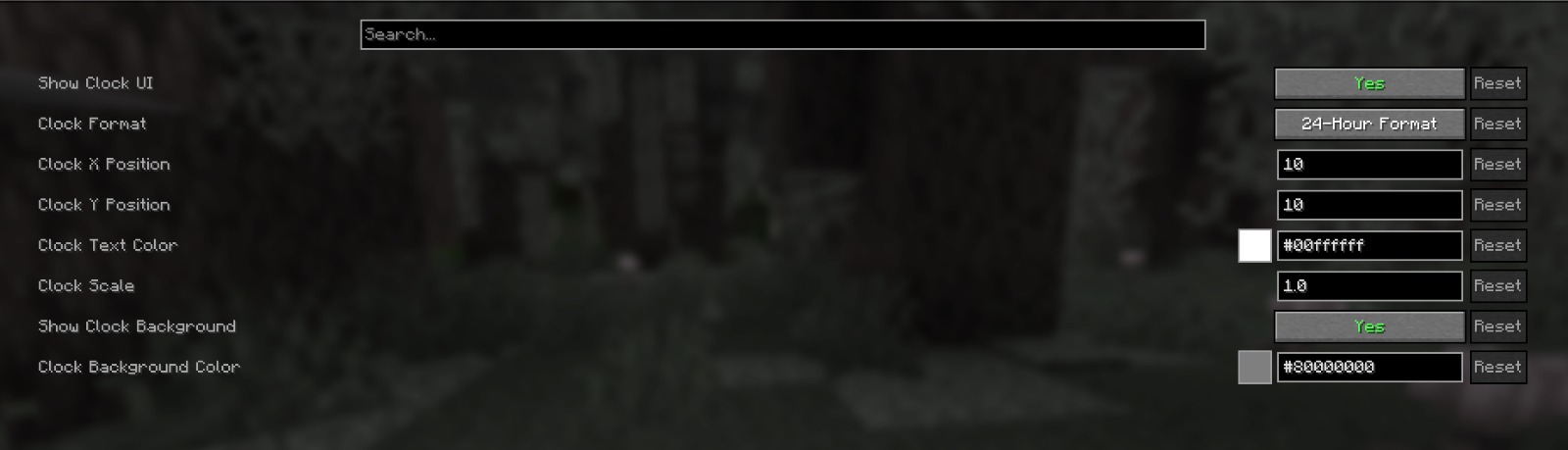
You can set the position of the clock in this mod, and there are several other settings (default top left corner).


Keybind
to open mod configuration, default key “O”.

you can also use command /24sync and /24debug
常见问题
24 Hours MOD 支持哪些 Minecraft 版本?
24 Hours MOD 支持 Minecraft Java 版 1.21–26.3,共 17 个版本,可用的加载器:Fabric。下载时注意选择和你游戏版本一致的文件。
24 Hours MOD 怎么安装?
先用 PCL2 或 HMCL 启动器安装对应版本的 Fabric,再把下载的 .jar 文件放进游戏目录的 mods 文件夹,重新启动游戏即可。开启了版本隔离的,mods 文件夹在 versions/版本名 下面。运行环境:仅客户端。
BadutZY 的其他作品
查看全部 →
Craftable Uncraftable Items More
Make uncraftable items Craftable

Gamerule Menu InGame
Allows you to change gamerule in game with menu.

Stackable Items MOD
Make items stackable up to 64

Auto Use Totem
Make Totem Of Undying auto use
评论
登录后评论和评分