介绍
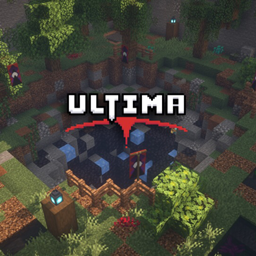
Ultima is a PvP minigame designed for from 2 to around 8 players. It offers fast-paced, inclusive, and balanced fun for small groups of varying ability. Games are designed to be quick, and some game modes will attempt to put as many players in as possible so that everyone gets as much time to play as possible. Ultima was designed with play time in mind.
The Game Modes
Ultima offers game modes for different sizes and playstyles of groups.
Duels 2+ players
- A sequence of 1v1 battles between two players
- When multiple players are present, players will take turns participating in the duel
- Quick and seamless games, no delay times
Royale 3 or 4 players
- Last man standing wins
- Similar to “Ultimate Tag”, if the player who killed you gets killed themself, you get to respawn
- Not very play-time friendly, but more strategic and organized
Brawl 3+ players
- First person to a certain score wins
- Points are earned by defeating your opponents, you earn more or less points for different types of kills
- You respawn whenever there is an open spot in the game (up to four players at once)
- Very chaotic, but keeps as many players in the game having fun as possible
Content
Ultima comes with a total of 19 maps, 10 default maps and 9 featured maps made by other players, with more to come. For now, I will not be accepting featured maps from people other than my close friends, but this may change in the future.
Each map has its own unique items and mechanics, so the game never goes bland!
The game has a robust settings menu where you can change the placement of items in your hotbar or check your game statistics. You can also have the game randomize the maps, cycle through them, or have players vote on their favorite!
常见问题
Ultima PvP 支持哪些 Minecraft 版本?
Ultima PvP 支持 Minecraft Java 版 1.19.3。下载时注意选择和你游戏版本一致的文件。
Ultima PvP 怎么安装?
解压下载的文件,把里面的存档文件夹放进游戏目录的 saves 文件夹(开启了版本隔离的在 versions/版本名/saves),重新打开游戏就能在「单人游戏」里看到。请用 1.19.3 版本打开,版本不对可能导致地图损坏。
评论
登录后评论和评分