
Texture Pack Showcase World By MUPIE
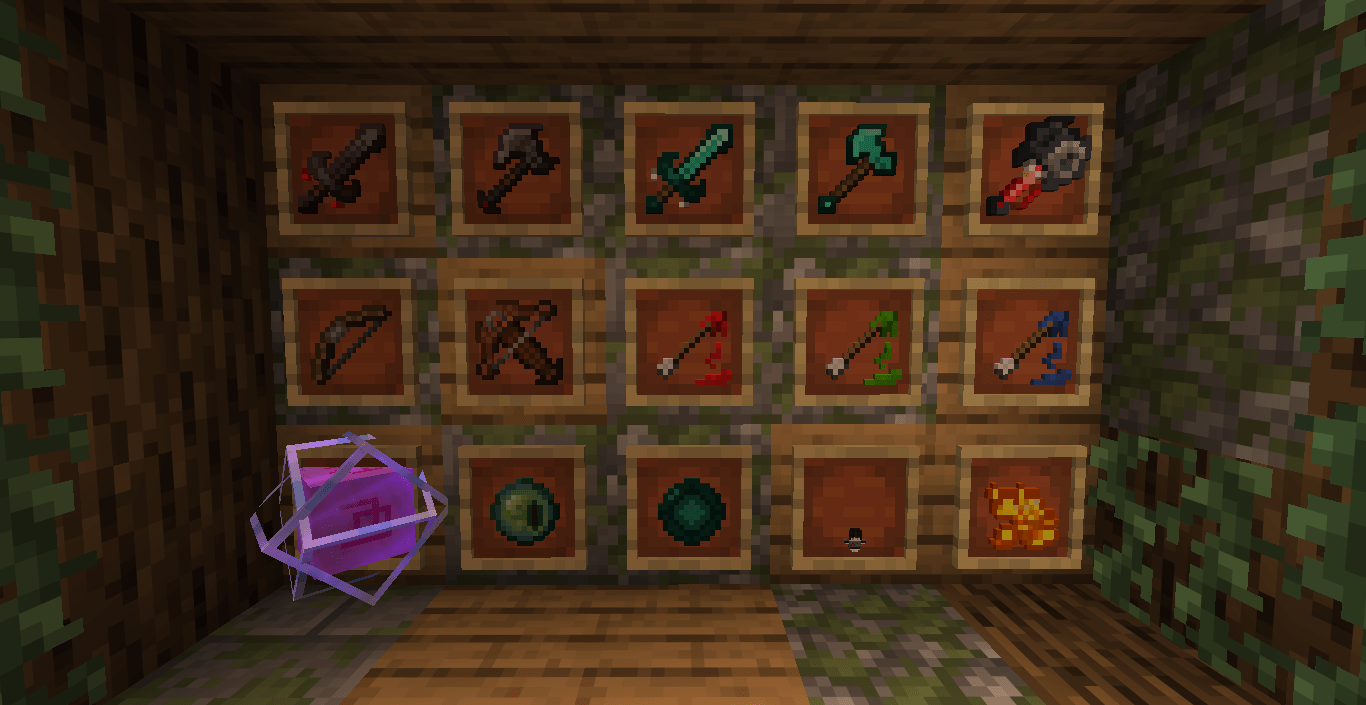
The ultimate Minecraft Java Edition world created by MUPIE, designed perfectly for showcasing, testing, and reviewing texture packs in a clean, organized layout.
截图
介绍
Welcome to the Ultimate Texture Pack Showcase World, created by MUPIE!
This world is specifically crafted for Minecraft Java Edition players, creators, and reviewers who want to test or showcase their resource packs in the best possible light. Whether you are taking screenshots or recording a video, this map provides everything you need.
✨ Features of this map: • Created by MUPIE: Fully optimized and well-structured layout. • All Blocks Displayed: Easily view building blocks, ores, and utilities side-by-side.
• Armor & Weapon Stands: Check out how armor sets, swords, and tools look when equipped.
• Nature & Environment Section: See how leaves, grass, water, and sky textures blend together.
• Indoor & Outdoor Lighting: Test how your pack handles different lighting conditions.
How to Use: 1. Download and extract the world file.
2. Place it into your Minecraft ‘saves’ folder.
3. Load the world, activate your texture pack, and enjoy!
Please credit “MUPIE” if you use this map in your YouTube videos or reviews!
常见问题
Texture Pack Showcase World By MUPIE 支持哪些 Minecraft 版本?
Texture Pack Showcase World By MUPIE 支持 Minecraft Java 版 1.21–1.21.11,共 12 个版本。下载时注意选择和你游戏版本一致的文件。
Texture Pack Showcase World By MUPIE 怎么安装?
解压下载的文件,把里面的存档文件夹放进游戏目录的 saves 文件夹(开启了版本隔离的在 versions/版本名/saves),重新打开游戏就能在「单人游戏」里看到。请用 1.21–1.21.11 版本打开,版本不对可能导致地图损坏。

评论
登录后评论和评分