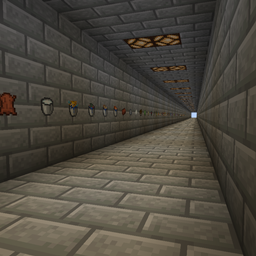
Resource Pack Testing World
A world with every block, item, and mob, perfect for testing resource packs.
介绍
This map has hallways with (almost) every block, item, and mob in the game. This makes it perfect for testing resource packs.
How to use:
On Windows:
Open run by pressing the windows key and r at the same time.
Type %appdata%\.minecraft
Then in that folder, find your saves. Unzip the downloaded map and place the folder in your saves folder.
Boot up minecraft, go to singleplayer and you should see it! (You might have to scroll down in your worlds a bit)
On Mac:
Make sure you’re not selecting any windows. In the top bar it should have the apple logo, and the finder.
Go to the option that says go.
Hold the alt key down and select the library key from the dropdown. Find the folder called Application Support.
Find the folder called minecraft.
Then in that folder, find your saves. Unzip the downloaded map and place the unzipped folder in your saves folder.
Boot up minecraft, go to singleplayer and you should see it! (You might have to scroll down in your worlds a bit)
常见问题
Resource Pack Testing World 支持哪些 Minecraft 版本?
Resource Pack Testing World 支持 Minecraft Java 版 1.16.5。下载时注意选择和你游戏版本一致的文件。
Resource Pack Testing World 怎么安装?
解压下载的文件,把里面的存档文件夹放进游戏目录的 saves 文件夹(开启了版本隔离的在 versions/版本名/saves),重新打开游戏就能在「单人游戏」里看到。请用 1.16.5 版本打开,版本不对可能导致地图损坏。


评论
登录后评论和评分