介绍
中文介绍正在准备中,下面暂时显示原文。
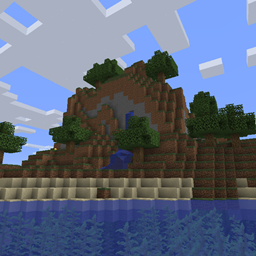
I decided to transform the pack.png world
Cheats are enabled
Don’t try to use the seed, it doesn’t work, I have already tried
How to install it
Windows
1- Open the ”world1_” file and extract it
2- Press Windows+R
3- Write ”appdata” on the box
4- Open ”Roaming”
5- Open ”.minecraft”
6- Open ”Saves”
7- Move the ”World1” to ”Saves” (The folder that you extractedbefore)
Mac
1- Open and Extract the file
2- Open ”Library” (you can use Spotlight to locate it)
3- Locate and open ”minecraft”
4- Locate and open ”saves”
5- Move the ”World1” folder to ”saves”
常见问题
Pack png World 支持哪些 Minecraft 版本?
Pack png World 支持 Minecraft Java 版 1.16.2。下载时注意选择和你游戏版本一致的文件。
Pack png World 怎么安装?
解压下载的文件,把里面的存档文件夹放进游戏目录的 saves 文件夹(开启了版本隔离的在 versions/版本名/saves),重新打开游戏就能在「单人游戏」里看到。请用 1.16.2 版本打开,版本不对可能导致地图损坏。
评论
登录后评论和评分