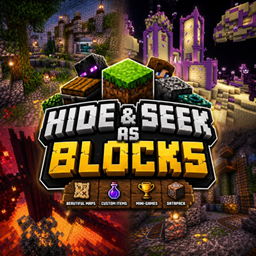
Hide & Seek as Blocks – Ultimate Edition
A fully custom Hide & Seek as Blocks map with unique maps, a lot of custom items, mini-games, and advanced features!
截图


介绍
👀 Hide & Seek as Blocks
Welcome to a fully custom Hide & Seek experience in Minecraft!
Transform into blocks and hide in immersive environments using the Block’oMorph mod, while Seekers try to find you.
With custom maps, unique items, random elements, and a variety of gameplay systems, every round offers a different experience.
Gather your friends, find the perfect hiding spot, and try not to get caught!
💡 If you have any questions, suggestions, or issues, feel free to contact us!
✨ Features
- 🧱 Block morph system powered by Block’oMorph
- 🗺️ 5 unique maps
- 🎁 20+ custom bonus items for strategies and mindgames
- 🎲 Random elements for more varied games
- 🏠 Custom hub with tutorials, settings, and map selection
- ⚙️ Advanced gameplay systems powered entirely by datapacks
- 🔄 Highly replayable — every game can play out differently
- 👥 Multiplayer-focused Hide & Seek experience
- 🧩 No plugins required — everything is datapack-based
🧠 About the Project
Hide & Seek as Blocks has been built with a strong focus on gameplay, technical systems, and detailed environments.
The project combines:
- 🛠️ Complex datapack systems
- 🏗️ Custom-built environments
- 🎮 Intuitive gameplay
- 🎨 Custom UI elements and interactions
- 🔄 Randomized gameplay elements
The project has taken 300+ hours of development, combining technical work and map design into one complete Hide & Seek experience.
📦 Requirements
- Minecraft Java Edition 1.21.1
- NeoForge 1.21.1
- Block’oMorph — required on both client and server
👉 Block’oMorph: https://modrinth.com/mod/block-o-morph
⚠️ Make sure you are using the correct Minecraft and NeoForge versions for the best compatibility.
📥 Installation
-
Download the world from the Files tab.
-
Extract the downloaded
.zipfile. -
Upload the world folder to your Minecraft server.
-
Make sure NeoForge 1.21.1 and Block’oMorph are installed on the server and all clients.
-
Make sure the world is set as the server’s active world.
-
Start or restart the server.
-
Join the server and start playing!
💡 Tip: Make sure the server is running Minecraft Java Edition 1.21.1 and that the map’s datapack is enabled with
/datapack list. If it’s disabled, enable it with/datapack enable "<datapack>".
🦖 Dual Rawr Studio
💬 Join our Discord: https://discord.gg/YPepJCYWKw
💖 Support our projects: https://fr.tipeee.com/yoshidala-and-wewennjr
Join our Discord to follow our projects, get updates, report bugs, suggest ideas, and chat with the community!
If you enjoy our projects and want to support their development, you can also support us on Tipeee. ❤️
常见问题
Hide & Seek as Blocks – Ultimate Edition 支持哪些 Minecraft 版本?
Hide & Seek as Blocks – Ultimate Edition 支持 Minecraft Java 版 1.21.1。下载时注意选择和你游戏版本一致的文件。
Hide & Seek as Blocks – Ultimate Edition 怎么安装?
解压下载的文件,把里面的存档文件夹放进游戏目录的 saves 文件夹(开启了版本隔离的在 versions/版本名/saves),重新打开游戏就能在「单人游戏」里看到。请用 1.21.1 版本打开,版本不对可能导致地图损坏。
WewennJr 的其他作品
查看全部 →
Random Gravity
Randomly changes gravity for all players at configurable intervals — can you survive the chaos?
DeathSwap Ultimate
A fast-paced and fully configurable DeathSwap datapack for Minecraft 1.21.1 — vanilla, multiplayer-ready, and supporting unlimited players.

Pillars of Fortune
A custom Minecraft challenge map filled with unique challenges, random events, and unpredictable gameplay!

Beyond the Wilds – A Minecolonies Adventure
A Vanilla+ MineColonies experience focused on building, survival, and immersion.
评论
登录后评论和评分