Xaero’s Map Server Utils
Allows server administrators to conveniently disable the entity radar, mini-map, and other features of the Xaero's Map series of mods to make competitive play fairer
介绍
If you want a mod version, click here.
Introduction
This data pack adds some useful commands for server administrators, allowing easy access to make fair modifications needed for gameplay on players’ Xaero’s Map series of mods.
How it works
See the How do I prohibit the use of cave mode and/or entity radar on my server? section of Xaero’s Minimap Mod.
Usage
-
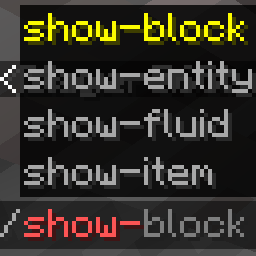
/function xaero:fairxaerocauses the minimap to disable cave mode (including world map) and entity radar (fair-play mode) -
/function xaero:nominimapdisables the minimap completely -
/function xaero:resetxaeroreset all the system message flags -
/function xaero:xaerowmnetherisfaircauses world map cave mode to work in the nether despite the minimap being fair-play
These commands above will tell the player what the server administrator used, if you don’t want your players to know which command you used, add silent/ after xaero: (Example: /function xaero:silent/fairxaero) (But the player will still receive a blank message)
Autorun
The newly added autorun feature can automatically execute functions when players join the server, modifying the behavior of their minimap.
/function xaero:autorun/set/disableddisable the feature (default)/function xaero:autorun/set/...select the function to run automatically
常见问题
Xaero’s Map Server Utils 支持哪些 Minecraft 版本?
Xaero’s Map Server Utils 支持 Minecraft Java 版 1.16–26.3,共 40 个版本,可用的加载器:Fabric / Forge / NeoForge / Quilt。下载时注意选择和你游戏版本一致的文件。
Xaero’s Map Server Utils 怎么安装?
新建世界时在「数据包」里把下载的 .zip 拖进去;已有的存档,把文件放进存档目录下的 datapacks 文件夹,进游戏输入 /reload 即可生效。服务器同样放在世界目录的 datapacks 里。
评论
登录后评论和评分