截图
介绍

What?
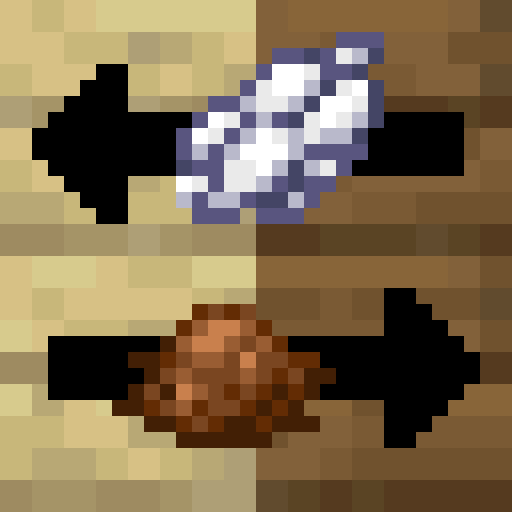
This data pack allows for the conversion of wooden planks and logs between different wood types using dyes.
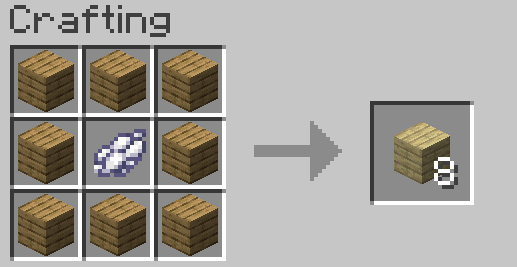
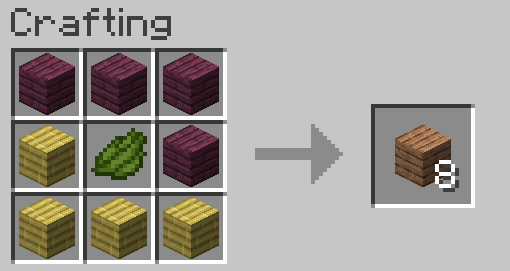
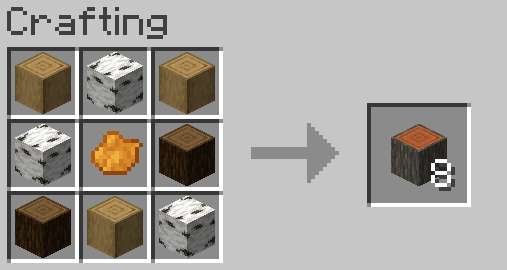
Just add 8 planks or 8 logs of any type with one of the listed dyes in your crafting table!
For wooden planks, all current vanilla wood types are supported (overworld trees, bamboo & crimson and warped).
For logs, all except bamboo, as there is no perfectly equivalent block in the bamboo set.
Why?
Avoid having to plant several different trees, that might look out of place in your base and might be painful to farm (looking at you, mangrove!).
Also, I always felt that wooden planks should not be differentiated by species, but by colour, with 16 types corresponding to the 16 dyes. Thus even with less than 16 tree variants, wood would fill out all standard vanilla colour niches. This data pack simulates that to some degree.
Dyes!
Here’s a list of which dye is used for which wood type:
- white > birch
- gray > oak
- black > dark oak
- brown > spruce
- green > jungle
- orange > acacia
- yellow > bamboo (only planks)
- red > mangrove
- magenta > crimson
- cyan > warped
- pink > cherry
Mod Support
Currently, no mod support is planned, especially because this is limited to 16 dyes.
Fox’ Utilities
This is my very first publicly released data pack. It is also the first in a series of small utility data packs (called Fox’ Utilities) that I plan to release in the coming weeks or so.
Credit
The logo was made by myself using official Minecraft assets, courtesy of Minecraft and Mojang.
The title was made using the “Minecraft Title Generator” plugin for blockbench. All assets belong to their respective creators or owners.
常见问题
Wood Conversion 支持哪些 Minecraft 版本?
Wood Conversion 支持 Minecraft Java 版 1.20–1.21.1,共 7 个版本。下载时注意选择和你游戏版本一致的文件。
Wood Conversion 怎么安装?
新建世界时在「数据包」里把下载的 .zip 拖进去;已有的存档,把文件放进存档目录下的 datapacks 文件夹,进游戏输入 /reload 即可生效。服务器同样放在世界目录的 datapacks 里。

评论
登录后评论和评分