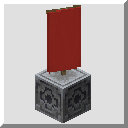
VanillaFactions
VanillaFactions allows survival vanilla players an aesthetic way to make use of the /teams utility.
截图

介绍

VanillaFactions allows survival players to create, join, and edit teams without using the /team command (or any commands, for that matter). Features include:
- Choosing a custom team name.
- Choosing a team color from 16 options, with no restrictions on duplicate colors.
- Choosing a custom team prefix, which displays before player usernames in chat and nametags.
- Support for up to 32 teams in a server.
By default, teams prevent friendly fire between team members, and allows players to see their invisible team members.

Creating and Disbanding Factions
- Make a Banner.
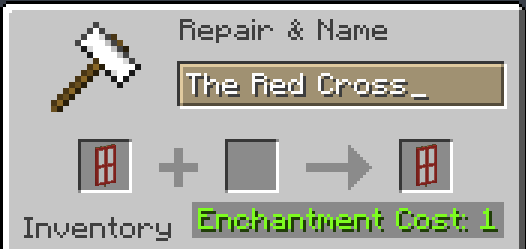
- Give the Banner a custom name in an anvil. This will be the name of your Faction.
- Place a Lodestone.
- Whilst standing directly on top of the Lodestone, look down and place your Banner on top of it.
A nametag should appear above the Banner stating your Faction’s name. Additionally, a chat message will state that you have founded a Faction.

To disband a Faction, simply destroy the Banner and/or the Lodestone beneath it. A chat message will announce that your Faction has disbanded.

Joining and Leaving Factions
In order to join a Faction, simply attune a compass to the Lodestone beneath the Faction Banner. A message will be sent in chat to announce that you have joined the Faction.

In order to leave a Faction, you must drop Shears on the Faction Banner. This will also send a message in chat.

Customizing your Faction
To change the color of your Faction (affecting player usernames in chat and in nametags, as well as the color of the Glowing effect), drop a piece of Dye on the Faction Banner. A message will be sent to your team notifying them of the change.

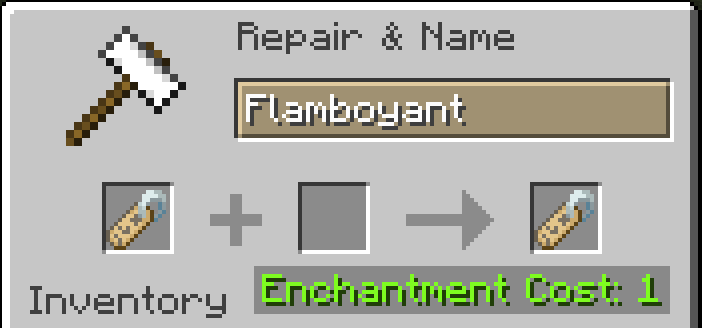
To change the player prefix for your Faction (which displays before usernames in chat and nametags), use an anvil to name a nametag your desired prefix. Then, drop the nametag on the Faction Banner. A message will be sent to your team notifying them of the change. Remember to include a space (or other delimiting character) after the prefix, or else there will be no separation between the prefix text and the username.

常见问题
VanillaFactions 支持哪些 Minecraft 版本?
VanillaFactions 支持 Minecraft Java 版 1.21。下载时注意选择和你游戏版本一致的文件。
VanillaFactions 怎么安装?
新建世界时在「数据包」里把下载的 .zip 拖进去;已有的存档,把文件放进存档目录下的 datapacks 文件夹,进游戏输入 /reload 即可生效。服务器同样放在世界目录的 datapacks 里。
ArcalRanem 的其他作品
查看全部 →
Esoteric Distillation
Esoteric Distillation adds new brewing recipes for vanilla status effects that are otherwise unobtainable (as potions) in survival Minecraft.

CnidarianOrigins
A datapack that adds numerous new Origins to the Origins Mod. Requires Origins and Pekhui.

Arcal’s Shroompack
A datapack that adds un-packable and re-packable recipes for Quartz, Amethyst, Red Mushrooms, and Brown Mushrooms.
评论
登录后评论和评分