
TPA Xpress
Tx turns "/tpa [player]" into a single click—no typing, no mistakes, just dialogs.
截图
介绍
📦 Tx – Lightweight Teleport Assistant
Still typing out player names manually to send teleport requests?
Tx reimagines the TPA experience: no more memorizing usernames, no more typos, no more spamming TAB to find someone. Everything is click-based—teleportation has never been this effortless.
How it simplifies your workflow:
- Press the quick action key after installing the pack (G by default)
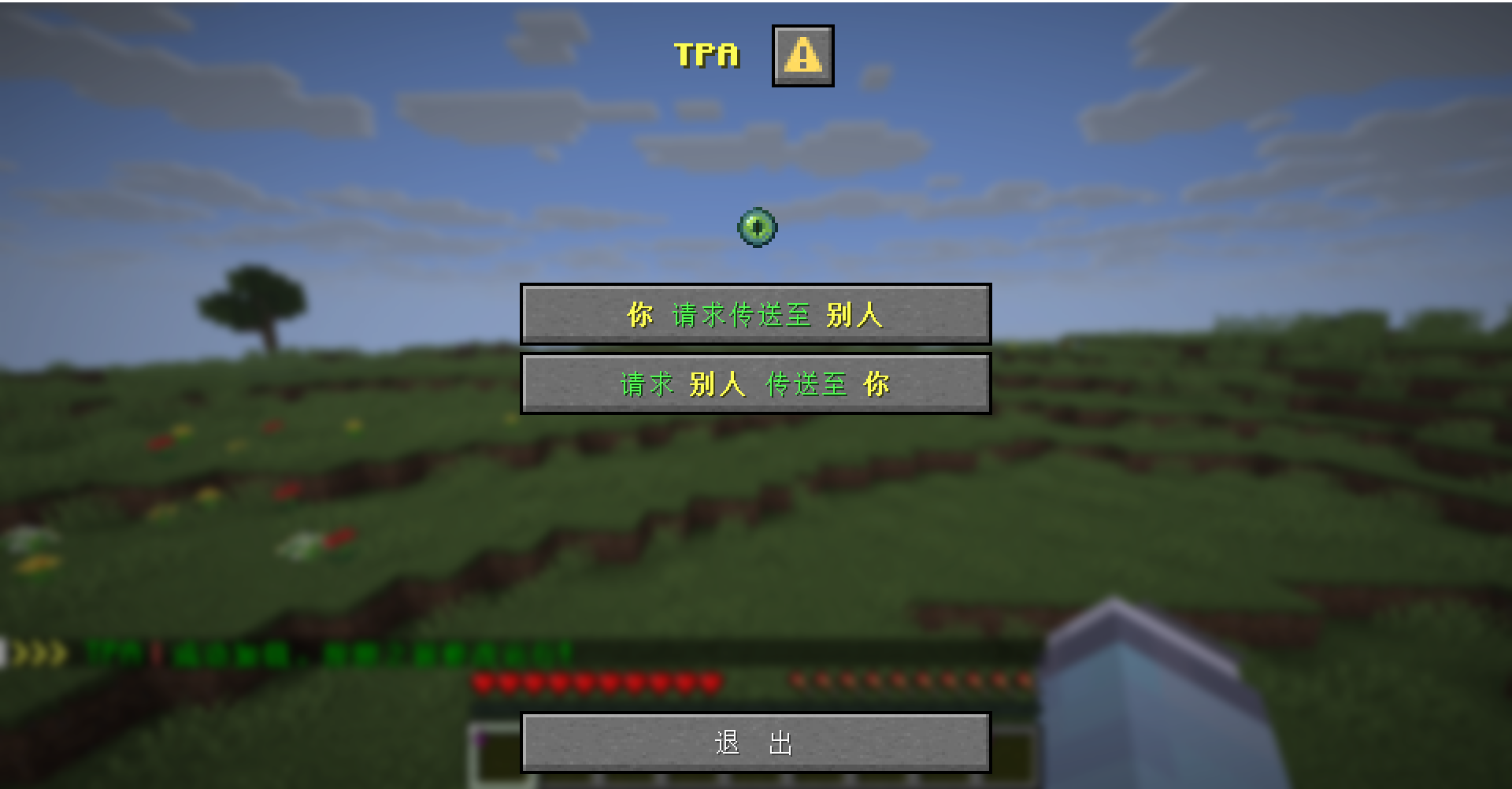
- Select “Teleport Request” from the dialog menu
- A player list pops up, displaying each player’s avatar and username—click to send your request instantly
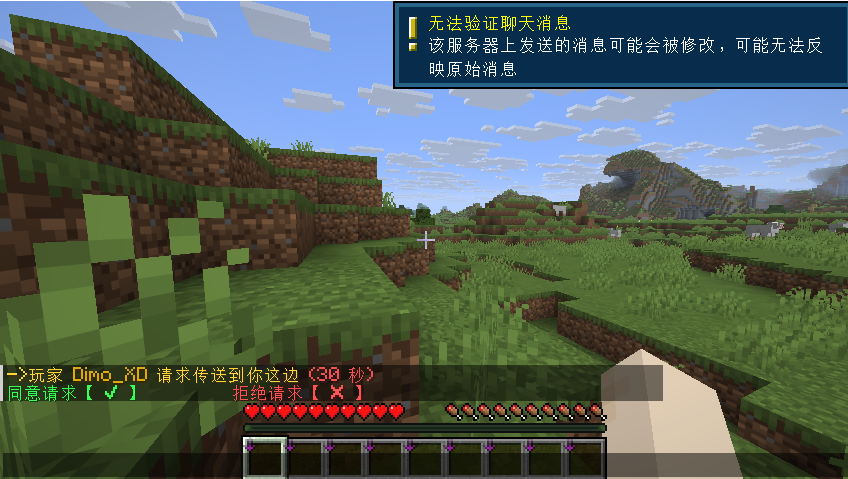
The recipient receives a clean notification with the requester’s name and clear instructions. No need to scroll through chat logs—just click the prompt to accept or decline.
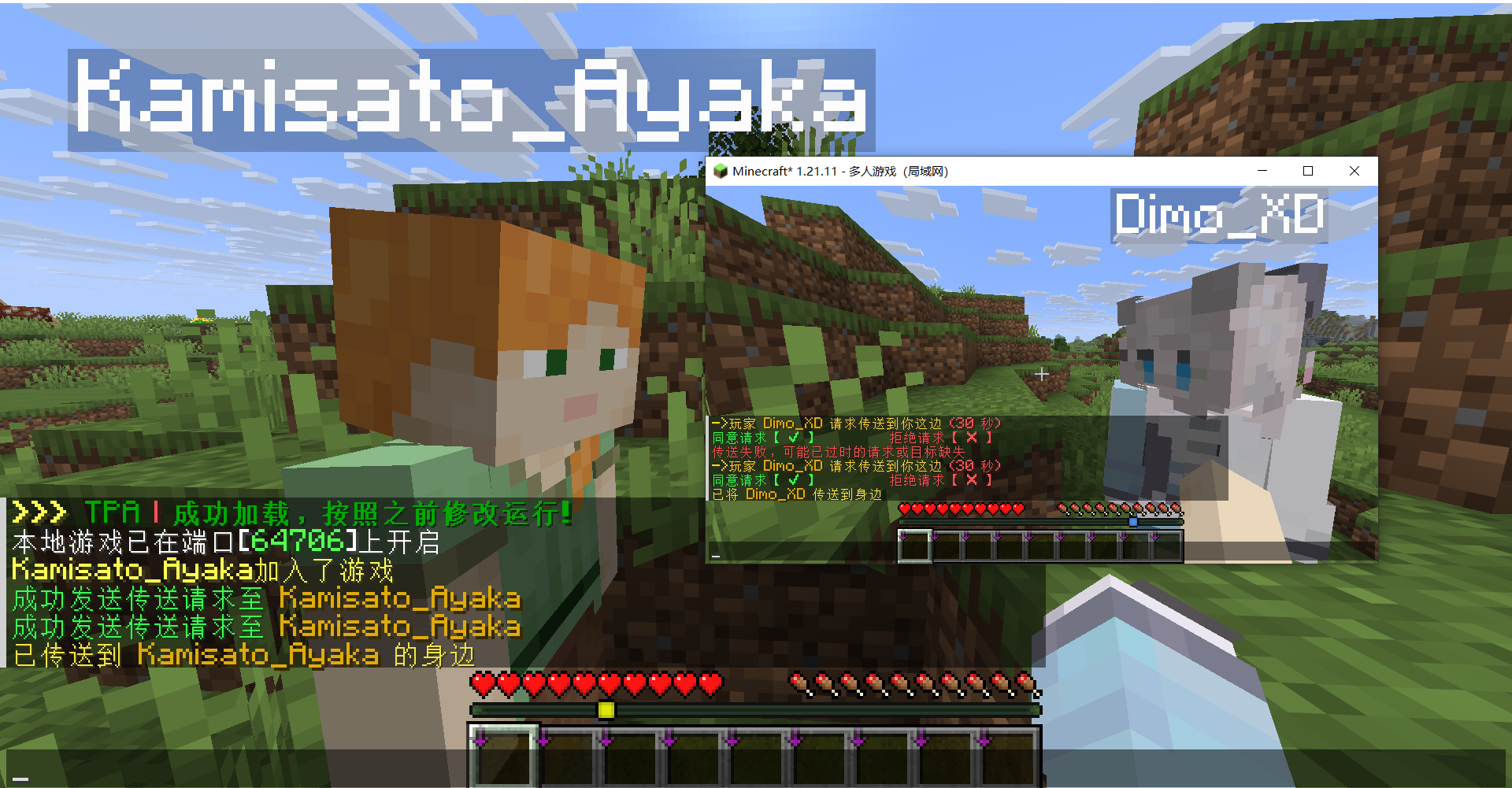
The entire process is compressed from “type command → recall ID → type manually → send” to “click → click → send”. Command typing? Eliminated.
Perfect for:
- Busy multiplayer servers with lots of online players
- New or visiting players who don’t know everyone’s ID
- Anyone who wants teleport requests to feel quick and natural
Customization & What’s Next
You’ll also be able to customize various teleport messages—prompt text, request expiration time, and more. This quick-config feature is still being polished and not yet available in its full form. Stay tuned.
Tx aims to turn the entire teleport experience into “just click it.”
Tx doesn’t alter how TPA works under the hood—it only streamlines the interaction. Drop-in ready, fully compatible with existing server plugins and vanilla commands. Lightweight. No conflicts.
From “/tpa whowasthatagain” to a single click.
📦 Tx – 轻量级传送助手
你还在手打玩家ID来发送传送请求吗?
Tx 重新设计了 TPA 的交互方式:不再需要记忆玩家名单,不再担心拼写错误,不再反复 TAB 找人。全程点击即可完成,传送从未如此干脆。
它如何简化操作?
安装数据包后,按下快捷操作键(默认为 G)
在弹出的对话框中选择“传送请求”
弹出的玩家列表中清晰显示每位玩家的头像和ID,点击即可发送请求
接收方会收到清晰的提示信息,包含请求者名字和操作指引,无需翻聊天记录,点击提示即可快速同意或拒绝。整个过程从“敲指令→回忆ID→手打→发送”压缩为 “点击→点击→发送” ,彻底省去打指令的麻烦。
适用场景:
多人服务器,在线玩家较多时快速找人
记不住玩家ID的新手或外来玩家
任何想让传送请求更顺手的老玩家
一键设置家(sethome)并命名
移除家(removehome)
点击传送至家中(tphome)
Tx 想把整套传送体验都变成“点一下”。
Tx 不修改原版 TPA 逻辑,只优化操作路径。装上就能用,兼容现有服务器插件和原版命令,轻量无冲突。
把“/tpa 谁谁谁”变成“点一下”。
常见问题
TPA Xpress 支持哪些 Minecraft 版本?
TPA Xpress 支持 Minecraft Java 版 1.21.6–1.21.11,共 6 个版本。下载时注意选择和你游戏版本一致的文件。
TPA Xpress 怎么安装?
新建世界时在「数据包」里把下载的 .zip 拖进去;已有的存档,把文件放进存档目录下的 datapacks 文件夹,进游戏输入 /reload 即可生效。服务器同样放在世界目录的 datapacks 里。

评论
登录后评论和评分