
截图
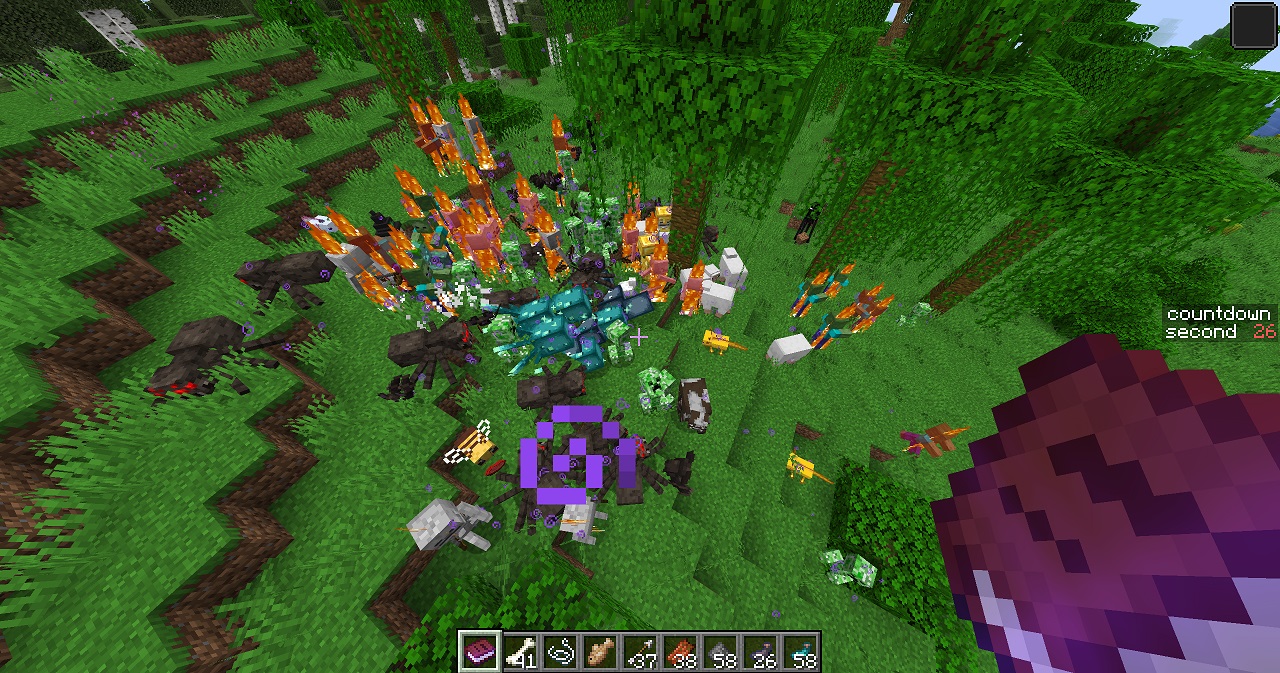
介绍
TP to Me
Everything will teleport to you once a minute.\
(Attention, it’s all entities, including villagers, monsters, items, and so on. It can be modified in settings)
It’s a funny, exciting, and hard datapack. Can you survive in this world?
Start/Stop
Click Game Start / Game Stop in the settings book to start / stop.\
Or you can use these commands to quickly start and stop.
/function tpme:start
/function tpme:stop
Note:
When you enter the game for the first time, you will get a settings book. If you lose the book, you can use this command to get it again:
/function tpme:give_bookPresets
There are many settings, so it provides 4 presets for quick setup. You can find them on the last page of the settings book.
Default: Teleport everything to a player every minute.
Horror: You don’t know when they will come, so it looks like a horror game.
Multiplayer Act Together: Designed for Multiplayer, teleport all players to one player every 30 seconds. This forces players to be together.
World Travel: Not teleport others to you, but teleport you to others. Enjoy your journey!
Except Default, I think you have to try World Travel. It is different, and it feels like some videos which switch scenes quickly.\
(In World Travel, in order to travel far, you’d better increase Simulation Distance)
Customization & Settings
These are the settings in the book.
Display Settings
You can show or hide the time prompt. You can enable following options:
Sidebar: Always show the countdown on the right.
Timeout Notice: Displays text and sound alerts when nearing the timeout.
Time
The time interval between two teleports.\
It has 4 options: 30s, 1min, 2min, and random.
The first three are fixed intervals. If you choose random, the time interval will be different each time, ranging from 1s to 200s. This is used in Horror preset.
You can use commands to set a custom time. For example, the following command will set the time to 10s.
/function tpme:set_time {value:10}Just change the number (10) to whatever you want (in seconds).
TP Protect
If enabled, all teleported entities receive Resistance IV for 5s.
(That’s right, other entities will be protected, too)
TP
There are some options about the teleported object and destination:
From:
tp everything\
only tp players\
not tp players
To:
tp to a player\
tp to anything
Furthermore, you can set the From/To targets with commands. For example:
/function tpme:set_from {value:"@e[type=!minecraft:creeper]"}It means not teleporting creeper.
/function tpme:set_to {value:"@e[type=minecraft:player,sort=furthest,limit=1]"}It means teleporting to the player who is in overworld and farthest from world spawn point.
In the end, you can use the book to check current settings by printing Settings and TP Command.
常见问题
TP to Me 支持哪些 Minecraft 版本?
TP to Me 支持 Minecraft Java 版 1.21–1.21.8,共 9 个版本。下载时注意选择和你游戏版本一致的文件。
TP to Me 怎么安装?
新建世界时在「数据包」里把下载的 .zip 拖进去;已有的存档,把文件放进存档目录下的 datapacks 文件夹,进游戏输入 /reload 即可生效。服务器同样放在世界目录的 datapacks 里。
评论
登录后评论和评分