
The Ultimate Item Toolkit [1.13-26.3]
Get a Shulker Box with every item in the game using a single command. The perfect toolkit for builders, testers, and creators
截图


介绍
📦 OmniBox: Every Single Item in One Command!
More languages available here -> https://modrinth.com/datapack/omnibox-ultimate-toolkit
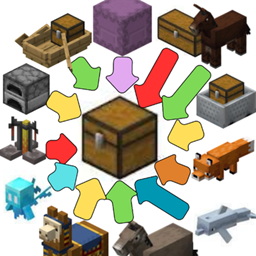
Tired of scrolling through the creative inventory or typing dozens of commands to test blocks, custom mechanics, or resource packs? OmniBox is the ultimate universal utility datapack that gives you instant access to every single item available, neatly organized into 19 distinct Shulker Boxes.
Built with compatibility in mind, this datapack is designed to work seamlessly across all Minecraft versions, saving you hours of tedious work. Whether you are a map maker, a server admin, a survival player looking to test builds, or a developer checking texture pack compatibility, OmniBox is the perfect tool for you.
✨ Features
- Universal Compatibility: Designed to run smoothly on any Minecraft version.
- 19 Custom Shulkers: Spawns a full set of Shulker Boxes containing every block, item, tool, armor piece, and spawn egg.
- Smart Organization: Items are sorted logically so you can find exactly what you need in seconds.
- Optimized for Creators: Perfect for quick testing, inventory setups, or showcase worlds.
- Lightweight & Clean: No lag, no permanent background loops, just pure efficiency.
🚀 How to Use
Simply open your chat and type the following command:
/function allitems:give_shulkers
(Note: Ensure cheats are enabled on your world or that you have operator status (OP) on your server to execute functions!)
🛠️ Installation
- Download the datapack
.zipfile. - Put it inside the
datapacksfolder of your Minecraft world save. - Type
/reloadin-game (or restart your world), and you are ready to go!
🏷️ Tags & Keywords
Vanilla Utility, Admin Tools, Creative Mode, Item Spawner, Utility Datapack, Developer Tools, Map Making, All Items Command, Cheat, Shulker Box Setup.
常见问题
The Ultimate Item Toolkit [1.13-26.3] 支持哪些 Minecraft 版本?
The Ultimate Item Toolkit [1.13-26.3] 支持 Minecraft Java 版 1.13–26.3,共 50 个版本。下载时注意选择和你游戏版本一致的文件。
The Ultimate Item Toolkit [1.13-26.3] 怎么安装?
新建世界时在「数据包」里把下载的 .zip 拖进去;已有的存档,把文件放进存档目录下的 datapacks 文件夹,进游戏输入 /reload 即可生效。服务器同样放在世界目录的 datapacks 里。
评论
登录后评论和评分