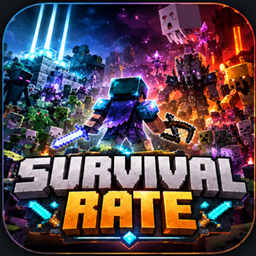
Survival Rate
A dynamic difficulty datapack that makes Minecraft Survival progressively more challenging with stronger mobs, increased spawns, elite enemies, and endgame challenges!
介绍
Survival Rate
A dynamic difficulty system that gradually makes Minecraft Survival more challenging as the player progresses.
As the player takes various actions, their Difficulty Rate increases. Depending on the current rate, various difficulty modifiers are gradually applied, including stronger monsters, increased spawn counts, mob replacements, and increased equipment and enchantment rates.
Main Features
📈 Dynamic Difficulty Rate
The Difficulty Rate changes according to the player’s progress in Survival.
As the rate increases, the world gradually becomes more dangerous.
The rate can also decrease when the player dies, meaning that difficulty does not simply increase over time. Instead, it changes according to how the player actually plays.
⚔️ Stronger Monsters
As the Difficulty Rate increases, various enhancements are applied to monsters.
-
Increased monster spawn counts
-
Increased chance of monsters spawning with equipment
-
Increased chance of enchanted equipment
-
Fully equipped monsters
-
Replacement of certain monsters with stronger variants
-
Additional special spawning conditions
The higher the rate becomes, the more unusual and dangerous enemy compositions can appear.
👑 Elite Mobs
At higher difficulty levels, extremely powerful Elite Mobs can appear.
Elite Mobs have features such as:
-
Greatly increased health
-
Greatly increased attack damage
-
Unique special abilities
-
Powerful equipment
-
Special drops
Elite Mobs are not simply stronger versions of normal monsters. Some of them have special abilities designed around the characteristics of their original mob.
☠️ High-Rate Endgame Content
As the Difficulty Rate reaches extreme levels, even players who have completed the normal Minecraft endgame will face challenging battles.
Use powerful equipment, beacons, ranged attacks, area-of-effect attacks, and other strategies to survive in this high-difficulty world.
Difficulty
This datapack is not designed to make the game extremely difficult from the beginning.
The difficulty gradually increases as the player progresses through the game and obtains better equipment and resources.
Therefore, the difficulty becomes significantly higher toward the late game.
At particularly high Difficulty Rates, even equipment that would normally be considered sufficient in vanilla Minecraft may not be enough to keep you safe.
Recommended Environment
-
Minecraft Java Edition
-
Minecraft 1.21.11
-
Survival Mode recommended
The datapack can also be added to an existing world, but creating a backup of your world before installation is strongly recommended.
⚠️ Important Notice
Use and installation of this datapack are at your own risk.
Installing this datapack may cause issues such as:
-
Increased game processing load
-
Increased load caused by large numbers of monsters spawning
-
Slower world loading or game processing
-
Increased load on the client or server due to large numbers of entities
-
Conflicts with other datapacks or mods
-
Unexpected behavior or bugs
-
Potential effects on world data
In particular, at higher difficulty levels, the number of monster spawns can increase significantly. Depending on the performance of your PC or server, this may cause the game to become slower.
Please create a backup of important worlds before installation.
When used together with other datapacks or mods, this datapack may not function correctly.
📜 License & Usage
When using this datapack, please check the license and usage terms listed on CurseForge for this project.
💬 Feedback
If you encounter bugs, have suggestions regarding game balance, or have ideas for improvements, please let me know through the CurseForge comments or Issues.
I will continue improving the datapack to create a more enjoyable and challenging Survival experience.
If you can survive, prove it.
常见问题
Survival Rate 支持哪些 Minecraft 版本?
Survival Rate 支持 Minecraft Java 版 1.21.11。下载时注意选择和你游戏版本一致的文件。
Survival Rate 怎么安装?
新建世界时在「数据包」里把下载的 .zip 拖进去;已有的存档,把文件放进存档目录下的 datapacks 文件夹,进游戏输入 /reload 即可生效。服务器同样放在世界目录的 datapacks 里。
评论
登录后评论和评分