
截图

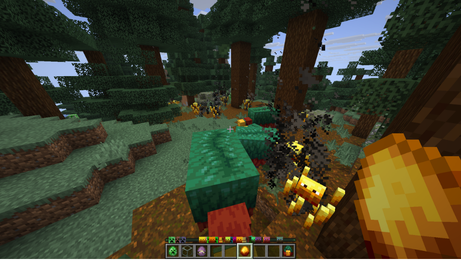
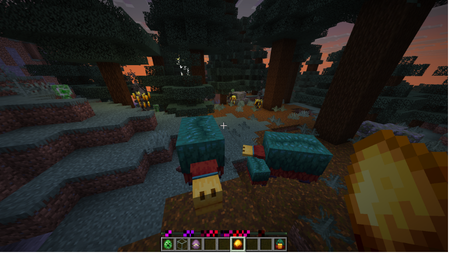


介绍
🎯 ST Locator Radar
Turns your locator bar into an actual mob radar — three categories, adjustable range, zero setup.
ST Locator Radar is a standalone datapack built around vanilla’s locator
bar (1.21.6+), giving you a live read on what’s nearby without ever
opening the map.
📡 How it works
The locator bar already exists in vanilla — this datapack puts it to
work. Every nearby mob shows up as a dot on your hotbar, split into three
independent categories you can toggle from an in-game menu:
- ☠️ Hostile — 37 mobs, 48-block range, on by default (the Wither and the Ender Dragon included)
- 🐑 Passive — 36 mobs, 32-block range, on by default
- 🐺 Neutral — 15 mobs, 40-block range, on by default
Turn any of the three off if it’s too much — /trigger str_menu set 1
opens the menu any time, with a click sound on every button.
📏 Range, your way
Want less noise, or want to see further? The same menu has a **Radar
range** button that cycles through three settings, in blocks:
| | ☠️ Hostile | 🐺 Neutral | 🐑 Passive |
|—|:—:|:—:|:—:|
| Short | 24 | 20 | 16 |
| Normal (default) | 48 | 40 | 32 |
| Long | 72 | 60 | 48 |
The change applies right away to every mob already on your bar.
🖼️ Coverage
**88 mobs, audited against every Minecraft update that added a
creature** — nothing slipped through. Classification follows the
Minecraft wiki’s own hostile/passive/neutral categories, not a “does it
actually attack you” guess — that’s why fox, goat, and pufferfish sit
under neutral even though none of them strike first.
🎨 Icons built in
Every one of the 88 mobs has its own icon, and they ship in the same file
— no separate download. To see them instead of the default color dot,
drop the same .zip into .minecraft/resourcepacks/ and enable it, or
use the mod version, where everything loads on its own. Without the icons
the radar works exactly the same.
The icon set is also published on its own as
Capupack, for use with
any datapack.
🔧 Installation
- Drop the
.zipinto.minecraft/saves/<your world>/datapacks/ - Run
/reload - (Optional, for icons) Add the same
.zipto.minecraft/resourcepacks/and enable it
Works completely standalone — no other datapack required. Its namespace,
objectives, and tags (st_radar / str_*) are entirely its own, so it
installs cleanly alongside anything else, including the full **Survival
Tweaks** pack.
Compatible with 1.21.6 through 26.3 — the locator bar doesn’t exist on
older versions.
💚 Part of something bigger
Made by the same people behind Survival Tweaks — a bigger pack with
graves, a custom HUD, multiplayer sleep, personal waypoints with light
beams and colors, biome and structure explorers, durability / hunger /
inventory alerts, dynamic lighting, and gameplay tips. This radar module
ships bundled inside Survival Tweaks too, as one toggle in its unified
menu — get it standalone here, or get everything at once.
常见问题
(ST) Locator Radar 支持哪些 Minecraft 版本?
(ST) Locator Radar 支持 Minecraft Java 版 1.21.6–26.3,共 11 个版本,可用的加载器:Fabric / Forge / NeoForge / Quilt。下载时注意选择和你游戏版本一致的文件。
(ST) Locator Radar 怎么安装?
新建世界时在「数据包」里把下载的 .zip 拖进去;已有的存档,把文件放进存档目录下的 datapacks 文件夹,进游戏输入 /reload 即可生效。服务器同样放在世界目录的 datapacks 里。
Capucraft 的其他作品
查看全部 →
Survival Tweaks
这个数据包为你的单人或多人 Minecraft 世界添加新机制和调整,改善游戏体验。

Random Block Drops
一个会随机化游戏中方块掉落物的数据包。这样你还能通关 Minecraft 吗?

Sneak Enchant
Every time you crouch, the items in your inventory get enchanted!
Sneak Enchant
Every time you crouch, the items in your inventory get enchanted!
评论
登录后评论和评分