
Player Health Indicator
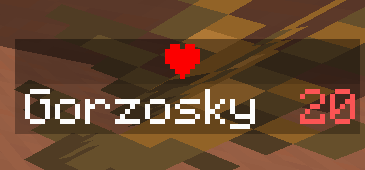
Display health of a player on the tab menu, on the scoreboard and under the nametag.
截图



介绍
Player Health Indicator
This datapack allows you to easily show the HPs of players using a easy to use UI.
You can show the health of players on:
- Players List (Tab Menu)
- Side Scoreboard
- Under the player’s name
Usage
Use the chat to interact with the datapack.
To interact open the chat (Default keybind: “ t “) And use your mouse cursor.
Chatless usage
This datapack uses chat to interact with the user, if you are a server admin and don’t have access to the in-game interactive chat you can use the following syntax.
a = enable
d = disable

bar = scoreboard
tab = tab menu
name = under the name
h:[a/b][bar/tab/name]
Example
/function h:atab[a] = enable,
[tab] = tab menu.
Enables hp on the players list.
Cleanup before removing the datapack
This datapack uses scoreboards to store data, use “ /function h:remove “ to remove them.
常见问题
Player Health Indicator 支持哪些 Minecraft 版本?
Player Health Indicator 支持 Minecraft Java 版 1.16.5–26.3,共 35 个版本。下载时注意选择和你游戏版本一致的文件。
Player Health Indicator 怎么安装?
新建世界时在「数据包」里把下载的 .zip 拖进去;已有的存档,把文件放进存档目录下的 datapacks 文件夹,进游戏输入 /reload 即可生效。服务器同样放在世界目录的 datapacks 里。

评论
登录后评论和评分