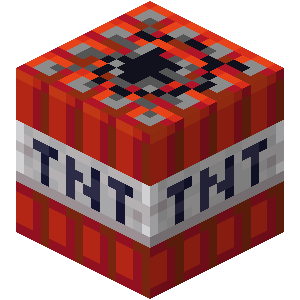
SetBlock-TNT
This data pack will continuously generate TNT under the players' feet.
截图

介绍
[SBT]TNT生成 (SetBlock-TNT)
The English description is below.
如果遇到任何问题,请点击 这里 反馈
简介
- 本数据包会在玩家脚底下不断生成 TNT
- 数据包第一次加载后需要玩家的血量更新一次(如受伤)方可正常生成 TNT
功能
基本
- 在所有生存、冒险模式玩家血量大于等于 5 点(

 )时在其脚下放置 TNT
- 在所有生存、冒险模式玩家血量小于等于 4 点(),大于等于 1 点()时在其脚下放置红石块,在红石块下方放置 TNT(我们称之为补刀)
- 将玩家背包中的每个 TNT 转化为 1 点经验
- 为所有玩家提供无限夜视、发光,移除黑暗效果,并开启死亡不掉落
- 在屏幕右侧显示死亡榜,在玩家列表栏显示血条
优化
- 清除玩家附近的火
- 清除距离玩家 20 格外的 TNT 实体
- 在 TNT 附近五格内的 TNT 实体数大于 200 时清除这些 TNT 实体
If you encounter any issues, please click here to report
Introduction
- This datapack continuously generates TNT beneath players’ feet
- After the datapack is first loaded, players need to have their health updated once (such as taking damage) for TNT generation to work properly
Features
Basic
- Places TNT beneath all survival and adventure mode players when their health is greater than or equal to 5 points ()
- When all survival and adventure mode players have health less than or equal to 4 points () but greater than or equal to 1 point (), places a redstone block beneath them and TNT below the redstone block (we call this “finishing blow”)
- Converts each TNT in players’ inventory to 1 experience point
- Provides all players with infinite night vision and glowing effects, removes darkness effect, and enables keep inventory on death
- Displays death leaderboard on the right side of the screen and health bars in the player list
Optimization
- Clears fire near players
- Clears TNT entities more than 20 blocks away from players
- Clears TNT entities when there are more than 200 TNT entities within 5 blocks of any TNT
常见问题
SetBlock-TNT 支持哪些 Minecraft 版本?
SetBlock-TNT 支持 Minecraft Java 版 1.20.3–1.21.10,共 15 个版本,可用的加载器:Fabric / Forge / NeoForge / Quilt。下载时注意选择和你游戏版本一致的文件。
SetBlock-TNT 怎么安装?
新建世界时在「数据包」里把下载的 .zip 拖进去;已有的存档,把文件放进存档目录下的 datapacks 文件夹,进游戏输入 /reload 即可生效。服务器同样放在世界目录的 datapacks 里。
white_elephant 的其他作品
查看全部 →
TouchController
Touch controller mod for Minecraft Java version with the feel of bedrock version!

Lucky Block Island
This data pack will continuously generate lucky blocks at the coordinates (0, 0, 0).

Localization Resource Pack
All my data packages require this resource package for localization.

datapack function library
This data pack provides developers with some useful functions and is compatible with all versions of Minecraft (except for those versions where data packs cannot be installed).
评论
登录后评论和评分