
Rocket Riding
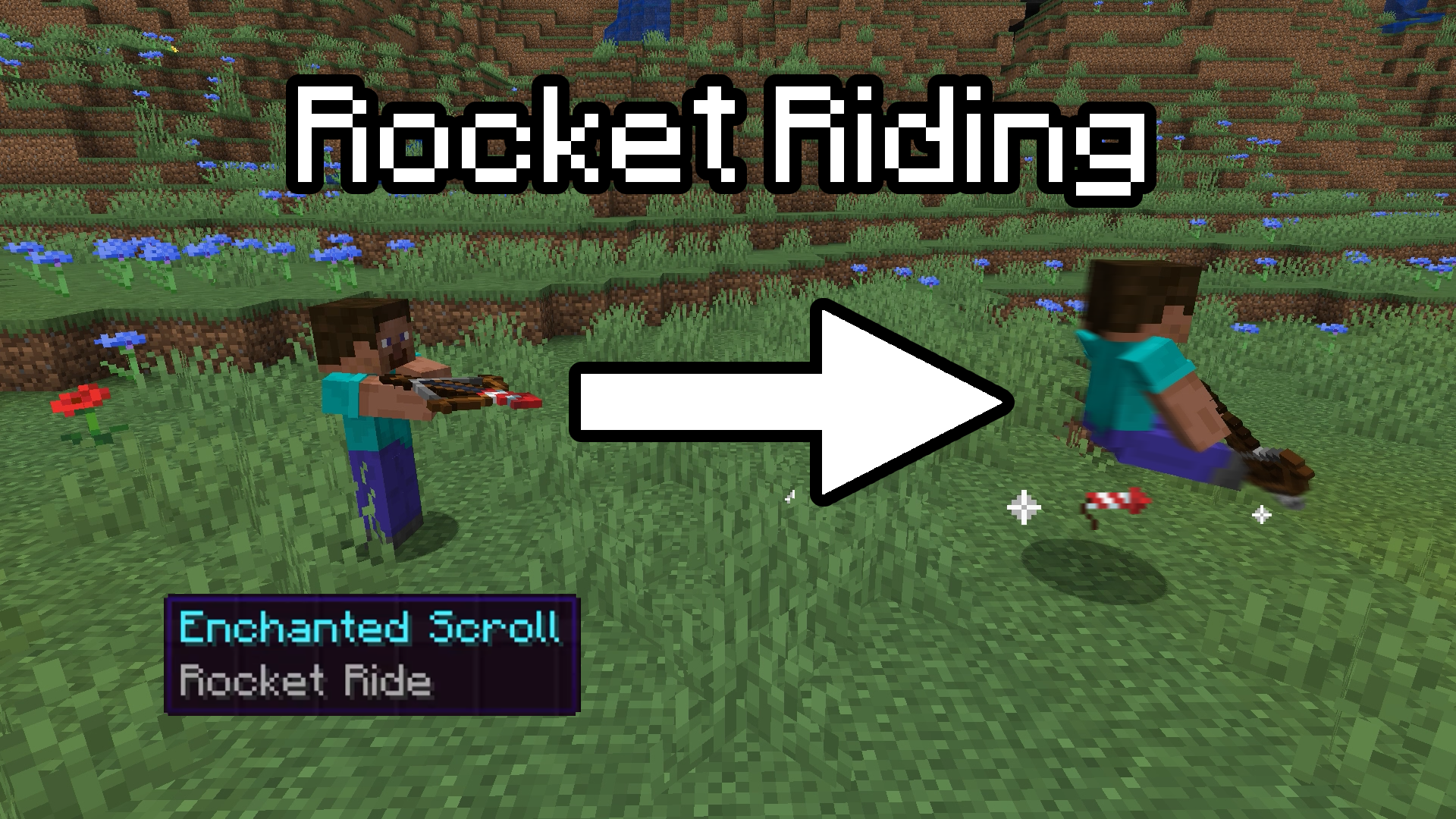
This 1.19.4+ datapack adds the ability to ride rockets fired from crossbows!
截图
介绍
This vanilla friendly 1.19.4+ datapack adds the ability to ride rockets fired from crossbows!
This datapack utilizes the new 1.19.4 /ride command and is a plug and play datapack, no resource pack required. Simply drop the datapack .zip file into your datapack folder in your world and you will be all set.
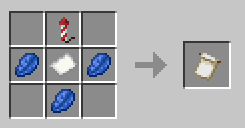
To utilize the datapack, you must first craft the Rocket Ride Scroll:
Rocket Ride Scroll Recipe:
Rocket Ride Scroll /give command:
/function rocket_ride:ride
How to use the datapack:
Place the scroll anywhere within your inventory, and any firework shot from any crossbow you will now ride. You can dismount the firework at any time during the flight. The flight duration of the firework fired will determine how far you travel. You will only ride the firework if you are standing on the ground when you shoot the firework.
If you wish to not ride fireworks, simply hold sneak as you are firing, be in the air while shooting (i.e. jumping as you fire), or simply don’t have the scroll in your inventory.
Q&A:
Q. Why am I only able to ride the firework if I am standing on the ground?
A. This is to prevent “chaining” rockets mid flight, allowing for basically infinite flight making the datapack overpowered.
Q. Why isn’t rocket riding a traditional enchantment for crossbows? Why a separate item?
A. I want to ensure that the pack would be compatible with other datapacks, and this felt like the safest route. Needing to sacrifice a valuable inventory slot for such a strong mechanic felt fair as well.
Q. Why is the scroll craftable and not a treasure/loot item?
A. The item will transition to being obtainable via archeology instead of crafting once the Trails and Tales (1.20) update releases. Crafting is currently a placeholder.
常见问题
Rocket Riding 支持哪些 Minecraft 版本?
Rocket Riding 支持 Minecraft Java 版 1.19.4。下载时注意选择和你游戏版本一致的文件。
Rocket Riding 怎么安装?
新建世界时在「数据包」里把下载的 .zip 拖进去;已有的存档,把文件放进存档目录下的 datapacks 文件夹,进游戏输入 /reload 即可生效。服务器同样放在世界目录的 datapacks 里。


评论
登录后评论和评分