
截图

介绍
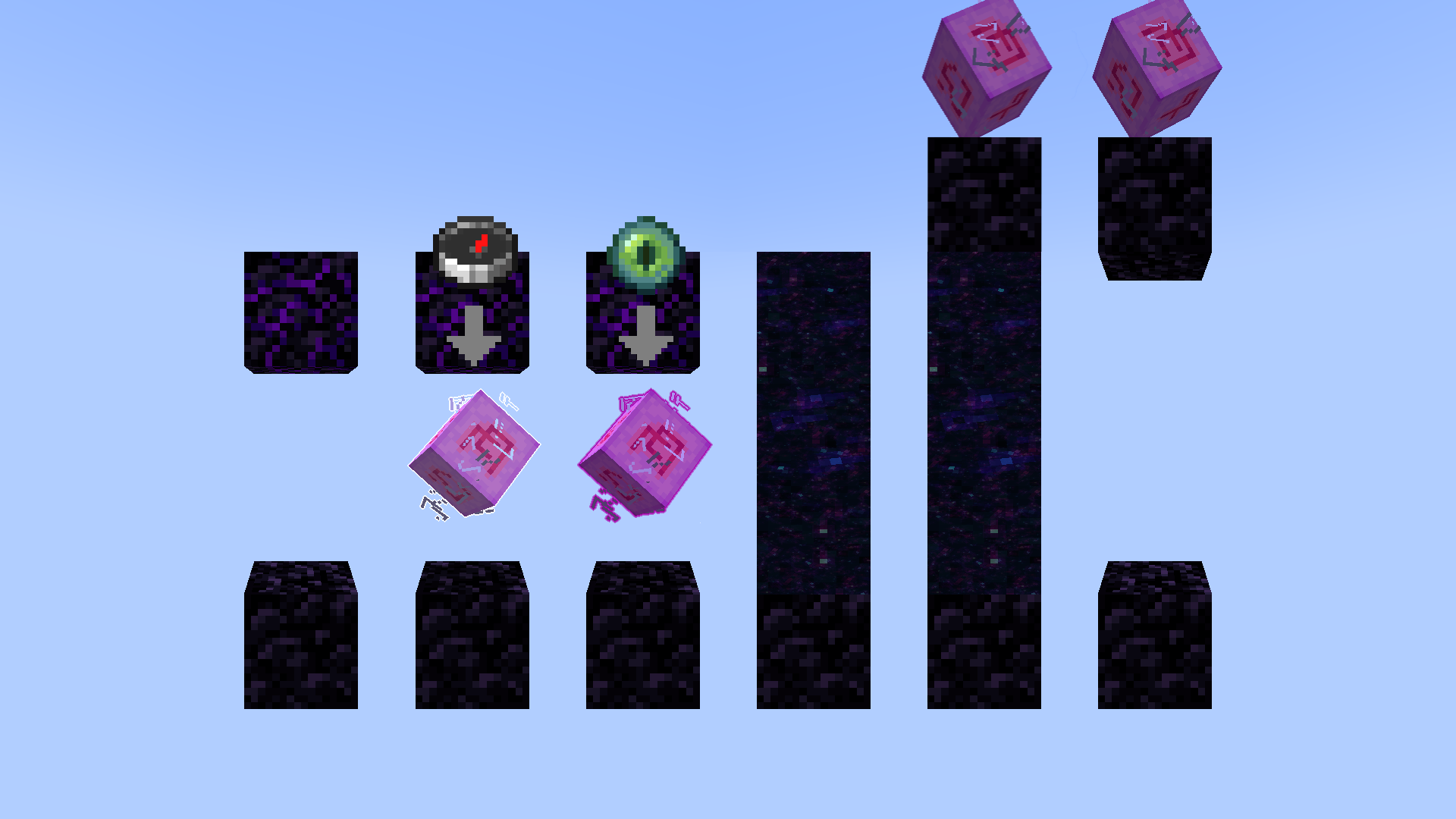
Rifts introduces physical rifts in your world which teleports all entities to the linked location. The rift is made with obsidian and an end crystal, and must be linked to a lodestone through a compass.
You can have as many linked rifts as you want, and they keep on teleporting after the lodestone is removed.
Teleports all entities, including items and mobs.
No tick functions
How to open a rift.
- Place an obsidian with a crying obsidian 3 blocks above, with a 2 block gap between.
- Place the end crystal on the obsidian, and right click it with a lodestone compass; consuming the compass.
- Right click the end crystal with an ender eye to create a rift; consuming the eye.
- Entering the rift will noe warp you or any other entity on top of the connected lodestone.
Only works in the same dimension.
常见问题
Rifts 支持哪些 Minecraft 版本?
Rifts 支持 Minecraft Java 版 1.20.5–26.1.2,共 13 个版本,可用的加载器:Fabric / Forge / NeoForge / Quilt。下载时注意选择和你游戏版本一致的文件。
Rifts 怎么安装?
新建世界时在「数据包」里把下载的 .zip 拖进去;已有的存档,把文件放进存档目录下的 datapacks 文件夹,进游戏输入 /reload 即可生效。服务器同样放在世界目录的 datapacks 里。
SIDEREAL 的其他作品
查看全部 →
Legendary Portals
Custom item models for 5x6 or 8x10 frames.

Realistic Lily Pads
Adds 5 size variations, deep roots, and randomly rotated connecting smaller pads and water lillies.

Improved Portals
Adds a glowing border to the portal from Fire Rekindled.

Realistic Dripstone
Realistic 3D Dripstone
评论
登录后评论和评分