Player Count Expander
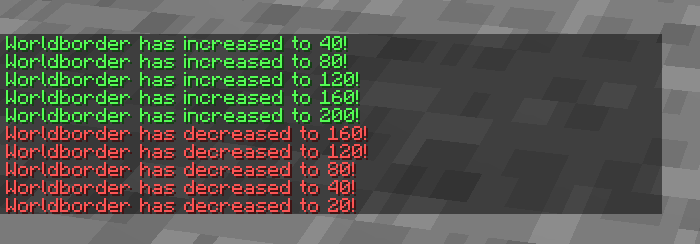
For every player that is currently loaded into the world, the Worldborder gets wider.
截图

介绍
Based off of an idea suggest by This Reddit Post
The world border will be set to:
min(MaxSize, max(MinSize, PlayerCount * Multiplier))at all times, and a chat message will be sent every time the size is updated.
Uploaded onto here for easier sharing.
There are 3 settings:
- Multiplier (How much the size will increase per player) Default: 40
- Minimum Size (What the minimum size will be, regardless of player count) Default: 20
- Maximum Size (What the maximum size will be, regardless of player count) Default: 1000
There are 5 commands: (250 is just an example number)
- /function borderman:bordy/set_maximum {“value”:250}
- /function borderman:bordy/set_minimum {“value”:250}
- /function borderman:bordy/set_multiplier {“value”:250}
- /function borderman:bordy/reset_datapack
- /function borderman:bordy/help
The first 3 just set scoreboard variables to the included value – scoreboard “worldBorderSize”
each editing values MaxSize, MinSize, and multiplier respectively.
reset_datapack will change the flag which prevents the datapack from doing a fullsetup upon a reboot, and then trigger a reload, re-initializing all scoreboards and values back to default.
help will bring up a list of the other 4 commands to make the value syntax easier to access.
常见问题
Player Count Expander 支持哪些 Minecraft 版本?
Player Count Expander 支持 Minecraft Java 版 1.21.2–1.21.5,共 4 个版本。下载时注意选择和你游戏版本一致的文件。
Player Count Expander 怎么安装?
新建世界时在「数据包」里把下载的 .zip 拖进去;已有的存档,把文件放进存档目录下的 datapacks 文件夹,进游戏输入 /reload 即可生效。服务器同样放在世界目录的 datapacks 里。
评论
登录后评论和评分