
Nicknames+
作者:rombzi
Interactive menu for player customization: custom nick colors, styles, title particles, and dynamic auras.
截图

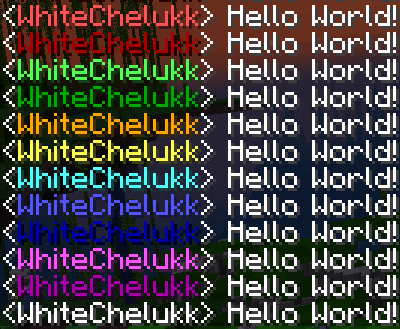
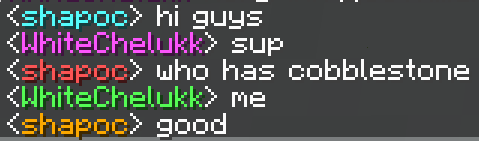
介绍
中文介绍正在准备中,下面暂时显示原文。
Nicknames+
Interactive player customization datapack for Minecraft.
Nicknames+ adds an intuitive in-game menu that allows players to fully customize their appearance and name styling without complex commands.
Key Features
- Interactive GUI Menu: Clean and simple interface to manage all your settings.
- Name Customization: Choose custom nick colors and visual text styles.
- Auras & Particles: Toggle cosmetic body auras and particle effects around your player.
- Toggle Options: Easily remove or reset any applied effects at any time.
Installation
- Download the
.ziparchive. - Place it into your world’s
datapacksfolder:%appdata%\.minecraft\saves\<your_world>\datapacks - Enter your world and run
/reload.
Credits
- Developer: rombzi
- License: See
LICENSE.txtfor details.
常见问题
Nicknames+ 支持哪些 Minecraft 版本?
Nicknames+ 支持 Minecraft Java 版 1.20–1.20.1,共 2 个版本。下载时注意选择和你游戏版本一致的文件。
Nicknames+ 怎么安装?
新建世界时在「数据包」里把下载的 .zip 拖进去;已有的存档,把文件放进存档目录下的 datapacks 文件夹,进游戏输入 /reload 即可生效。服务器同样放在世界目录的 datapacks 里。
评论
登录后评论和评分