
Armor Stand Nametag
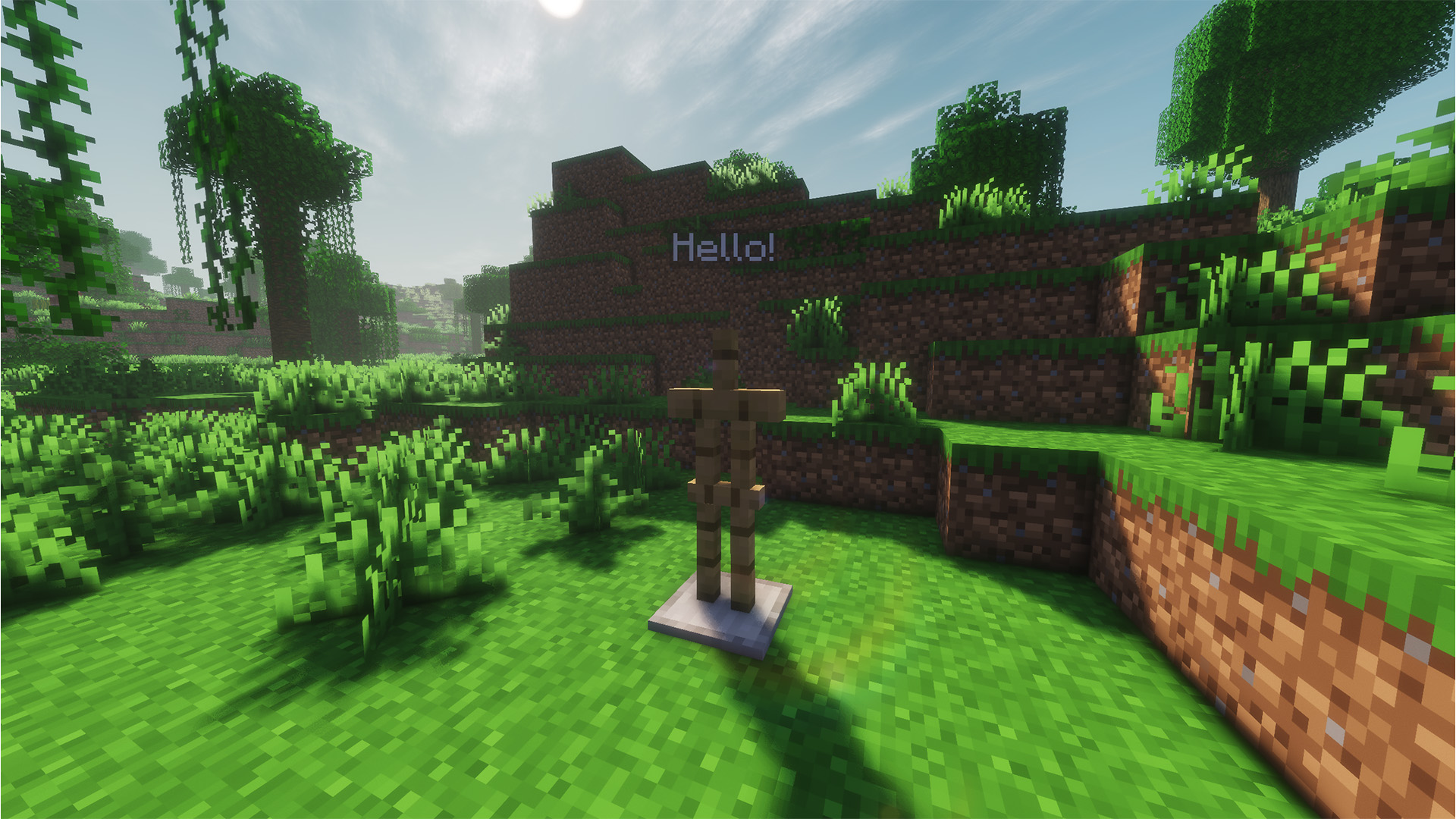
A simple datapack that makes Armor Stand names visible when you apply a Name Tag.
截图

介绍
Armor Stand Nametag
Makes Armor Stand names visible when you apply a Name Tag to them — no commands or NBT editors needed. Just rename a Name Tag on an anvil, right-click your Armor Stand, and the name will instantly appear floating above it.
Important
This datapack runs a lightweight check every tick, but only processes Armor Stands within 48 blocks or 3×3 chunks of a player, keeping performance impact minimal.
How to Install
If the .zip file doesn’t create a folder automatically, create one manually. Place the .zip file inside your world’s datapacks folder and run /reload in-game.
常见问题
Armor Stand Nametag 支持哪些 Minecraft 版本?
Armor Stand Nametag 支持 Minecraft Java 版 26.1.2–26.3,共 3 个版本。下载时注意选择和你游戏版本一致的文件。
Armor Stand Nametag 怎么安装?
新建世界时在「数据包」里把下载的 .zip 拖进去;已有的存档,把文件放进存档目录下的 datapacks 文件夹,进游戏输入 /reload 即可生效。服务器同样放在世界目录的 datapacks 里。
arroznattv 的其他作品
查看全部 →
Wisp Optimised
A simple optimized minecraft modpack with beautiful graphics and smooth gameplay.
Wisp Optimised
A simple optimized minecraft modpack with beautiful graphics and smooth gameplay.

PortalHelper
A simple Minecraft mod that helps you convert Overworld coordinates to Nether coordinates, and vice versa.

CraftCalculator
A simple mod that calculates the crafting materials required for any item and amount.
评论
登录后评论和评分