
MyFastCartEngine (MFCE)
MyFastCartEngine is 1.21 datapack / mod enabling customized rail speeds and long-distance entity travel.
截图
介绍
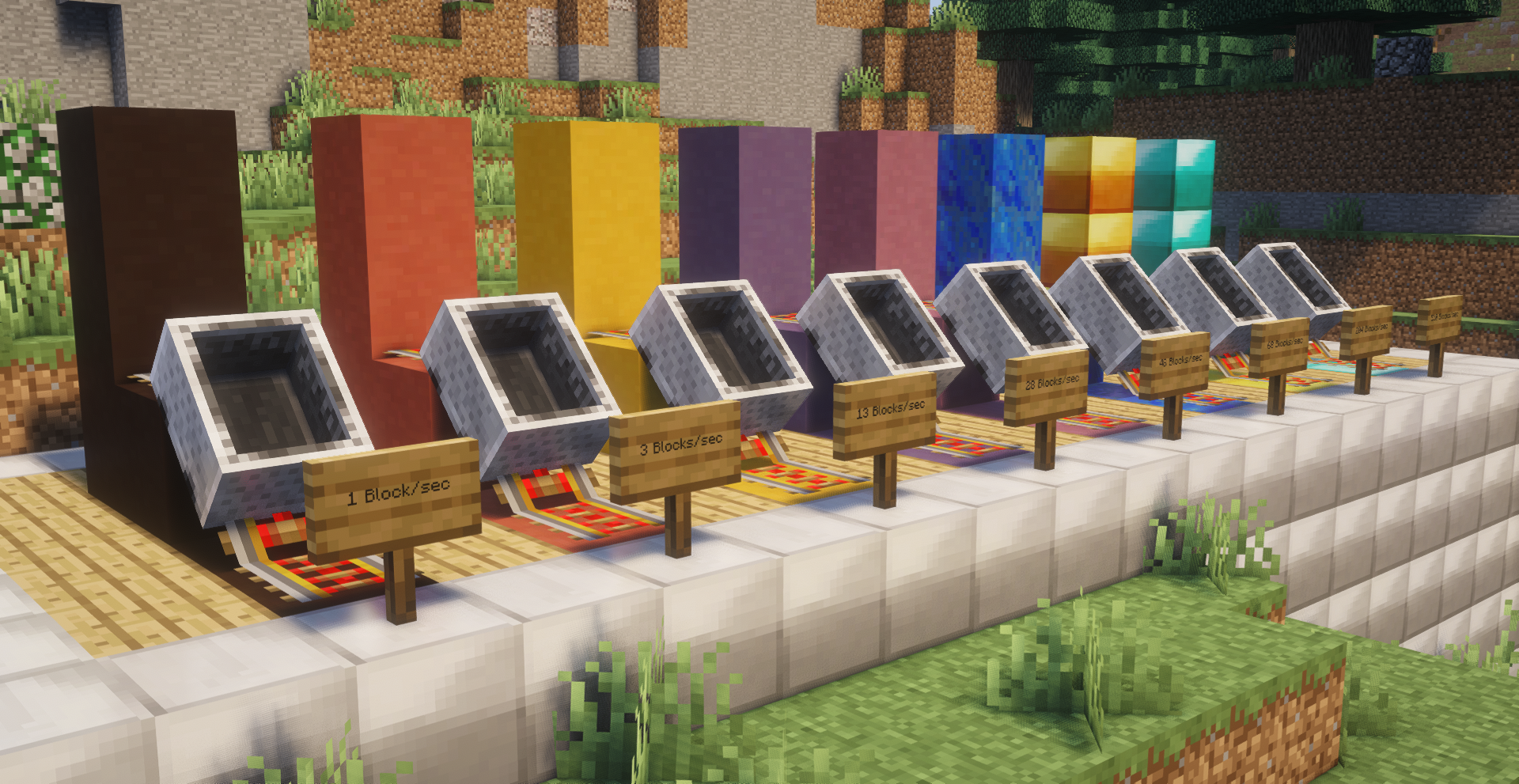
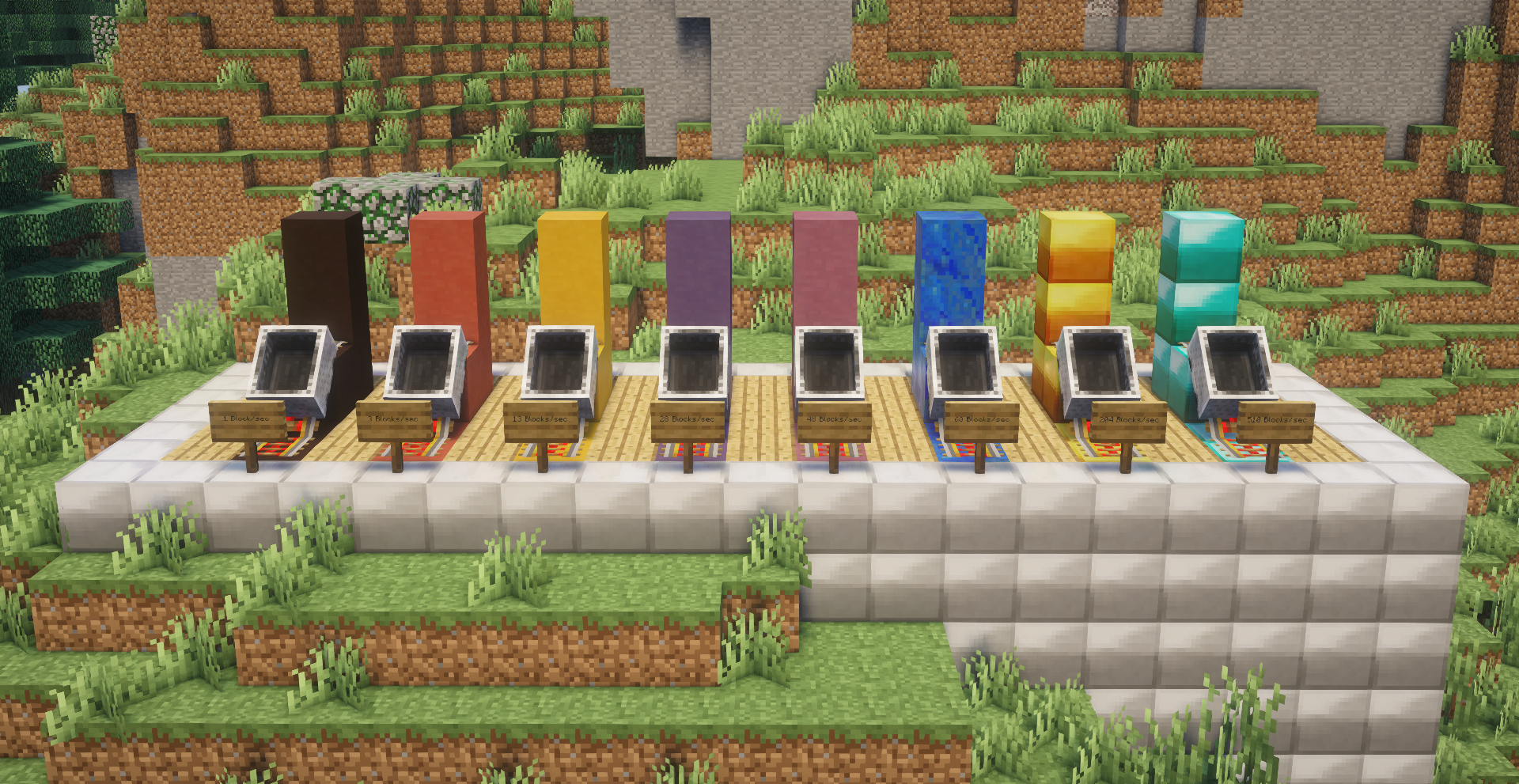
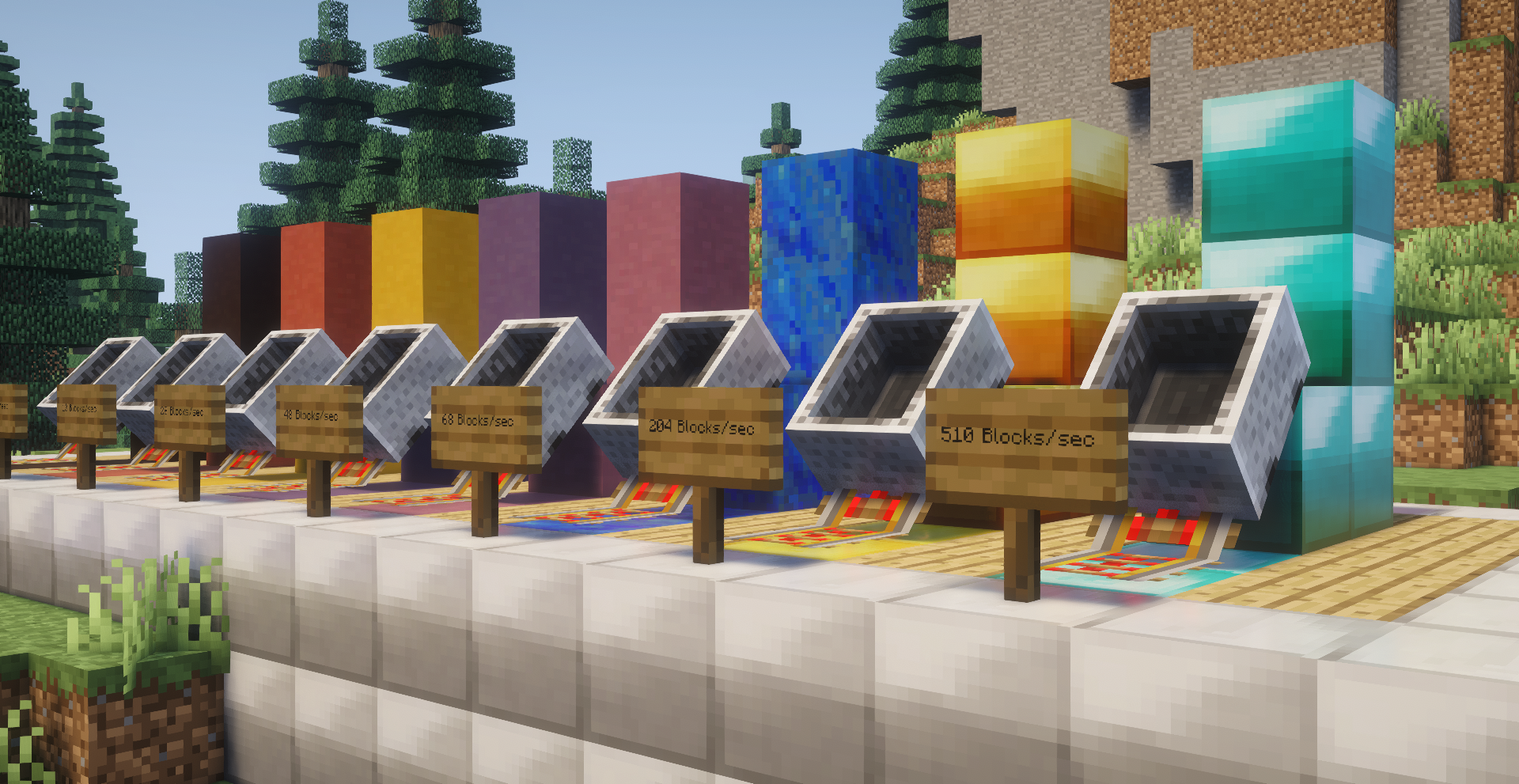
MyFastCartEngine allows you to customize the speed of minecart rails based on how the rail is built. When riding on a powered rail, platform blocks define the maximum speed. Platform blocks are any block a powered rail is placed directly onto. For the line to reach maximum speeds, powered rails are required, but made easier to craft with this datapack.
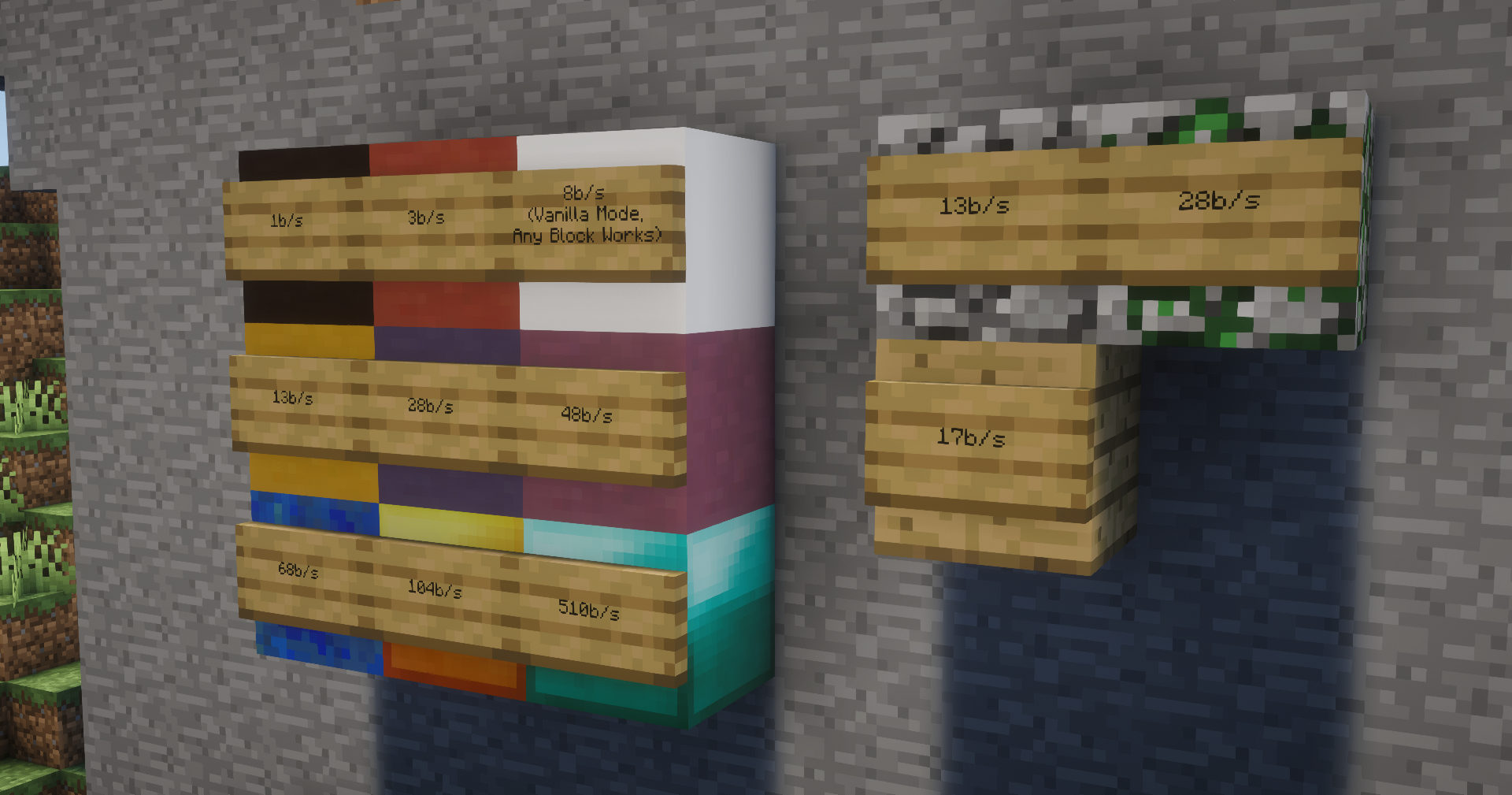
Color Platform Max Speeds:
- Black Terracotta: 1b/s
- Red Terracotta: 3b/s
- Yellow Terracotta: 13b/s
- Blue Terracotta: 28b/s
- Purple Terracotta: 48b/s
- Lapis Lazuli Block: 68b/s
- Gold Block: 204b/s
- Diamond Block: 510b/s
Bonus Platform Max Speeds:
- Cobblestone: 13b/s
- Mossy Cobblestone: 28b/s
- Oak Planks: 17b/s
- Any other block (vanilla mode): 8b/s
Important Things to Keep in Mind:
- Minecarts only travel faster than the vanilla limit of 8 blocks/sec when an entity is actively riding the cart. This means all redstone builds involving minecarts will continue to work, even if those builds require MFCE platform block types.
- Carts with passenger entites keep their chunks loaded regardless of player distance, allowing players to send entities over long distances.
- MFCE was built on top of the source code from Darceno’s Minecarts mod v1.4.
- Purple or faster blocks need to be slowed down by at least 2-3 slow blocks (red/yellow) before taking steep inclines, otherwise the player may phase through the floor.
- Diamond is not recommended for long stretches as it’s difficult to load chunks at 500 blocks per second.
- Minecart speeds decrease faster than they increase. It takes several blocks to reach max speed, but high speeds are lost quickly.
- I don’t plan to support Minecraft versions newer than 1.21.1 at this time.
Recommended Additions:
- I highly recommend pairing this datapack with Gamemode4’s “Vertical Rails” datapack. This enables two-way vertical transit lines. Place two lapis blocks beneath the rails at the top of the vertical rail to make it work both-ways.
How to install:
- Locate the folder containing your map’s save file
- Open the datapacks folder
- Place the zip file into the datapacks folder
Versions tested:
- 1.21.1 Singleplayer & Multiplayer (May work as far back as 1.21 and up to 1.21.3)
Goals / Planned features:
- Better documentation.
- Vertical rails, similar toGamemode 4’s vertical rail datapack.
- Customizable line speeds defined by signs placed alongside the rail line’s entry and exit points.
- Alternative block pallete versions.
常见问题
MyFastCartEngine (MFCE) 支持哪些 Minecraft 版本?
MyFastCartEngine (MFCE) 支持 Minecraft Java 版 1.21–1.21.1,共 2 个版本。下载时注意选择和你游戏版本一致的文件。
MyFastCartEngine (MFCE) 怎么安装?
新建世界时在「数据包」里把下载的 .zip 拖进去;已有的存档,把文件放进存档目录下的 datapacks 文件夹,进游戏输入 /reload 即可生效。服务器同样放在世界目录的 datapacks 里。


评论
登录后评论和评分