
Mounts Info
Mounts Info is a data pack that displays detailed statistics for horses, donkeys, and mules.
截图
介绍

Mounts Info is a lightweight data pack that displays detailed statistics for horses, donkeys, and mules.
Track important attributes such as speed, jump strength, and health, and instantly compare mounts to find the best one.
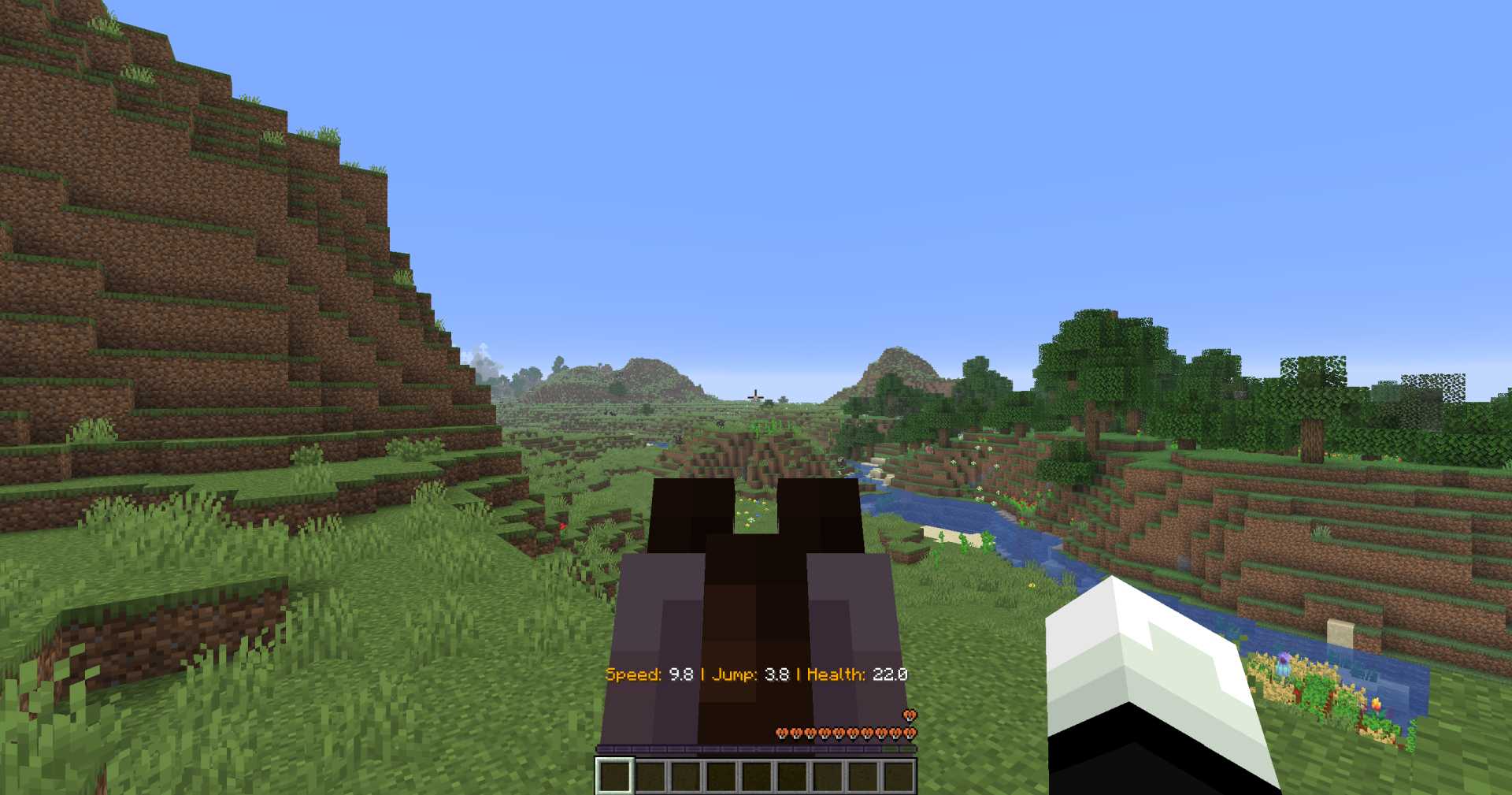
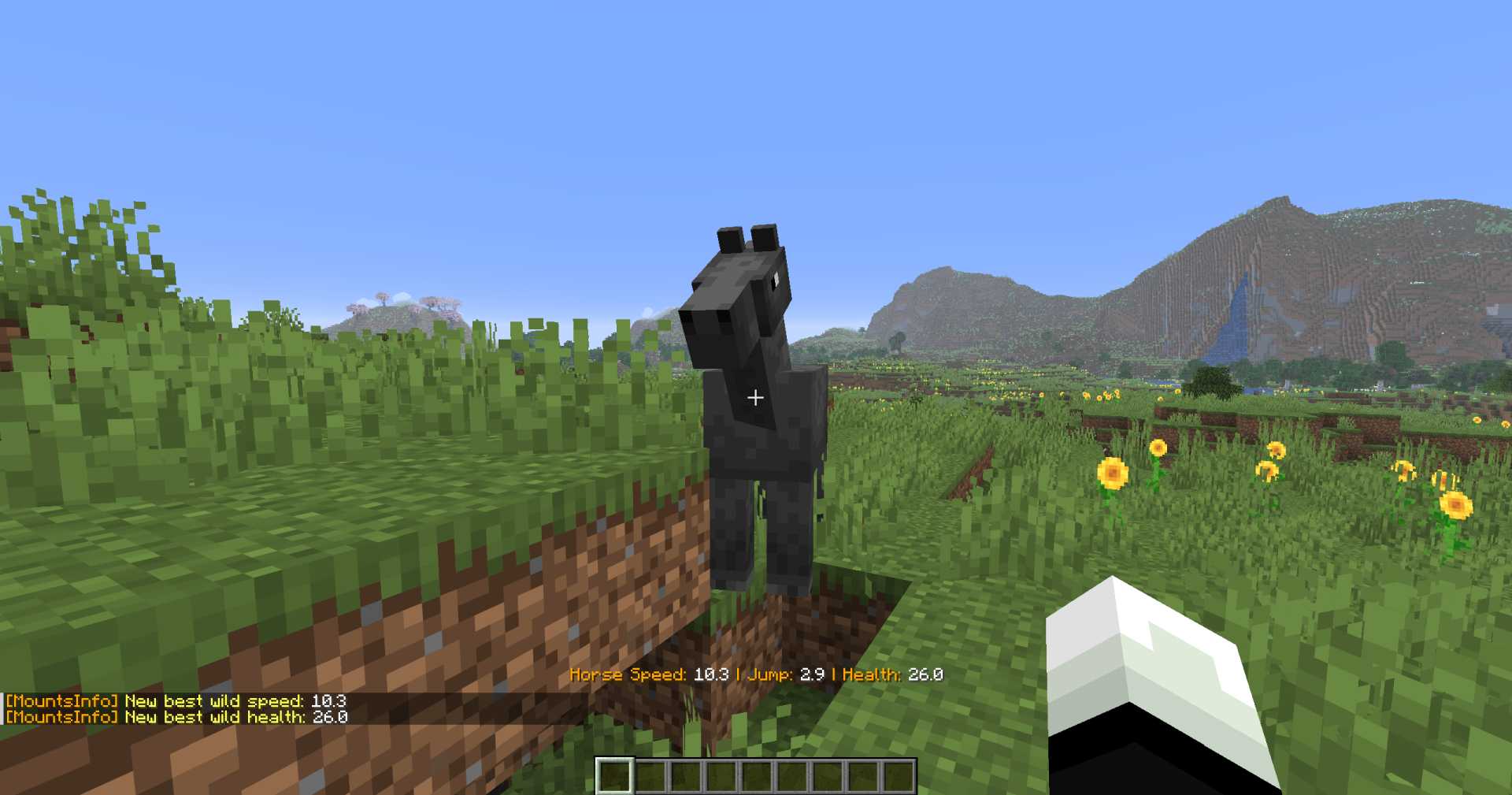
The stat display is not triggered instantly — it activates when the player crouches and looks at a mount for about one second, or when riding it. This delay is intentional, making the system feel more natural and less intrusive during normal game play.
Features
- Displays mount stats (Speed, Jump, Health)
- Works with horses, donkeys, and mules
- Compare current mount with your best ones
- Shows if a mount is better or worse than your existing stats
- Works when looking at a mount or riding it
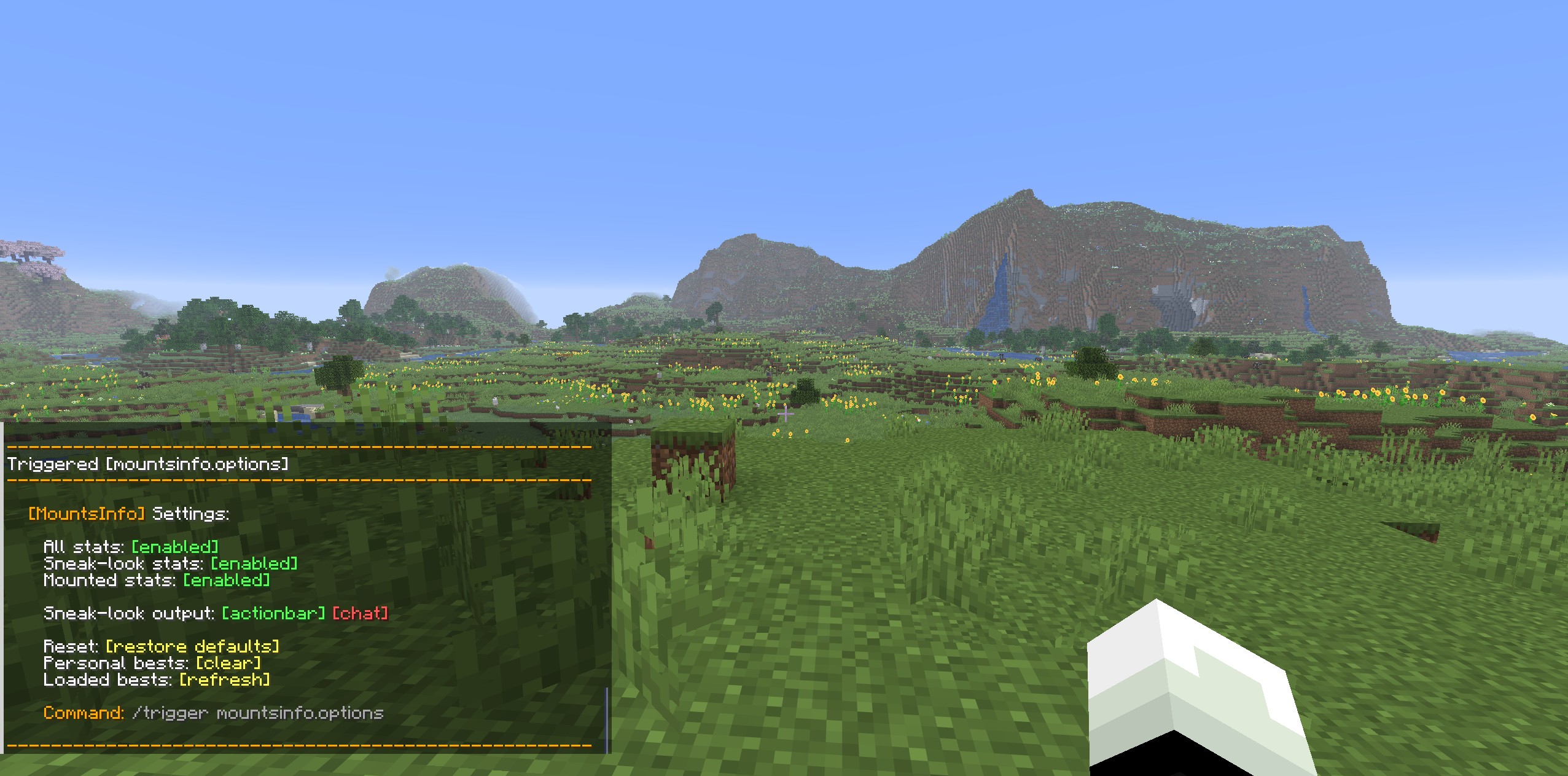
Settings (via /trigger)
Customize how the data pack behaves:
- Toggle stats display ON/OFF
- Enable display when looking at mounts
- Enable display when riding mounts
- Switch between Action Bar and Chat display
- Reset all settings anytime
Personal Best System
- Tracks your best mount stats
- Compare new mounts against your records
- Reset Personal Best when needed
- Refresh Loaded Best (based on mounts currently loaded in chunks)
This helps you easily decide whether a mount is worth keeping or not.
Vanilla Friendly
No complex setup, no unnecessary mechanics – just useful information, fully integrated into survival game play.


Requirements:
Minecraft Java Edition 1.21.5-26.1.2
Installation:
Singleplayer
Open Minecraft
Create a new world and click on “More”, “Data Packs”
Drag the data pack into the Minecraft window
Click “Yes” on the confirmation screen
Move the data pack to the right-hand side of the screen by clicking the triangle on its icon
Click “Done” and continue creating your world, then click on “Create New World”
Multiplayer
Download the data pack
Open your server folder, then open the folder of the world
Put the data pack into a folder named datapacks
Restart your server, and you can use your new data pack.
Permissions:
None
Commands:
/trigger mountsinfo.options
常见问题
Mounts Info 支持哪些 Minecraft 版本?
Mounts Info 支持 Minecraft Java 版 1.21.5–26.1.2,共 10 个版本。下载时注意选择和你游戏版本一致的文件。
Mounts Info 怎么安装?
新建世界时在「数据包」里把下载的 .zip 拖进去;已有的存档,把文件放进存档目录下的 datapacks 文件夹,进游戏输入 /reload 即可生效。服务器同样放在世界目录的 datapacks 里。
mario.toth 的其他作品
查看全部 →
Totem Auto Equip
A datapack that transfers the Totem of Undying to your offhand whenever it's in your inventory!

Wood Breaker
WoodBreaker makes chopping trees faster and cleaner while keeping the game feeling natural and balanced.

Swift Leaf Decay
This datapack removes leftover leaves quickly after a tree has been cut down, keeping your world clean and natural without long waiting times.

Raw Food Rebalance
This datapack encourages players to cook their food rather than eating it raw, with mild consequences for consuming raw meat and raw potato.
评论
登录后评论和评分