
截图
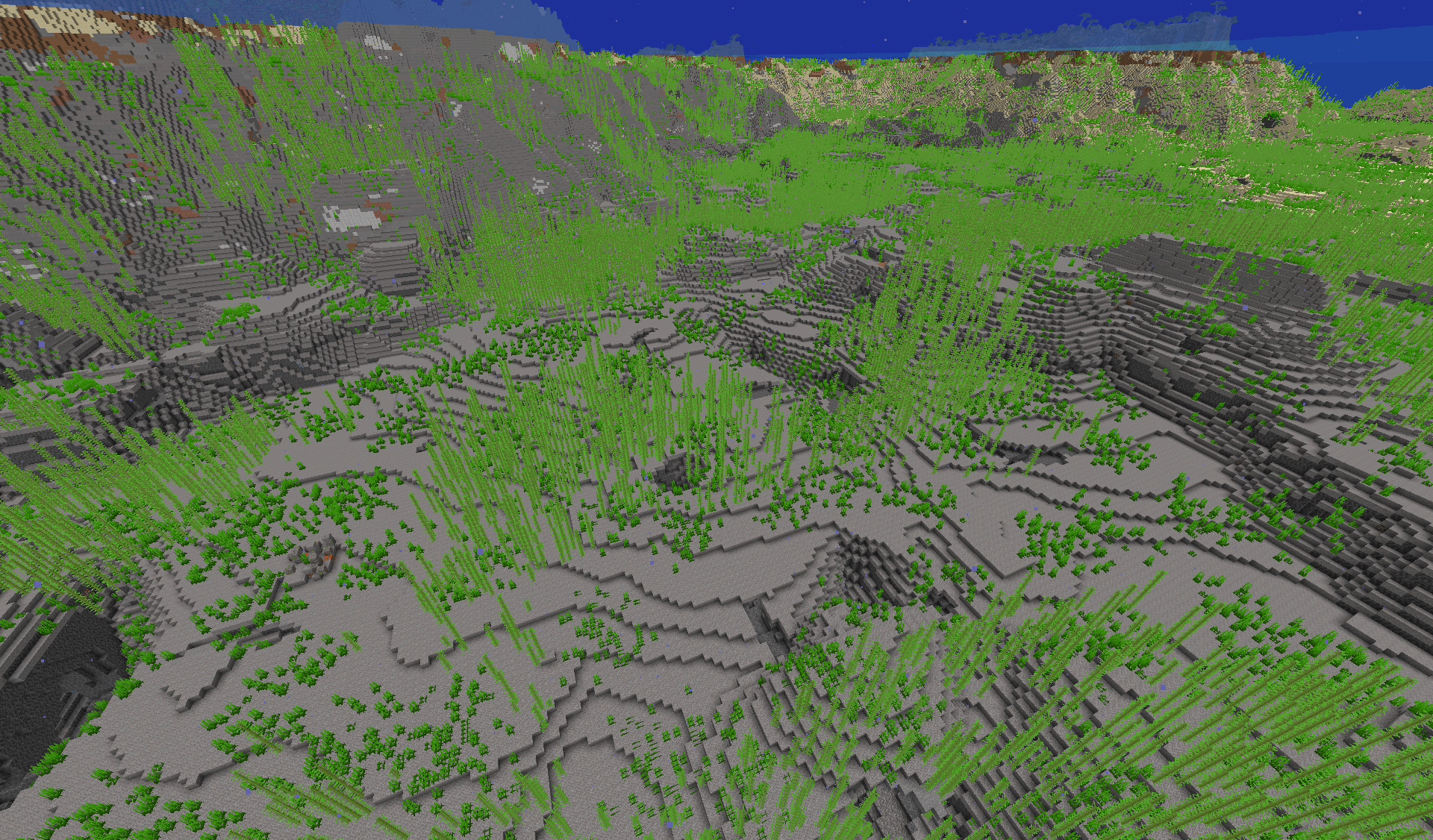
介绍
Leviathan Ocean
LEVIATHAN OCEAN IS NOT APPROVED BY OR ASSOCIATED WITH WIFIES,
I’m just a fan of him and wanted to make something cool :).
This data pack is inspired by Wifies’ The Search For The Leviathan video on YouTube.
It makes oceans in the world generate much deeper than usual.
You can install this data pack if you want huge oceans for exploration or mystery in your world, although the data pack itself does not add any new structures or contents to the ocean.
It is an attempt to replicate the fake Minecraft bug (MC-373144) shown in the video below.
Showcase
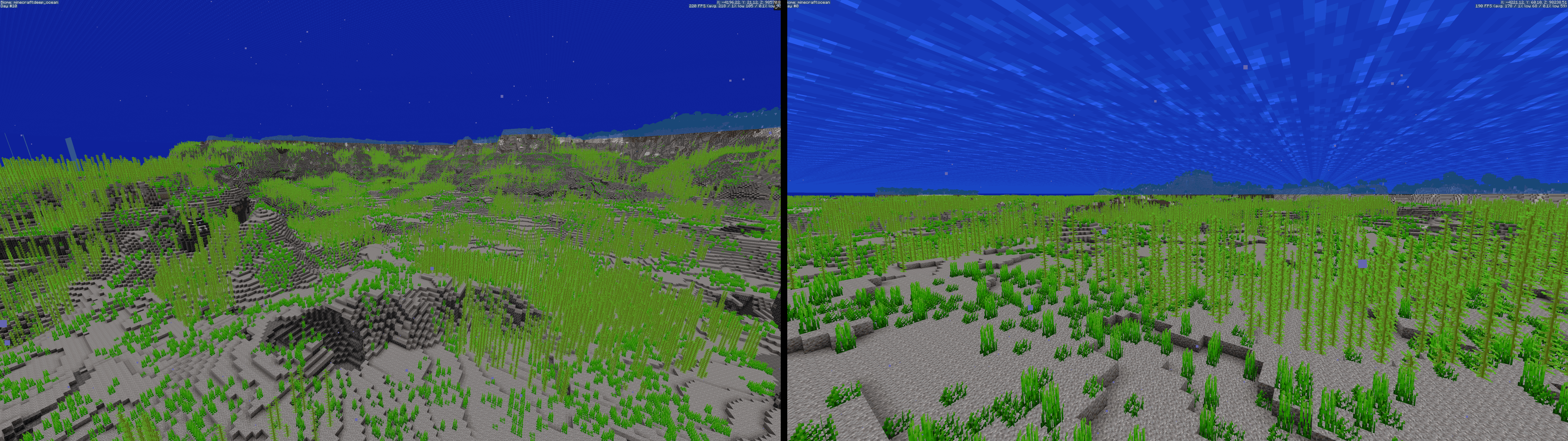
This is a comparison between Leviathan Ocean and normally generated ocean. (taken while using voxy)
Behavior
The data pack only modifies terrain generation where continentalness is between -1.05 and -0.19, meaning it should only affect generation under oceans.
It makes the ocean deeper by modifying the density function minecraft:overworld/offset to lower the result for oceans, making the terrain generates lower.
It also adds a noise to the density function for the ocean generations, making the terrain feels more bumpy and less flat than vanilla.
(Noise screenshot taken from Misode’s Data Pack Generator)

Compatibility
This data pack is NOT compatible with any other data packs or mods that modify overworld terrain generation. You should not install this data pack along with them.
Leviathan Ocean only supports version 1.21.11 and above, any older versions are not supported (and will never be).
Limitations
Experimental settings
This data pack uses experimental settings to modify the world generation. Therefore, you will see a warning screen every time you enter your singleplayer world with the data pack installed, and you cannot use this data pack on Realms as well. (image from https://minecraft.wiki/)

Structures
Structures can generate in a very ugly way under oceans.


常见问题
Leviathan Ocean 支持哪些 Minecraft 版本?
Leviathan Ocean 支持 Minecraft Java 版 1.21.11–26.3,共 6 个版本。下载时注意选择和你游戏版本一致的文件。
Leviathan Ocean 怎么安装?
新建世界时在「数据包」里把下载的 .zip 拖进去;已有的存档,把文件放进存档目录下的 datapacks 文件夹,进游戏输入 /reload 即可生效。服务器同样放在世界目录的 datapacks 里。


评论
登录后评论和评分