
Kazzmon’s DayCount
A simple and customizable Day Counter to tell you how many days have passed in your Minecraft world or server.
截图


介绍
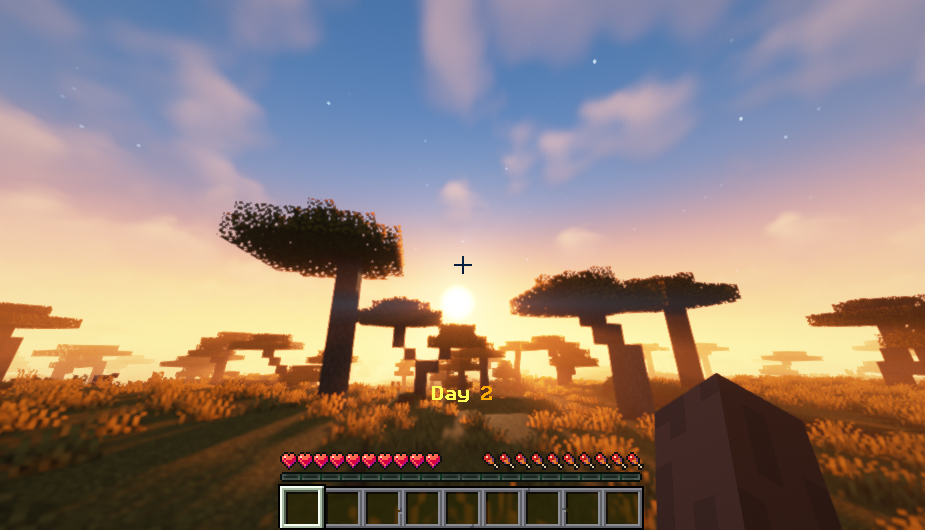
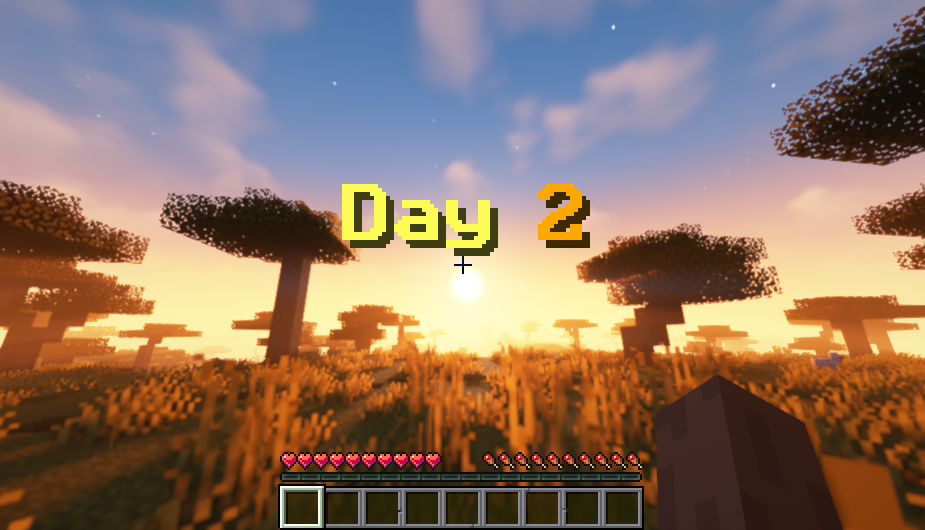
DayCount is a simple datapack that shows the number of days in the world. It is also a bit more realistic since it shows the actual count of days, instead of what is used in-game. This is very good to use especially on servers so players can get notified how many days have passed.
You can customize where the Day Count is displayed using the command /trigger DayCount_Style.
- it can be displayed in the chat
- it can be displayed in the Action Bar, just on top of the Hotbar
- it can be displayed as a Title on the screen
You can also customize the Theme of the Day Count by using the command /trigger DayCount_Theme.
You can also check the Day Count whenever you like by using the command /trigger DayCount_Check. Any players can use this command and they are the only ones that will see it on their screen.
If you have questions or have found any issues or suggestions, feel free to let me know via my Discord server. Thanks.
常见问题
Kazzmon’s DayCount 支持哪些 Minecraft 版本?
Kazzmon’s DayCount 支持 Minecraft Java 版 1.16–1.21.10,共 34 个版本。下载时注意选择和你游戏版本一致的文件。
Kazzmon’s DayCount 怎么安装?
新建世界时在「数据包」里把下载的 .zip 拖进去;已有的存档,把文件放进存档目录下的 datapacks 文件夹,进游戏输入 /reload 即可生效。服务器同样放在世界目录的 datapacks 里。
Kazzmon 的其他作品
查看全部 →
Kazzmon’s Resources
A Resource Pack for All of my Datapacks!

Kazzmon’s ExtraVanilla
A datapack that overhauls the vanilla Minecraft experience, and adds many quality and exciting additions to the base game.

Kazzmon’s MageCraft
A Weapons Expansion Pack with a Magical Theme! Includes various Wands, Scepters, Staves, and Tomes that utilizes your XP for Magic attacks.

ExtraIncendium
A Compatibility Add-On for ExtraVanilla and Incendium.
评论
登录后评论和评分