
截图

介绍
中文介绍正在准备中,下面暂时显示原文。
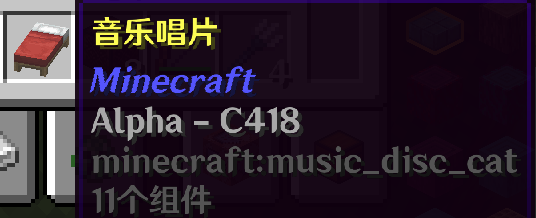
The newer versions of Minecraft seem to intentionally increase the weight of new background music, making the classic C418 BGM almost impossible to hear in-game (unless using other resource packs). This datapack aims to turn all of C418’s in-game BGM, including Creative Mode tracks, into music discs, with complete obtaining methods:
- Overworld BGM — Unlit Creeper kills Skeleton
- Nether BGM — Skeleton shoots Creeper in the Nether
- Menu BGM — Unlit Creeper kills Baby Zombie
- Creative Mode BGM — Skeleton kills airborne Creeper
- Alpha — Ender Dragon kills Creeper
- The End — Skeleton kills Creeper in the End
- Under Water BGM — Drowned kills Creeper
新版本的背景音乐似乎总是刻意让新版音乐的权重变高,老的C418bgm游戏内几乎很难听到(除非使用其他材质包)。这个数据包旨在把C418的所有游戏内bgm包括创造模式的唱片化,并且创建了完善的唱片获取途径:
- 主世界bgm —— 未被点燃的苦力怕炸死骷髅
- 地狱bgm —— 地狱中骷髅射杀苦力怕
- 菜单bgm ——未被点燃的苦力怕炸死小僵尸
- 创造模式bgm —— 骷髅射杀空中的苦力怕
- Alpha —— 末影龙杀死苦力怕
- the_end —— 末地骷髅杀死苦力怕
- 水下bgm —— 溺尸杀死苦力怕
常见问题
Jukeboxlized Old Bgm 支持哪些 Minecraft 版本?
Jukeboxlized Old Bgm 支持 Minecraft Java 版 1.21–1.21.11,共 12 个版本。下载时注意选择和你游戏版本一致的文件。
Jukeboxlized Old Bgm 怎么安装?
新建世界时在「数据包」里把下载的 .zip 拖进去;已有的存档,把文件放进存档目录下的 datapacks 文件夹,进游戏输入 /reload 即可生效。服务器同样放在世界目录的 datapacks 里。


评论
登录后评论和评分