
Item Utils
A variety of utility functions to spruce up your Minecraft survival world!
截图
介绍
Item utils
Item utils is a datapack by Gears that adds lots of small features to help display certain things in Minecraft survival without using cheats.
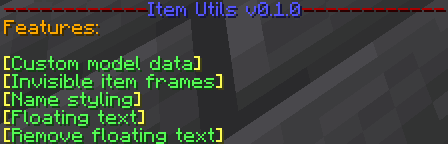
How to use: You can access the main menu by reloading or running the command /trigger item_utils.main_menu. This gives you a list of clickable buttons that will perform each of the different features. You can also trigger each feature manually.
Current features:
- Custom model data: Triggered by running
/trigger item_utils.custom_model_data set <custom model data value>. This will set the custom model data of the item in your hand to whatever you specify as \. This command won’t run automatically from the main menu as you need to input a number.
- Invisible item frames: Triggered by running
/trigger item_utils.invisible_item_frame. If you are holding an item frame (glow or normal), it will rename it to “Invisible” and when you place it down it will indeed be invisible.
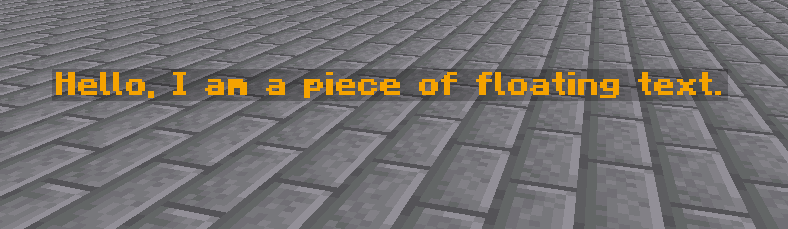
- Text display: Triggered by running
/trigger item_utils.text_display. This will place a text display at your feet, the content of which is equal to the name of the item in your mainhand.
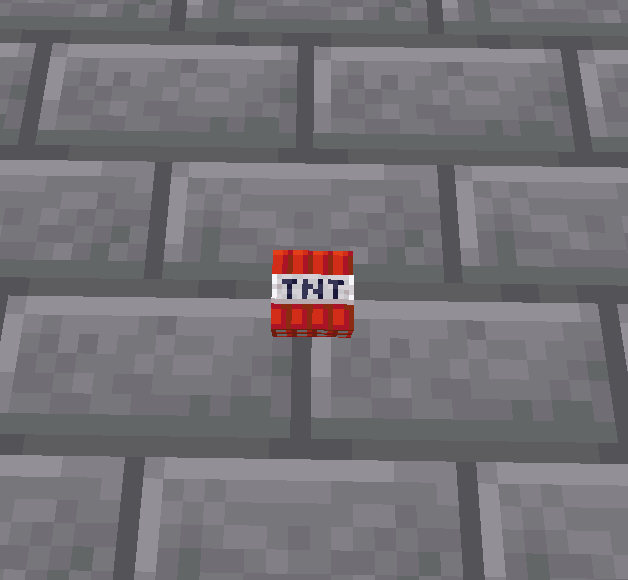
- Item display: Triggered by running
/trigger item_utils.item_display. This will take the item it your hand and place it in a floating item display entity.
- Remove display entity: Triggered by running
/trigger item_utils.remove_display_entity. This removes the closest display entity to you in case you messed up or just want to remove it. (It will drop items from item displays)
- Name styling: Triggered by running
/trigger item_utils.style_name. This will help you format the current item in your hand, either for text displays or other purposes. It has a variety of options including different colours, and formats such as italics and bold.
If you have any suggestions for this pack or found a bug, please let me know by joining my Discord server.
常见问题
Item Utils 支持哪些 Minecraft 版本?
Item Utils 支持 Minecraft Java 版 1.17–1.21,共 12 个版本。下载时注意选择和你游戏版本一致的文件。
Item Utils 怎么安装?
新建世界时在「数据包」里把下载的 .zip 拖进去;已有的存档,把文件放进存档目录下的 datapacks 文件夹,进游戏输入 /reload 即可生效。服务器同样放在世界目录的 datapacks 里。
GearsDatapacks 的其他作品
查看全部 →
Lucky blocks
Adds a variety of lucky blocks into Minecraft!

Moxlib
A library of many helpful functions, tags and predicates, to improve the datapack developer's day.

Regex Library Datapack
A datapack library that provides a way to match substrings using regular expressions.

MCAnim
A library for display entity animation in Minecraft
评论
登录后评论和评分