
Item Frame-Inator
作者:squid08
Data pack to give control over item frame properties: Fixed, Invisibile, and ItemRotation
截图


介绍
中文介绍正在准备中,下面暂时显示原文。
Item Frame-Inator
Minecraft data pack to give control over item frame properties: Fixed, Invisibile, and ItemRotation.
From https://minecraft.wiki:
Fixed:
1, or0(true/false) – Iftrue: the item frame does not drop when it has no support block, it can not be moved by pistons, and it won’t take damage (except from creative players). An item cannot be placed in or removed from a fixed item frame. The item in a fixed item frame (if any) can not be rotated.1, or0(true/false) – Whether the item frame (background) is invisible. An item or map inside an invisible item frame is still visible.ItemRotation: The current angle or rotation of the item, as a multiple of 45 degrees, going clockwise.
0means the item is upright,1means the item is turned 45 degrees clockwise from the upright orientation.[more information needed] This value can only ever be between0and7, just like its redstone output when measured with a comparator.
Commands
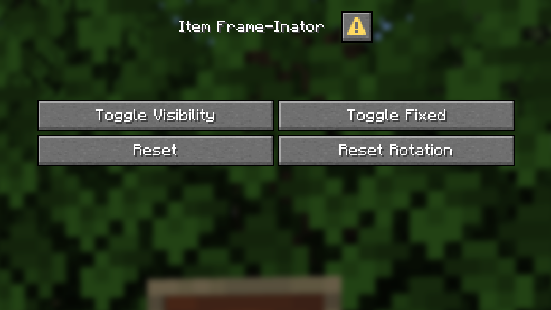
/trigger itemframeinator_reset– ResetsInvisibleandFixedproperties (i.e. makes the item frame visibile and unlocked)/trigger itemframeinator_invisible– TogglesInvisibleproperty/trigger itemframeinator_fixed– TogglesFixedproperty/trigger itemframeinator_rotation set #– SetsItemRotationto a number between 0 and 7/trigger itemframeinator_reset_rotation– ResetsItemRotationto 0 (default orientation)
Gallery
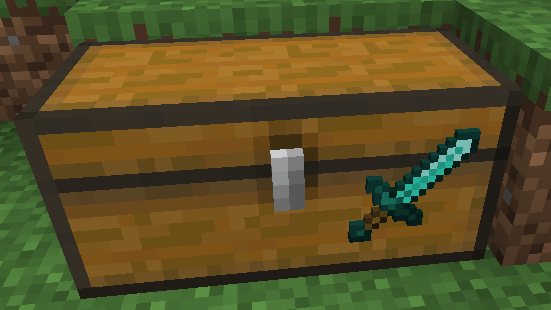
Invisible Item Frames

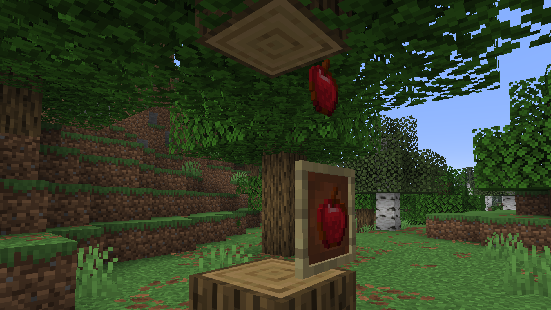
Fixed Item Frames
In Game Menu
常见问题
Item Frame-Inator 支持哪些 Minecraft 版本?
Item Frame-Inator 支持 Minecraft Java 版 1.21.9–26.3,共 8 个版本。下载时注意选择和你游戏版本一致的文件。
Item Frame-Inator 怎么安装?
新建世界时在「数据包」里把下载的 .zip 拖进去;已有的存档,把文件放进存档目录下的 datapacks 文件夹,进游戏输入 /reload 即可生效。服务器同样放在世界目录的 datapacks 里。

评论
登录后评论和评分