
Fillable Bottle o’ Enchanting
Turn your experience into Bottle o’ Enchanting in a simple, vanilla-friendly way.
截图
介绍

Turn your experience into a Bottle o’ Enchanting in a simple, vanilla-friendly way. Craft a Fillable Bottle o’ Enchanting, fill it with your XP, and use it whenever you need it.
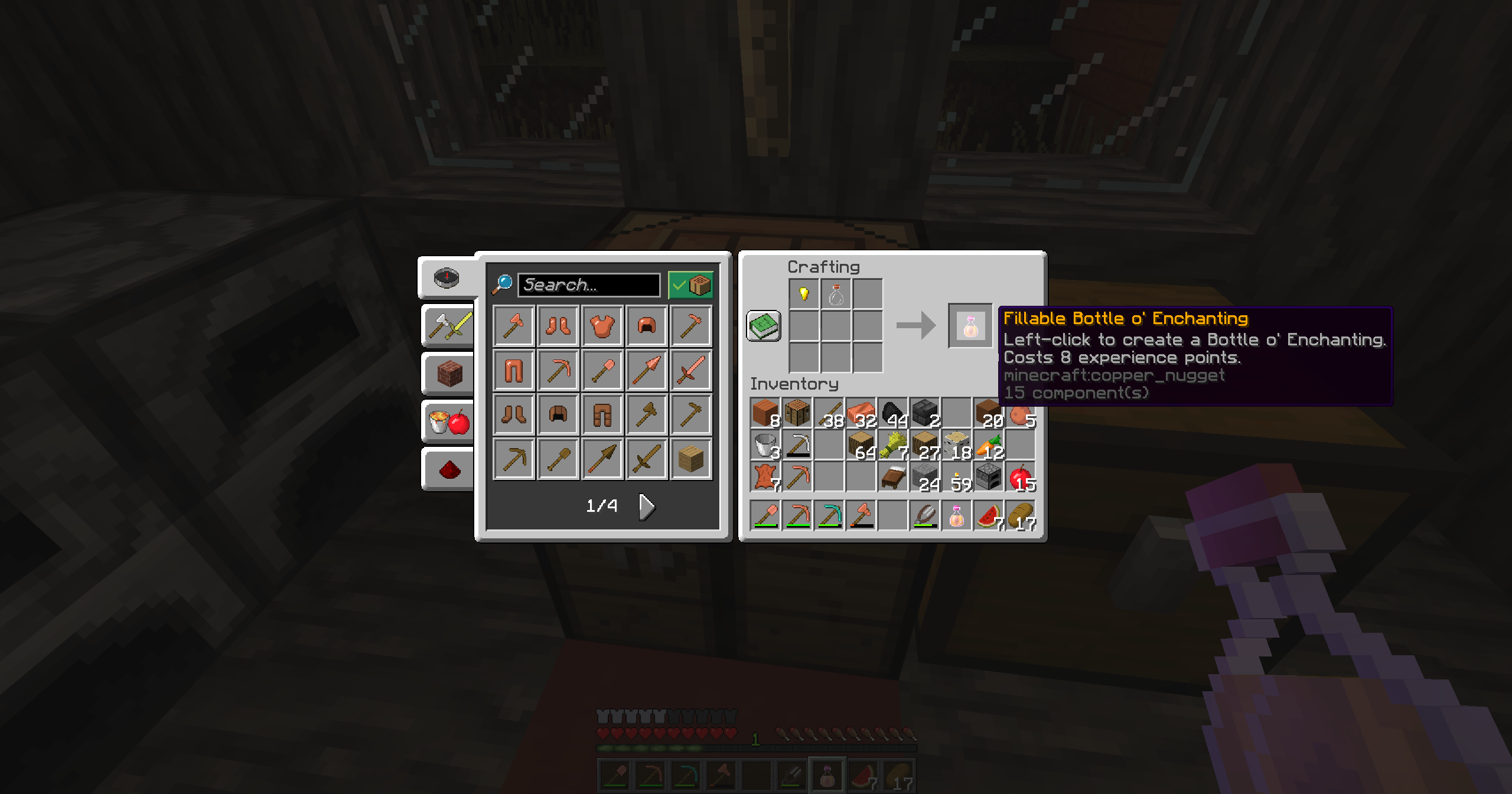
This datapack introduces a craftable Empty Bottle o’ Enchanting.
It is crafted using:
- 1 gold nugget
- 1 glass bottle
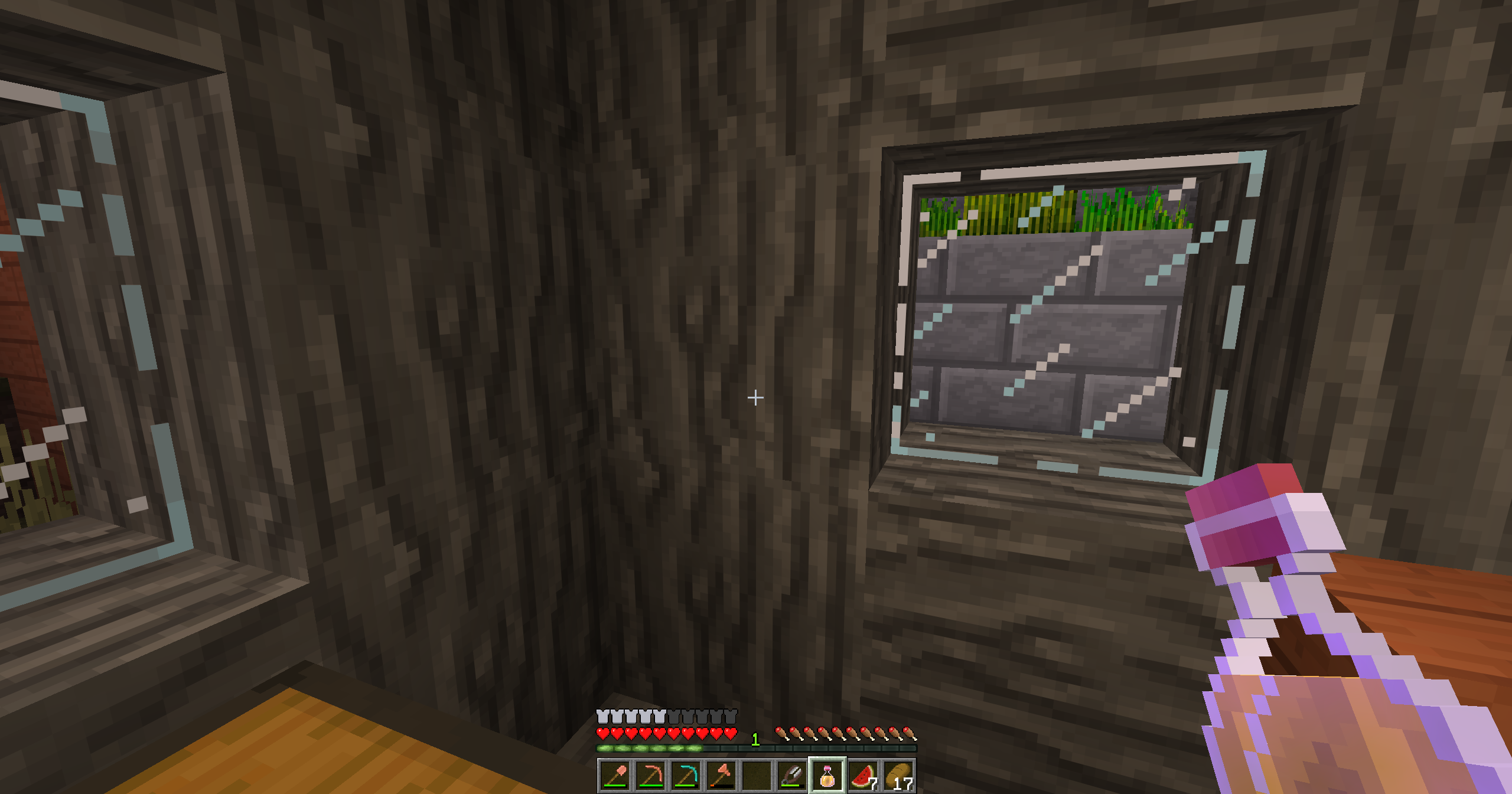
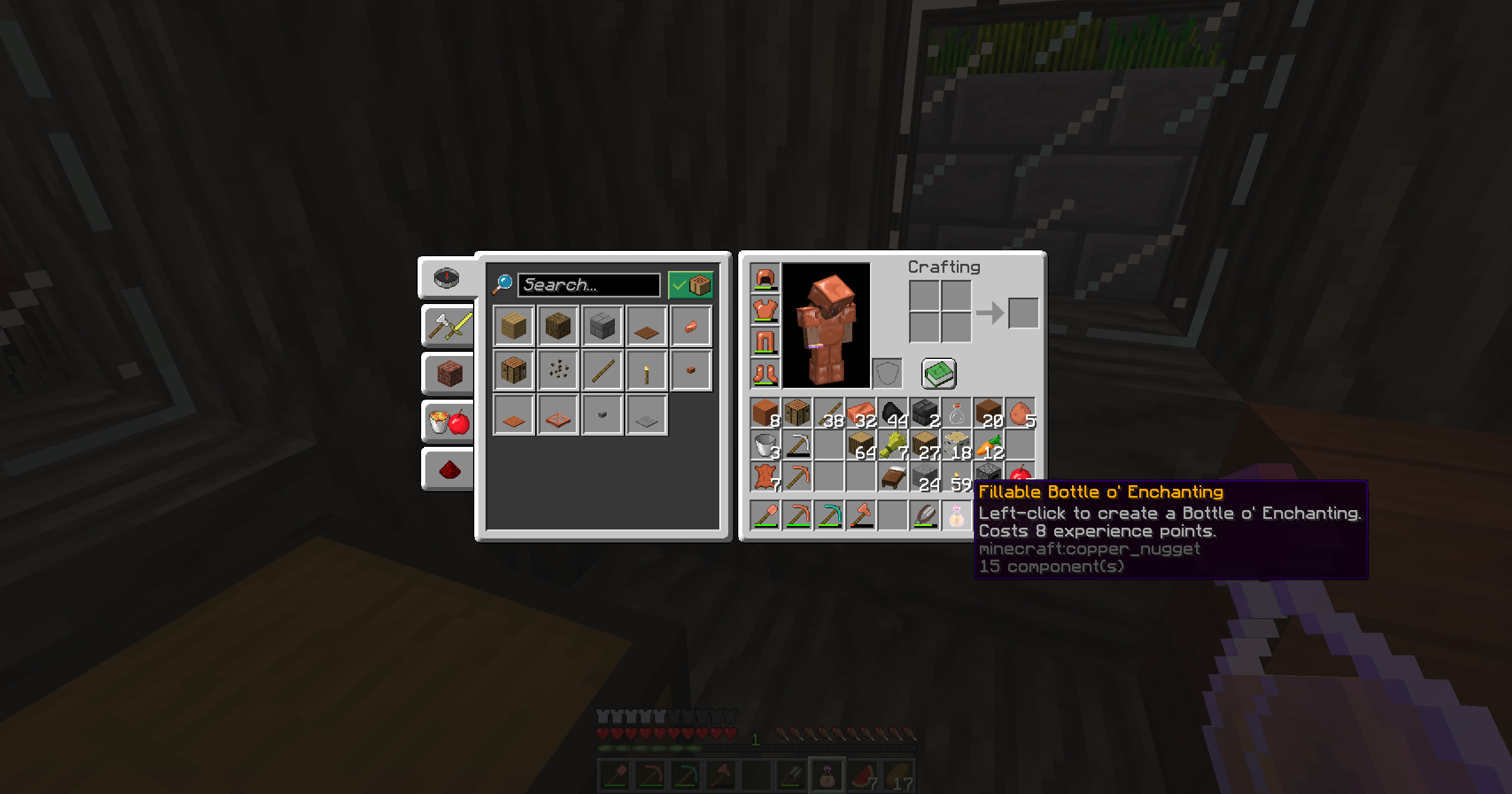
When holding a Fillable Bottle o’ Enchanting, right-click into the air to fill it. The bottle will absorb your experience and turn into a Bottle o’ Enchanting. Each use consumes 8 experience points, meaning a small amount of XP is lost in the process. This is intentional and acts as a balancing cost for storing experience in bottle form.
Simple, lightweight, and fully in line with vanilla gameplay.
🚀 Performance
- Optimized for low performance impact
- Lightweight for both servers and single player
Requirements:
Minecraft Java Edition 1.21.5-26.2
Installation:
Singleplayer
- Open Minecraft
- Create a new world and click on “More”, “Data Packs”
- Drag the data pack into the Minecraft window
- Click “Yes” on the confirmation screen
- Move the data pack to the right-hand side of the screen by clicking the triangle on its icon
- Click “Done” and continue creating your world, then click on “Create New World”
Multiplayer
- Download the data pack
- Open your server folder, then open the folder of the world
- Put the data pack into a folder named datapacks
- Restart your server, and you can use your new data pack.
Permissions:
- None
Commands:
- None
常见问题
Fillable Bottle o’ Enchanting 支持哪些 Minecraft 版本?
Fillable Bottle o’ Enchanting 支持 Minecraft Java 版 1.21.5–26.2,共 11 个版本。下载时注意选择和你游戏版本一致的文件。
Fillable Bottle o’ Enchanting 怎么安装?
新建世界时在「数据包」里把下载的 .zip 拖进去;已有的存档,把文件放进存档目录下的 datapacks 文件夹,进游戏输入 /reload 即可生效。服务器同样放在世界目录的 datapacks 里。
mario.toth 的其他作品
查看全部 →
Totem Auto Equip
只要不死图腾在物品栏中,数据包就会自动将其移至副手!

Wood Breaker
WoodBreaker 让砍树更快、更利落,同时保留自然平衡的游戏体验。

Swift Leaf Decay
这个数据包会在树木被砍倒后快速清除残留的树叶,让你的世界保持干净自然,无需漫长等待。

Silk Touch Spawners Reworked
Pick up and relocate mob spawners anywhere. They drop fully intact with their original mob type - no empty spawners or spawn eggs. Compatible with Minecraft 1.21.6.
评论
登录后评论和评分