
Fake Armor
Craft cheap & stackable non-functional Fake Armor to decorate your Armor Stands
介绍

<center>

All that glitters is not gold.
🤔 How does it work?
Craft Fake armor like any other Armor, but use Dye instead of valuable Materials. Fake Armor is not meant to be worn, but can used to decorate Armor Stands instead.
Yellow Dye -> 8x Gold
Cyan Dye -> 8x Diamond
Black Dye -> 8x Netherite
Light Gray Dye -> 8x Chainmail
Gray Dye -> 8x Iron
Brown Dye -> 8x Leather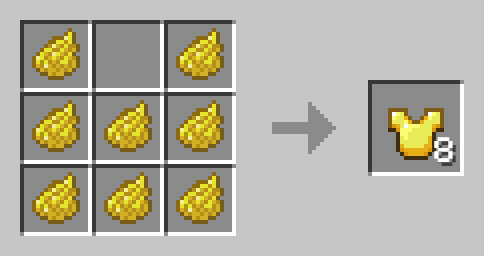
Fake Turtle Shell
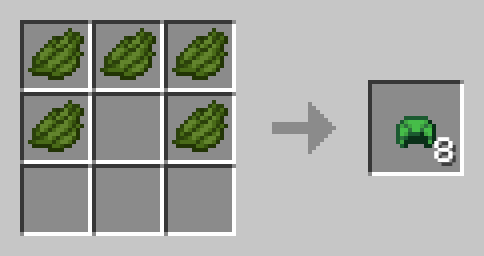
The Fake Turtle Shell cannot be worn to stop Players from abusing its water breathing capabilities.
Fake Elytra
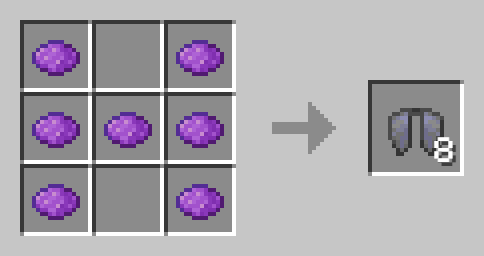
The Fake Elytra will actually look like a broken Elytra in Item, but will still look like a normal Elytra when worn or on Armor Stands. It is non-functional and cannot be repaired but has no Curse.
Curse of Fakeness
Fake Armor (Elytra & Turtle Shell exluded) will be enchanted with the Curse of Fakeness, meaning it will remove all your Armor Points when worn. You cannot remove Curses in the Grindstone or Crafting Table, but you can try. 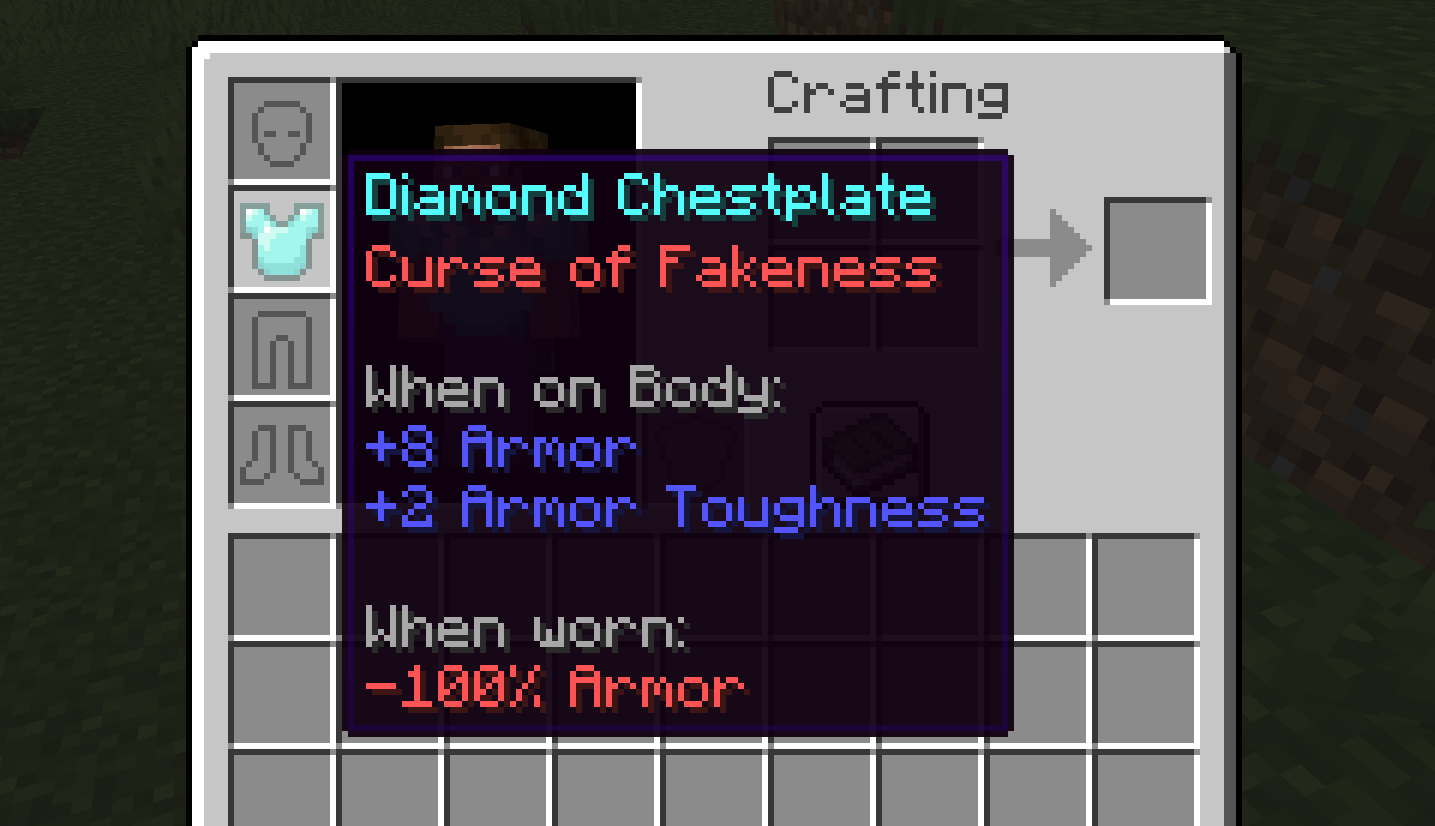
🛠️ Installation
Datapack Installation Guide
Copy the .zip archive into the “.minecraft/saves/yourworldname/datapacks” folder, where yourworldname is the name of your world.
Mod installation Guide
Copy the .jar archive into the folder your Mod Loader of choice provides.
⚙️ Compatibility
Might not be compatible with certain Uncrafting/Recycling Mods that allow Armor to be converted back to their respective Materials efficiently.
❗Issues and Suggestions
Please report issues on My Discord.
常见问题
Fake Armor 支持哪些 Minecraft 版本?
Fake Armor 支持 Minecraft Java 版 1.21–1.21.1,共 2 个版本。下载时注意选择和你游戏版本一致的文件。
Fake Armor 怎么安装?
新建世界时在「数据包」里把下载的 .zip 拖进去;已有的存档,把文件放进存档目录下的 datapacks 文件夹,进游戏输入 /reload 即可生效。服务器同样放在世界目录的 datapacks 里。
fishbowlforever 的其他作品
查看全部 →
Sky Artifacts (Change Weather & Time)
借助强力的神器,改变或冻结时间,还能开启或停止降雨与雷暴!

Nostalgic Bed
将现代床的合成方式替换为怀旧的经典红床配方。

Builders Dream
添加 100 多种可合成的迷你方块,让你的建筑更出彩!

No Raw Ore
矿石方块会直接掉落自身,而不是原矿,就像旧版本那样。
评论
登录后评论和评分